Best desk organizers for ADHD-friendly workspaces
Desk organizers that reduce visual clutter and decision fatigue — practical picks for ADHD remote workers who need systems, not more willpower.
Read the criteria and trade-offs first. Product picks come after so you can skip anything that fails your desk, room, or return window. How we research.
Affiliate links may appear in this guide. We earn from qualifying purchases at no extra cost to you.
Bottom line for ADHD-friendly desks
ADHD-friendly desk organization is not about minimalism for Instagram — it is about reducing the number of visual decisions your brain makes before starting work. Every loose paper, cable, and mug is a micro-distraction.
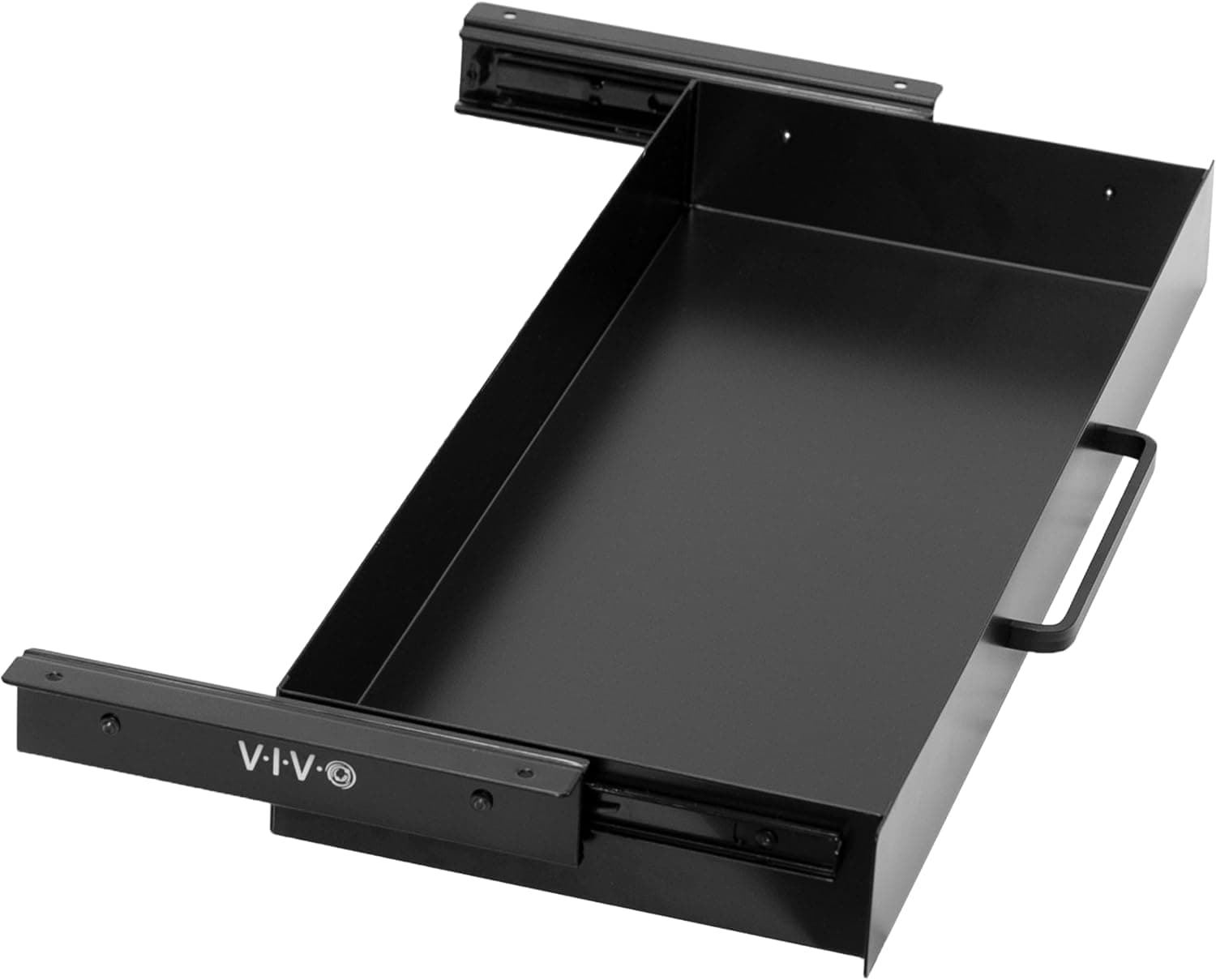
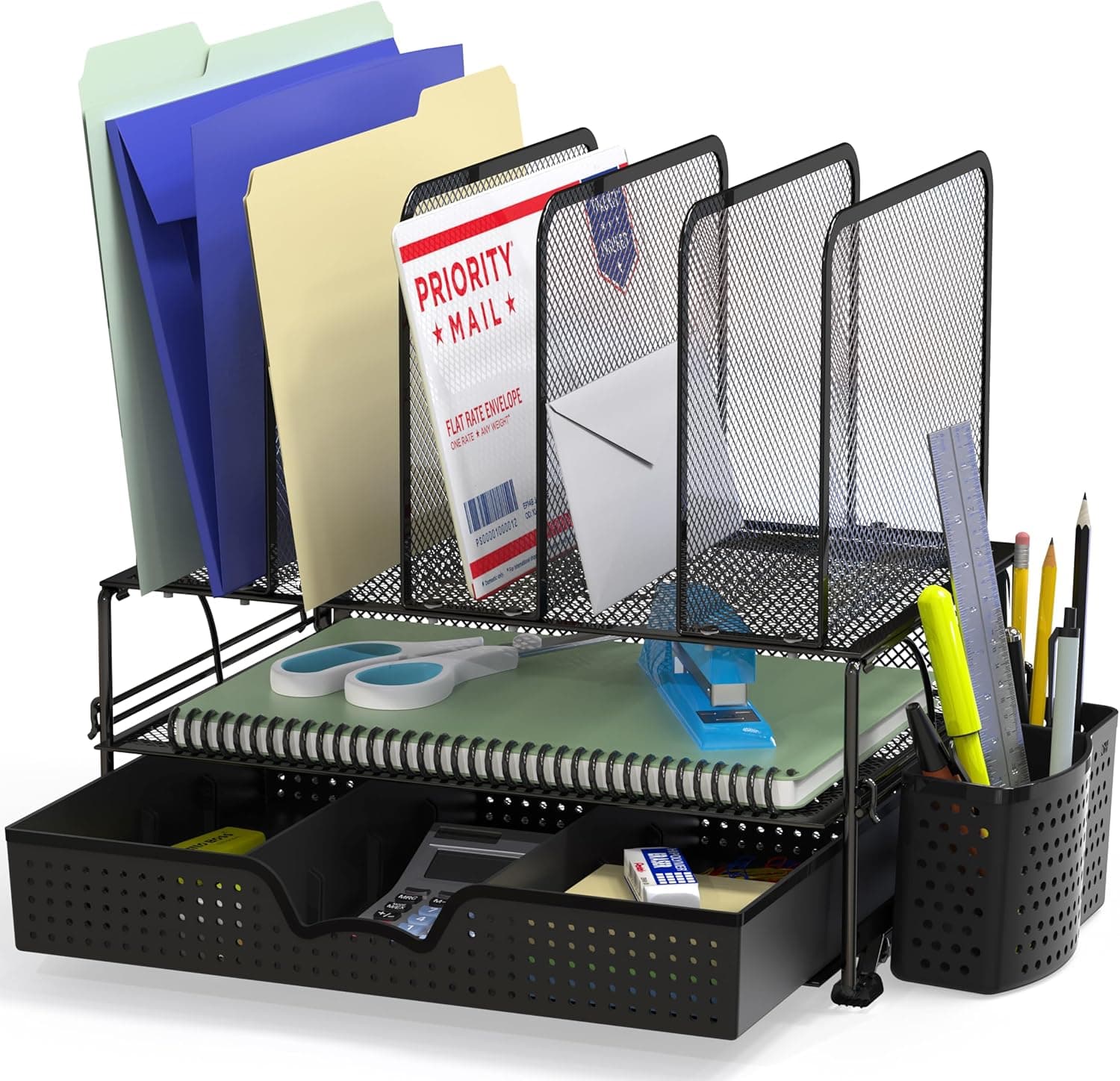
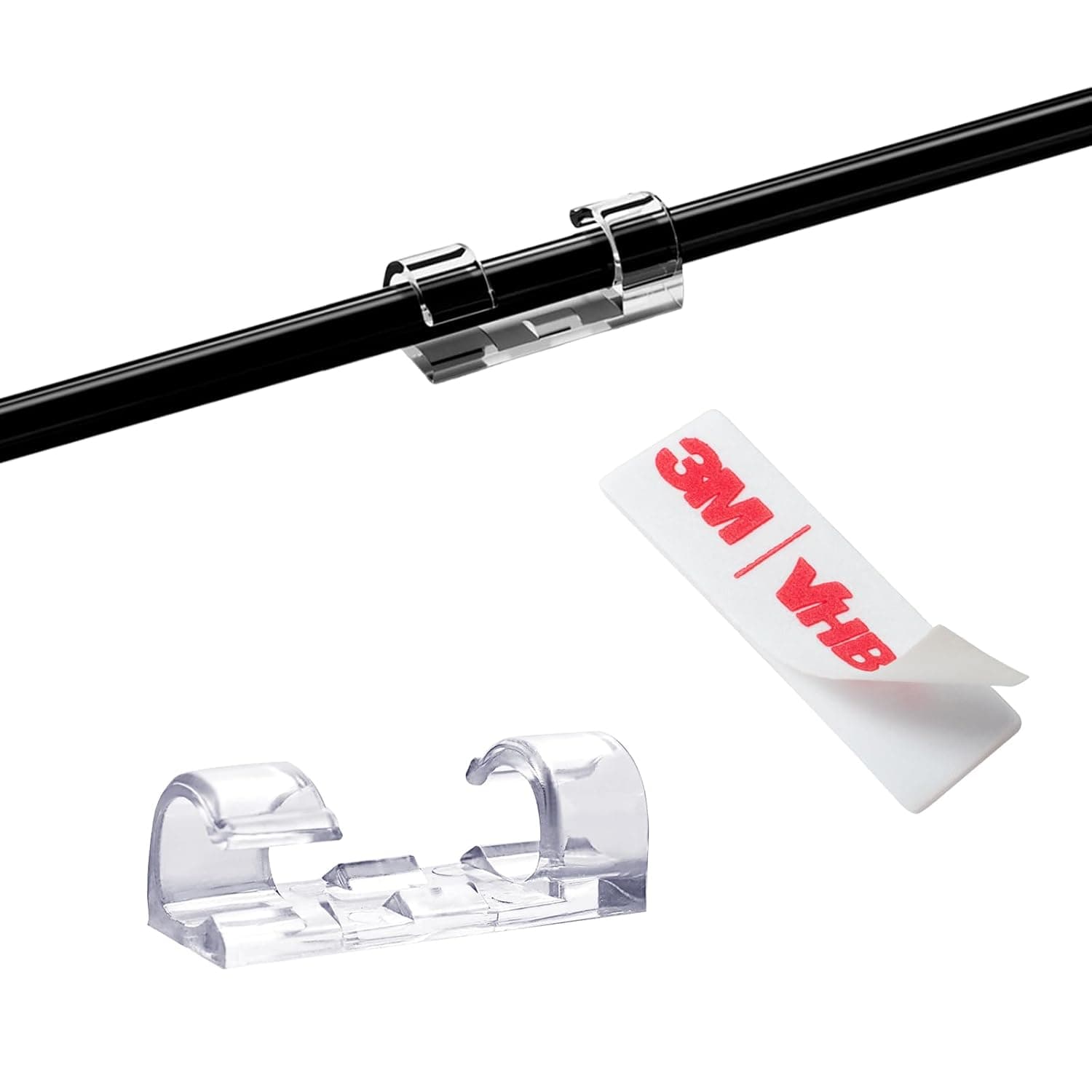
The VIVO drawer hides small clutter below the work surface. The SimpleHouseware organizer gives daily objects one assigned home. Cable clips stop charging leads from drifting back into the keyboard zone.
Buy systems that make putting things away easier than leaving them out. If returning an item takes more than two seconds, the system will fail on hard days.
Why standard organizers fail ADHD brains
Generic organizers add containers without reducing choices. Six empty compartments still ask 'where does this go?' every time — and decision fatigue is the enemy.
ADHD-friendly setups use visible homes for high-use items (phone tray, pen slot) and hidden storage for necessary-but-not-urgent objects (closed drawer or file). The goal is a calm default view with fast retrieval.
Color-coded or labeled zones help some people; others need fewer categories, not more. Start with three zones: input (inbox tray), active (keyboard area), archive (drawer or file).
Design principles that actually stick
One touch rule: daily items should land in their home in one motion — not open a lid, unstack a tray, or align perfectly in a divider.
Clear the camera zone: even if you do not video call, pick the monitor-facing half of the desk as the 'calm zone' with nothing except screen, keyboard, and one drink.
End-of-day reset takes sixty seconds: tray items back, papers into the inbox, cables into clips. Short resets beat weekend marathon cleaning.
Pair physical organization with digital capture — scan or photograph papers you might lose instead of keeping ten ambiguous stacks 'just in case.'
What mattered when comparing desk organizers
We selected organizers recommended in productivity and neurodiversity communities for low friction — not aesthetic desk tours that require daily styling.
The VIVO drawer solves the most common ADHD desk problem: small necessary objects that create visual noise. SimpleHouseware slots are boring but effective — fixed homes beat flexible piles. Cable clips remove recurring cord drift without another desktop container.
We skipped elaborate label-maker systems and expensive custom inserts — they work for some but add setup burden upfront.
Organizer mistakes that add clutter
Do not buy organizers before decluttering — containers on clutter just hide mess in boxes.
Avoid too many categories. Three to five homes beat twelve specialized compartments you forget exist.
Do not place inbox trays behind the monitor where you will ignore them — edge of dominant hand side works best.
Skip transparent acrylic everywhere if visual noise triggers you — solid tops or hidden storage reduce scanning.
Visual calm without hiding essentials
ADHD-friendly organization favors clear homes for high-use items: one tray for ‘today’, one cup for pens, one dock zone for phone and watch. Opaque boxes hide things you forget exist.
Limit desktop zones to three categories max. More grids become decision fatigue.
Color coding beats elaborate labels if you scan visually — red tray for outbound mail, blue for cables, neutral for notebooks.
Reduce friction to put things away
Open-top bins beat latching boxes for items you must replace ten times daily. Lids add steps that break habits.
Cable drops with wide mouths near the power strip beat winding perfectly — good enough routing sustained beats perfect routing abandoned.
Timers and reset cues
A five-minute end-of-day sweep prevents Monday avalanches. Pair it with a physical cue — closing the laptop lid triggers tray emptying.
Wall-mounted weekly calendar or whiteboard beside the desk offloads working memory without another browser tab.
Organizers that backfire
Micro-compartment acrylic grids for items you do not own yet become guilt monuments. Buy after inventorying real objects.
Fidget-heavy desk toys multiply distractions. One acceptable fidget, stored in a drawer during deep work, is the sustainable pattern.
Skip if you thrive on visible piles
ADHD-friendly does not mean invisible. Some people need the red notebook in peripheral vision to remember the client callback. Forcing everything into opaque bins can increase anxiety and duplicate purchases.
Match organizer count to actual transition points in your day: start work, join a call, ship a package, end work. Four zones beat twelve micro-slots you will not maintain past week two.
Apartment desks shared with family need organizers that clear in one motion — a lidded tray you can lift to a shelf beats a wall of fixed dividers that fight dinner setup. Skip permanent pegboards if the desk must reset nightly.
Return-window habit-fit testing
Buy one organizer category at a time and live with it ten workdays — inbox tray first, then cable bin, then pen cup. Returning a whole acrylic grid because one slot size was wrong is easier than admitting the entire system failed after you discarded packaging for five matching pieces.
Open-top bins should accept items one-handed while you hold a coffee mug. If putting the stapler away requires two hands and precise alignment, the organizer will empty onto the desktop by Wednesday. Test with your messiest real objects, not the clean props from unboxing photos.
Who should skip bought organizers entirely: workers who already maintain a single tray and weekly reset, and desks under 24 inches deep where another object steals mouse space. Apartment noise-sensitive households should avoid metal lid clatter during late-night reset sweeps — felt-lined trays or fabric cubes mute the ADHD tax on roommates.
Transition zones for hybrid work days
Define four physical zones tied to real transitions: arrive, deep work, call block, leave. A landing tray for keys and badge, a today pile for active docs, a dock spot for phone, and a shutdown bin for tomorrow’s first task. More zones than transitions become decoration.
Hybrid workers who pack a bag need organizers that survive daily emptying — a lift-and-go tray beats fixed dividers glued to the desktop. If the desk clears for dinner, everything must move in one container or the system dies by Thursday.
Visual cues beat hidden perfection: a red folder for outbound signatures, a blue bin for cables, neutral for notebooks. Scanning color works faster than reading labels when task-switching.
Apartment shared desks: choose organizers roommates can move without breaking your system — lidded stackable trays on a shelf, not adhesive acrylic that fights dinner setup.
Week-two organizer drift and reset rituals
Week two is when micro-slots empty into the today pile because precise placement took too long. If an organizer requires two hands and alignment, it will become a shelf for mail by Wednesday. Simplify slot count before you buy more bins.
End-of-day five-minute reset beats Sunday hour-long rescue. Pair shutdown with a physical trigger — lid close, lamp off, chair pushed in — so the sweep happens before couch mode.
Duplicate purchases signal invisible storage: if you bought a second stapler because the first vanished in a opaque bin, switch to open-top or translucent sides for high-use tools only.
Who should skip store-bought grids: desks already working with one tray and weekly purge, and visual thinkers who need the red notebook in peripheral vision. Forcing opaque minimalism increases anxiety for some ADHD brains — match visibility to memory style.
Short answers below — use them only if the criteria above already match your constraints.
Quick picks
Best hidden storage
VIVO sliding drawer
Moves small visual clutter below the desktop but keeps it within one reach.
Best tray system
SimpleHouseware desk organizer
Fixed zones for pen, phone, and sticky notes — everything has one home.
Best cable reset
adhesive cable-clip pack
Gives charging and monitor cables fixed paths so they stop reappearing on the work surface.
Our top picks
These products illustrate the criteria above — they are not a mandatory shopping list. Skip any pick that fails your desk depth, budget, noise limits, or return logistics.
Best overallA slim drawer mounted below the desktop — pens, sticky notes, adapters, and small distractions leave the visual field but stay within one motion.
Best for: Remote workers who focus better when small clutter is hidden rather than sorted in open containers.
- +Hidden storage lowers visual scanning
- +Sliding access keeps daily items close
- +Preserves the full keyboard-and-mouse surface
- −Requires measuring knee and desk-frame clearance
- −Mounting takes longer than placing a tray
 Best value
A compartmented tray that assigns a home for phone, pens, scissors, and sticky notes — reduces the 'where did I put it' loop that breaks focus.
Best for: ADHD workers who lose small objects constantly during the workday.
- +Fixed zones build muscle memory — phone always same slot
- +Inexpensive enough to duplicate on a second desk
- +No assembly — place in corner and load
- −Open top — still visible if overfilled
- −Plastic build — not a premium aesthetic piece
 Best for small desks
Small adhesive clips that assign charging, display, and peripheral cables a fixed path — removing the repeated distraction of cords sliding across the desk.
Best for: People whose phone cable, USB-C lead, or headphone cord repeatedly drifts into the active work zone.
- +No desktop footprint
- +One-time routing reduces daily cable decisions
- +Installs without drilling
- −Adhesive needs a clean, smooth surface
- −Does not replace a tray for power bricks
Side-by-side comparison
| Feature | Under-desk drawer | Tray organizer | Cable clips |
|---|---|---|---|
| Typical price | $30 – $45 | $20 – $30 | $8 – $12 |
| Reduces visual clutter | High — small items hidden | Medium — items grouped | Medium — cables routed |
| Setup discipline needed | Low — one pull to store | Medium — return items to zones | Low — cables stay assigned |
| Footprint | None on desktop | Small corner zone | None — desk edge |
| Best if you… | Need clutter out of sight | Lose pens and phone daily | Fight charging-cable drift |
The verdict
Hide small clutter in the VIVO drawer, assign daily objects to the SimpleHouseware organizer, and add cable clips to stop cord drift. ADHD-friendly organization is about fewer visible choices — pick the one product that removes your biggest daily friction first.
Advertisement
Ad placement activates after cookie consent.
FAQ
Does desk organization really help ADHD focus?+
It helps reduce environmental triggers — not replace medication or coaching. A calmer desk lowers the activation energy to start tasks and reduces 'where is it' interruptions. Results vary by person.
Tray organizer or drawer for ADHD?+
Open trays work for items you use hourly — phone, pen, sticky notes. Drawers work for items you need but should not see. Out of sight reduces distraction; out of reach can cause forgotten tasks.
How minimal should an ADHD desk be?+
Minimal enough that starting work takes one glance, not a cleanup session. Some people need near-empty surfaces; others need visible checklists. Match the system to what you actually use daily.
Can a desk mat replace a paper filing system?+
For active short-term paper — yes, temporarily. Long-term archives still belong in a folder or digital scan. The mat pocket is for this week's references, not tax records.
Should I copy a perfectly organized influencer desk?+
Copy functions, not photos. Their lighting, editing, and unused props hide real friction. Build zones around your actual tasks — calls, coding, paper signing — and remove anything that survived a month without use.
Related guides
Keep reading
Published 2026-07-05 · Updated 2026-07-26