Small home office upgrades worth buying before a new laptop
Before replacing your computer, fix the environment around it — lighting, posture, and seating upgrades that cost less and feel better immediately.
Start with the criteria and table. Only open product pages after you know depth, noise, and budget limits. How we research.
This article includes product recommendations that may contain affiliate links. Prices are approximate and may change.
Bottom line before you buy a new laptop
Before spending $1,000 or more on a new laptop, spend $100 to $200 on the environment around it. A better lamp, a laptop stand, and a footrest address the problems most remote workers actually complain about: tired eyes, sore necks, and restless legs.
These upgrades do not add GHz or RAM, but they change how the workday feels within the first week. That is why they consistently outperform a spec bump for people who already own a machine that runs their daily tools fine.
If you can only buy one thing this month, get the lamp if you work in a dim room, the stand if you hunch over a flat laptop, or the footrest if your feet never touch the floor comfortably.
Why environment beats specs
A faster laptop rarely fixes glare, neck strain, or a cluttered workspace. Small setup changes can make the workday feel better immediately and cost far less than a major device upgrade.
This is especially true for remote workers whose real bottleneck is comfort, not CPU performance. Email, spreadsheets, Slack, and Zoom run fine on a three-year-old machine — but a bad chair height, dim lighting, or a screen below eye level create fatigue that no processor upgrade removes.
Think of these purchases as infrastructure, not accessories. They work with whatever laptop you have now and whatever you buy next.
Where to spend first (priority order)
If you work more than four hours a day at the same desk, start with posture and lighting. Those two areas affect energy and concentration more than most people expect.
Lighting comes first when you squint by 3 p.m., get headaches after long sessions, or look washed out on video calls. A lamp or light bar that puts even illumination on your face and desk reduces both eye strain and the mental drag of working in a cave-like corner.
Posture comes next: raise the laptop screen with a stand and add an external keyboard so your elbows sit near 90 degrees. A footrest is the third layer — it matters most when your chair is too high or your desk is too tall for your leg length.
Organization tools — trays, docks, drawer dividers — are worth adding once the basics feel right. They reduce friction but do not fix physical discomfort on their own.
How we ranked small office upgrades
Every product had to install in minutes without drilling, work on rental furniture, and deliver a noticeable daily benefit for under $120 individually. We skipped gimmicky desk gadgets and multi-item bundles that look good in photos but gather dust after a week.
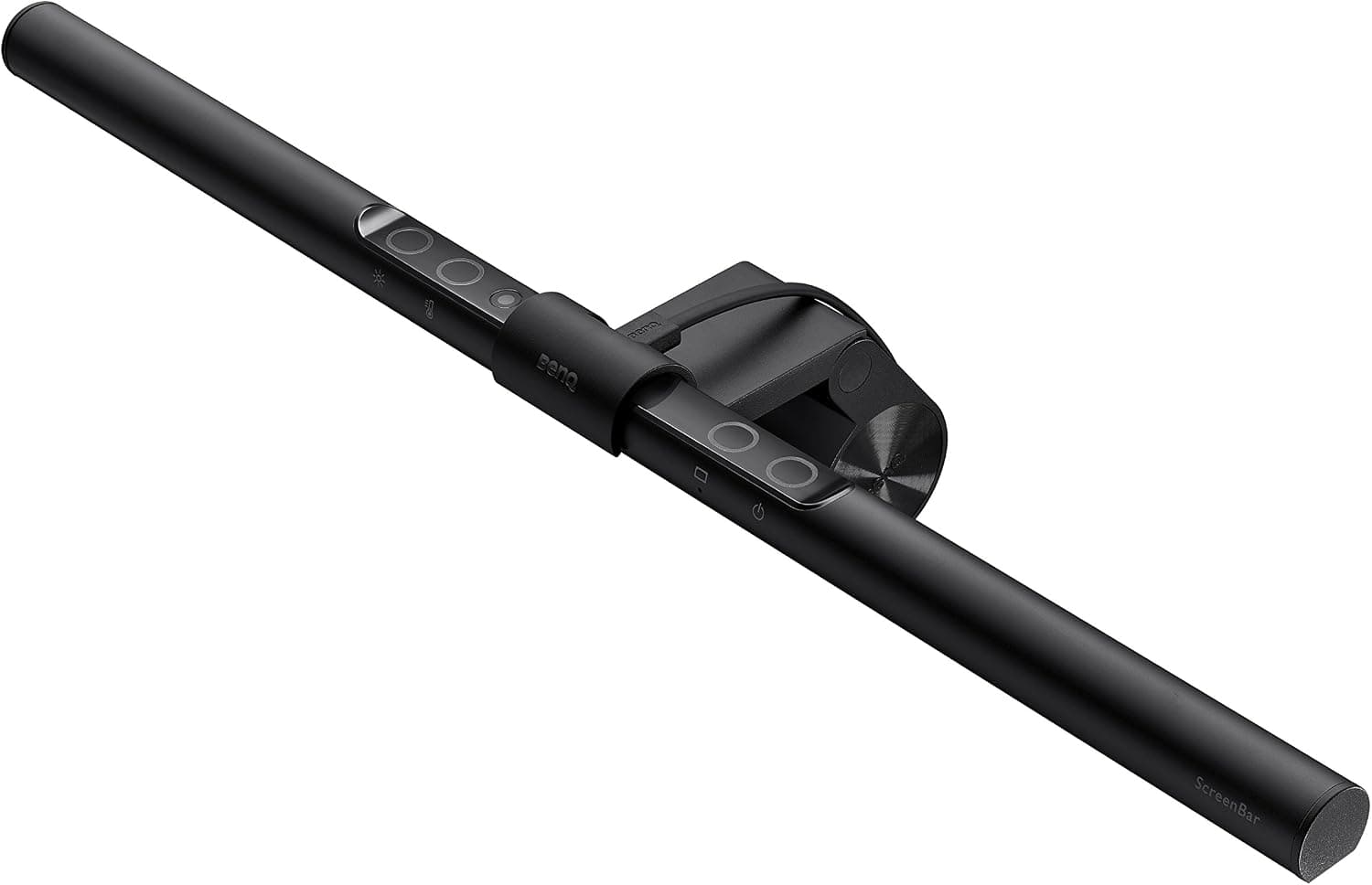
The BenQ ScreenBar earned the top lighting spot because it solves the two most common WFH lighting failures: screen glare from a side lamp and uneven face lighting on calls. If you do not have a monitor with a flat top edge, a compact adjustable desk lamp like the Honeywell HWT-H2 is a strong alternative at a lower price.
The Nulaxy stand represents the best balance of height range, portability, and cost for laptop-first setups. The Everlasting Comfort footrest is a consistent recommendation in ergonomic circles because it actually changes how your pelvis and lower back align when seated — not just where your feet rest.
Upgrade mistakes that do not pay off
Do not buy a new laptop to fix a neck problem. Raise the screen first, then reassess whether your machine is truly slow for your workflow.
Do not place a lamp directly behind your laptop pointing at the screen. Side or monitor-mounted lighting reduces glare and keeps contrast readable.
Do not skip the external keyboard when you buy a laptop stand. A raised screen with a flat keyboard still leaves your wrists at an awkward angle.
Do not treat a footrest as a substitute for chair height adjustment. Lower the chair if you can, then add the footrest to fill the remaining gap.
Avoid buying everything at once before you know your main pain point. One targeted upgrade beats a $300 accessory haul that does not match how you actually work.
Fix the environment before the laptop
Lighting, chair fit, and screen height change how every app feels. A new laptop on a bad desk repeats the same neck ache in a faster chip.
Most under-$150 upgrades beat marginal CPU gains for knowledge work — spreadsheets, calls, and writing do not need a GPU refresh if posture and glare are wrong.
Sequence purchases: see the screen clearly, sit supported, then speed up input with keyboard and mouse.
Lighting and video wins first
An adjustable desk lamp or small key light fixes glare and call appearance in one afternoon. Window backlight is a software problem no processor solves.
Warm-neutral color temperature near 4000–5000K reads natural on webcams. Very warm bulbs look orange on auto white balance.
Pair bias lighting with face lighting — monitor bars alone often under-light chins on Zoom.
Posture upgrades without a new monitor
Laptop stand plus external keyboard raises eye line cheaper than a 27-inch panel if budget is tight.
Footrests restore thigh-horizontal sitting when desk height is fixed at 29 inches and you are under 5'6".
Compact lumbar cushions help until a real chair is affordable — they are not eight-hour replacements for adjustability.
Skip if you are about to move
Heavy monitor arms and drilled shelves are bad buys two months before a lease ends. Prefer clamp lights, portable stands, and cable sleeves.
Do not buy a giant desk if the room layout changes in autumn. Fix chair and lighting on the furniture you have.
Laptop upgrades right before employer refresh cycles waste money — check corporate hardware calendars.
Apartment budget sequencing
Studio flats: prioritize quiet, compact gear — no tower purifiers blocking closet doors, no arc headphone stands stealing mouse depth.
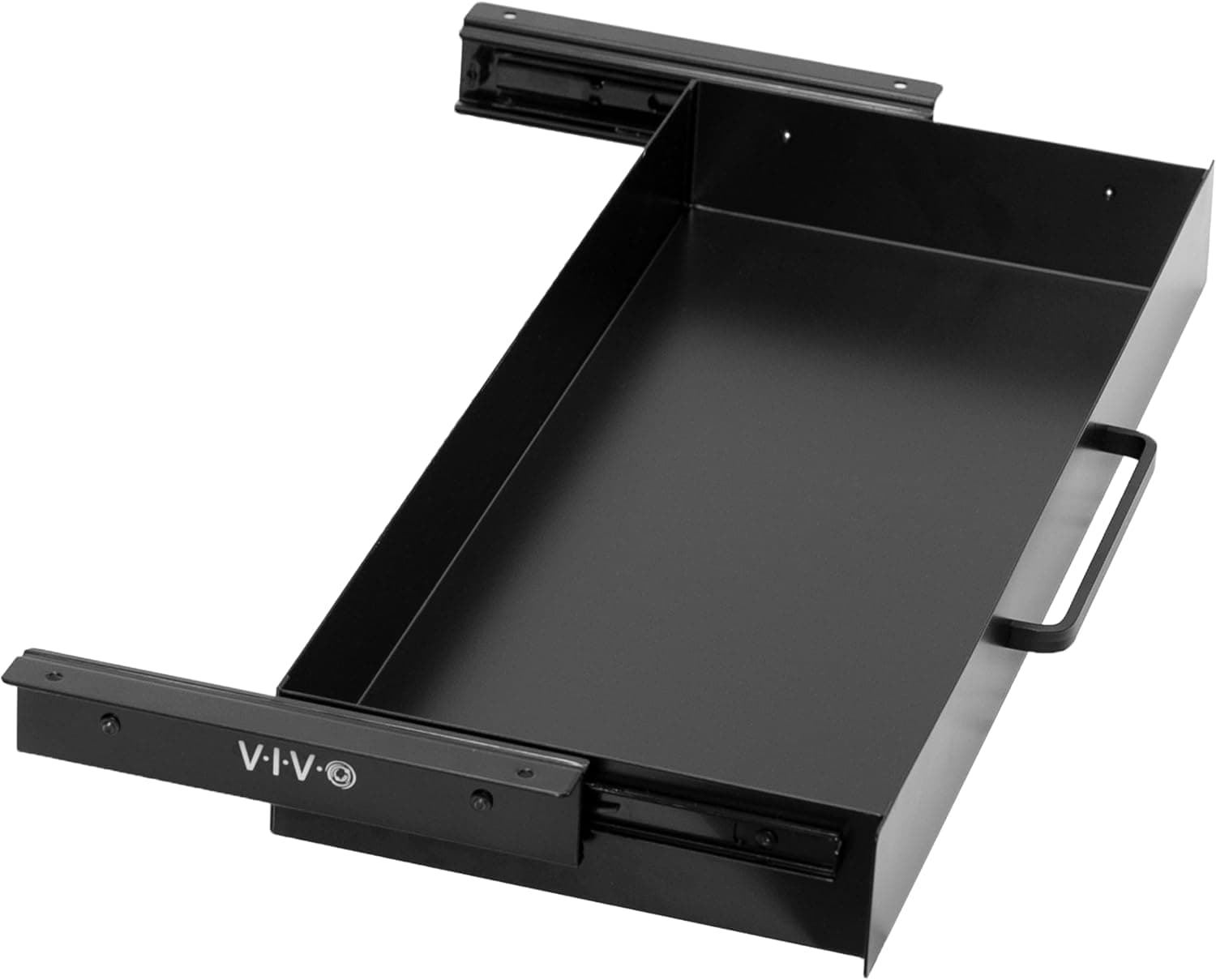
Shared tables need reversible setups cleared for meals. Drawer trays beat permanent desk monuments.
Track return windows per item. A lamp that glares on video is an easy exchange; a chair you hate after day four is a harder lesson.
Return-window honesty for small buys
Test each upgrade through a real Monday — three calls, two hours of typing, one evening session. Weekend unboxings lie.
Keep boxes for lamps and stands until day fourteen. Color temperature regret shows up on camera, not in the living room.
If nothing improves after lighting and posture fixes, then benchmark the laptop — not before.
Sizing upgrades to room geometry
Studio flats punish upgrades that assume a dedicated 60-inch desk — measure depth before monitor arms, purifiers, or tower speakers. A well-placed lamp often helps more than a premium hub when the desk faces a window that silhouettes you daily.
Sequence purchases for apartment noise and footprint: lighting and chair fit before mechanical keyboards, cable trays before second gadgets, footrest before new mouse. Who should delay all buys: movers inside two months and workers awaiting employer hardware refresh.
Return-window per item beats bulk unboxing ten upgrades at once — you will not know which lamp fixed glare versus which mat curled. Shared dining tables need reversible upgrades cleared nightly; skip heavy clamp arms until you confirm meal-time clearance with housemates.
Side-by-side comparison
| Feature | Desk lamp | Laptop stand | Footrest |
|---|---|---|---|
| Typical price | $25 – $120 | $20 – $80 | $20 – $45 |
| Main benefit | Better light + less eye strain | Screen height + desk space | Stable leg position while seated |
| Setup time | Plug in and position — 5 min | Unfold or place — 2 min | Slide under desk — instant |
| Works on shared desks | Yes — portable | Yes — foldable models pack flat | Yes — moves with your chair |
| Visible on video calls | Indirectly — you look less tired | No — off camera | No — below frame |
| Best if you… | Work in dim rooms or evenings | Use a laptop as your main screen | Feet do not rest flat on the floor |
Picks that match the criteria above
These products illustrate the criteria above — they are not a mandatory shopping list. Skip any pick that fails your desk depth, budget, noise limits, or return logistics.
Best overallBenQ ScreenBar
~$109A monitor-mounted light bar that illuminates your desk without shining into the screen — the cleanest fix for evening work and backlit video calls.
Best for: Remote workers who take calls at night or sit near a bright window during the day.
- +No desk footprint — clips to the top of your monitor
- +Auto-dimming sensor adjusts to ambient light
- +Eliminates the harsh shadow a single side lamp creates on your face
- −Requires a monitor with a flat top edge for the clip
- −Premium price compared to basic desk lamps
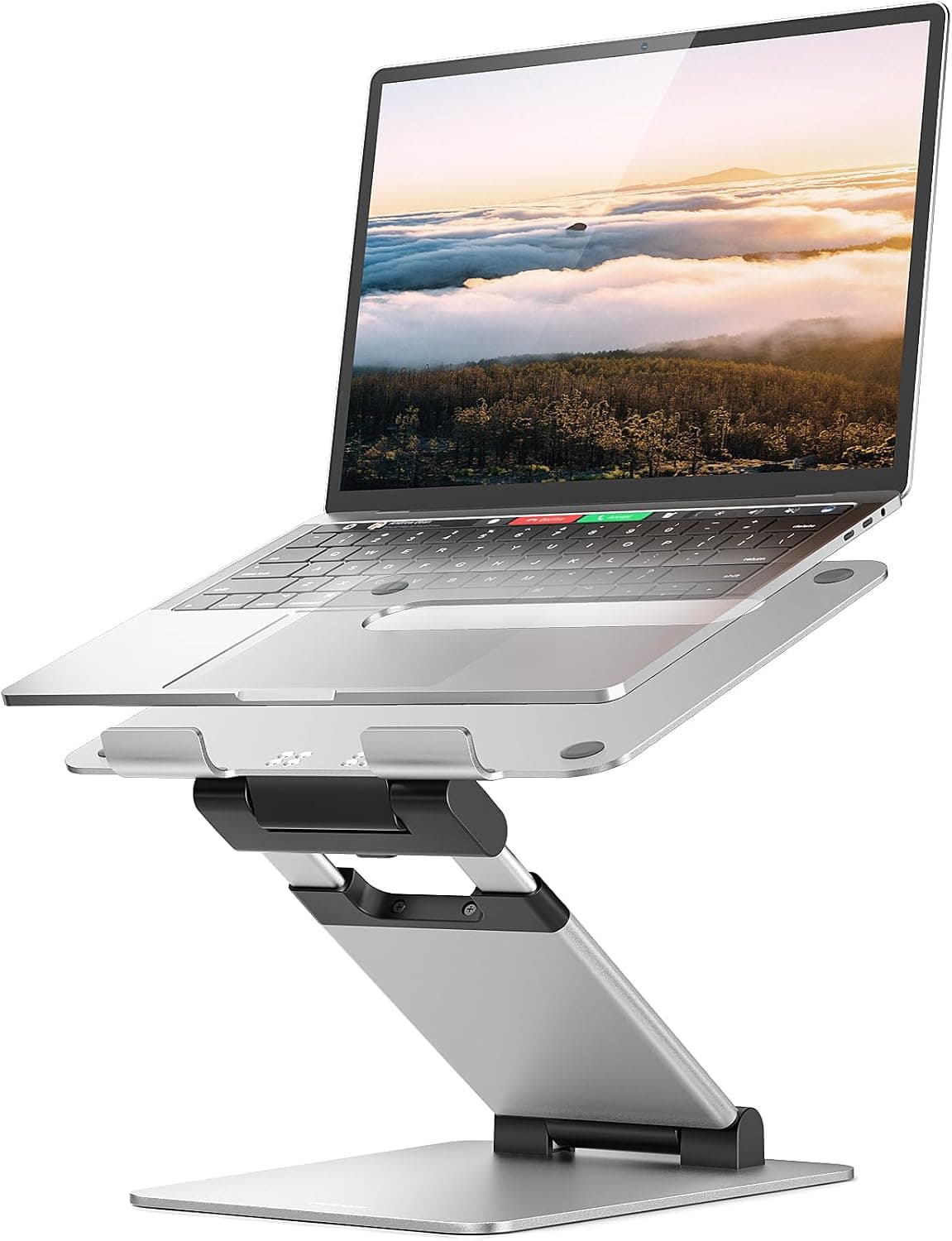 Best value
A foldable aluminum stand with multiple height settings — raises your laptop screen and frees keyboard space on a cramped desk.
Best for: Laptop-only workers who are not ready to buy an external monitor yet.
- +Collapses flat for travel or hot-desking
- +Ventilated design helps airflow on hot laptops
- +Pairs well with any external keyboard and mouse
- −Adds a small footprint at the base
- −Not as rigid as fixed aluminum risers for heavy machines
 Best for comfort
A dense foam footrest with a textured surface that keeps feet supported and encourages subtle movement during long seated sessions.
Best for: Shorter users, adjustable chairs that do not go low enough, or anyone whose feet dangle.
- +Improves lower-back posture by anchoring the legs
- +Textured surface reduces slipping in socks
- +No assembly — works under any desk height
- −Foam compresses slightly over years of daily use
- −Large footprint may not fit under narrow desks with drawers
The verdict
Fix the room before the rig: grab the BenQ ScreenBar if lighting is your bottleneck, add the Nulaxy stand plus an external keyboard for posture, and finish with the Everlasting Comfort footrest if your feet never sit flat. That trio costs less than most laptop upgrades and pays back in comfort every workday.
Advertisement
Ad placement activates after cookie consent.
FAQ
Should I upgrade my laptop or my desk setup first?+
Upgrade the desk setup first if your current laptop handles your daily apps without constant lag. Eye strain, neck pain, and poor lighting are environment problems. Buy a new laptop when you genuinely hit performance limits — slow exports, insufficient RAM for your tools, or a battery that dies mid-day.
Is a laptop stand enough without an external monitor?+
Yes for many people. A stand brings the built-in screen closer to eye level, which is the main ergonomic win. Pair it with an external keyboard and mouse for the full benefit. An external monitor is the next step if you need more screen area, not necessarily better posture.
Do I need a footrest if I already have an ergonomic chair?+
Often yes — especially if the chair's lowest height still leaves your feet unsupported or if you share a desk with a fixed height. A footrest lets you keep proper thigh support while anchoring your legs, which reduces lower-back strain.
What is the total budget for all three upgrades?+
Roughly $170 to $180 if you buy the BenQ ScreenBar, Nulaxy stand, and Everlasting Comfort footrest at typical Amazon prices. You can cut that to under $100 by choosing a basic desk lamp instead of the ScreenBar and keeping the stand and footrest.
Related guides
Keep reading
Published 2026-07-05 · Updated 2026-07-15