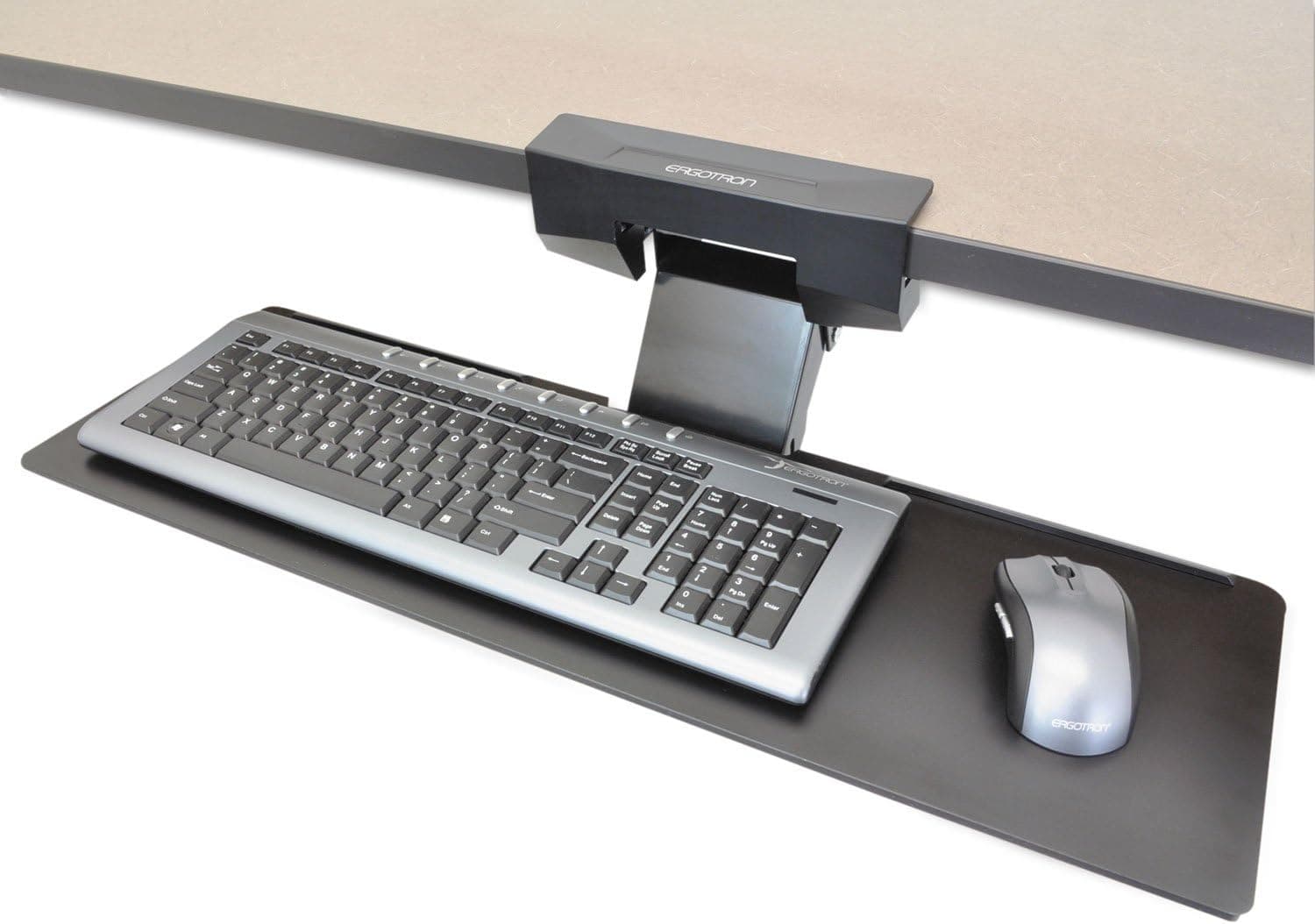
Best keyboard trays for shallow desks
Under-desk keyboard trays that reclaim depth on shallow desks — ergonomic typing angle without buying a deeper table.
Start with the criteria and table. Only open product pages after you know depth, noise, and budget limits. How we research.
Some product links may earn a commission. Prices are approximate.
Bottom line for shallow-desk keyboards
Shallow desks force a bad choice: monitor too close or keyboard too high. An under-desk keyboard tray moves typing surface forward and down — freeing depth for the screen and improving wrist angle with negative tilt.
Choose Ergotron Neo-Flex for screw-mounted quality, VIVO for clamp-friendly budget installs, Mount-It! if you want a wide one-piece keyboard-and-mouse platform.
Measure underside clearance — desk drawers, crossbars, and central beams block trays on some IKEA and sit-stand frames.
Why shallow desks need trays
Ergonomics guides assume 24-inch-plus desk depth. Many apartment desks are 20 inches or less — fine for a monitor on a arm but cramped when keyboard and mouse sit on the same plane in front.
A tray puts the keyboard below the desktop, effectively adding usable depth without a new table. Negative tilt keeps wrists neutral instead of extended upward toward a high keyboard.
Mouse platforms that slide with the tray keep shoulder alignment better than keyboard-only trays that leave the mouse on the desktop above.
Installation checklist
Measure width between desk legs and height from floor to underside — knee bump and drawer conflict are the top failures.
Locate solid material for screws — particleboard needs appropriate length; hollow metal frames need manufacturer-approved clamp kits.
Sit-stand desks: mount tray to fixed frame members when possible so typing height stays consistent relative to seated elbow height when desk moves.
Plan cable slack for keyboard and mouse — a tray that slides needs six to twelve extra inches of cord.
What mattered when comparing keyboard trays
We prioritized trays with real negative tilt and mouse platform options — flat sliding shelves without angle adjust do not solve ergonomics.
Ergotron Neo-Flex and Mount-It! cover screw-mounted glide; VIVO fills the clamp-mount niche for renters who cannot drill.
We skipped sit-on-top keyboard drawers that do not lower typing height — they add storage but not ergonomic angle on shallow surfaces.
Keyboard tray mistakes on shallow tops
Do not mount trays centered under desk drawers — they will collide when stowed.
Avoid trays too narrow for your keyboard — measure width including number pad.
Do not skip negative tilt setup — a flat tray under the desk can still leave wrists extended.
Test knee clearance daily for a week — what feels fine for ten minutes may bruise shins by Friday.
Mouse platform options
Integrated keyboard + mouse platforms keep one plane for wrists. Separate mouse pads that swivel solve right-left hand conflicts but add width.
Large mechanical keyboards may overhang tray lips. Measure width including number pads and macro columns.
Install on standing and sit-stand desks
Clamp trays to the frame rail, not the moving top, on some height-adjustable desks — verify compatibility so the tray does not rise with the desktop unless intended.
Cable reach to wired keyboards lengthens when the tray drops — loop slack to avoid key chatter from tug.
Skip keyboard trays if
You already use a split ergonomic keyboard on the desktop with the monitor on an arm — trays may worsen shoulder angle.
Your desk has drawer packs occupying the underside channel trays need.
Sizing knee clearance in prose
At your normal seat height, measure from the floor to the underside of the desktop, then subtract three inches for thigh clearance when the tray is stowed. Trays that skim your legs when slid in will never get used — they become expensive dust shelves.
Track length should let the keyboard platform sit fully under the desk without protruding into your shins when you tuck the chair. Taller users on low desks hit thighs before wrists — height-adjustable trays cost more but prevent abandoned installs.
Mouse platforms add width. A tray rated for compact keyboards may not fit a full-size board plus a low-DPI mouse arc. Lay out paper templates on the underside before drilling clamp holes into a standing-desk rail.
Return-window tray slide tests
Install and slide the tray in and out fifty times on day one — cheap tracks bind when humidity swells particleboard desks in unconditioned apartments. Stow the tray fully before each standing-desk lower cycle; crushed fingers and bent tracks are common when you forget clearance.
Type a full hour with wired keyboards and watch for key chatter when the cable is too taut at full extension. Who should skip trays: split ergonomic keyboard users happy with desktop placement, desks with drawer packs blocking the rail channel, and anyone whose monitor is already too close when the keyboard moves forward.
Mouse-on-tray setups need the same plane as keys — separate height mouse shelves cause shoulder tilt. Return if wobble appears when you click hard; gaming and spreadsheet workers notice micro-movement within days. Clamp to frame rails on sit-stand desks when the manual allows — trays that rise with the top may be intentional or a compatibility mistake.
IKEA and dining-table underside realities
Particleboard desks from flat-pack kits often have only ½-inch of solid material at the edges and hollow honeycomb in the center. Screw-mounted trays need the solid zone — trace the frame rails with a knock test before you drill. Clamp models that bite the front rail may miss entirely on tables with apron skirts that hang lower than the top.
Standing-desk frames add crossbars exactly where keyboard trays want to live. Measure from the underside of the desktop to the top of the crossbar at both sitting and standing heights. A tray that clears your thighs at 28 inches may collide with the bar at 40 inches when the desk rises.
Dining tables used as WFH desks usually lack the knee well depth trays assume. The table apron can sit six inches in from the edge — your shins hit before the tray slides fully under. In those rooms, a compact keyboard on the surface plus a monitor arm often beats fighting underside geometry.
Heat from laptop charging on the desktop above can warp thin tray boards over months. Leave air gap between the tray and any power brick stored in a nearby under-desk basket — stacked heat softens adhesive mounts on renter-friendly clamp trays.
Tray setup sequence for shallow desks
Measure working depth first: keyboard front edge to monitor base should leave at least an arm’s length to the screen. If the keyboard on the desktop forces the monitor within 16 inches, a tray is justified. Write down knee height, thigh clearance, and track length before ordering.
Install empty, then add keyboard and mouse. Slide in and out twenty times before you cable-tie anything. Wired boards need a loop that does not tug keys when the tray is fully extended — tug causes double-letter ghosts that look like hardware failure.
Week two is when cheap tracks bind on humid days. If the tray sticks after a rainy week in an unconditioned apartment, return inside the window rather than WD-40 hacking a particleboard desk. Negative tilt should feel natural within three days; if wrists ache upward, adjust tilt before you blame the keyboard.
Who should skip trays entirely: split ergonomic keyboard users already comfortable on the desktop, desks with drawer packs blocking the rail channel, and shallow setups where the monitor is still too close even with the keyboard dropped. A tray that steals knee room you do not have becomes a storage shelf for dust.
Side-by-side comparison
| Feature | Ergotron Neo-Flex | VIVO tray | Mount-It! MI-7138 |
|---|---|---|---|
| Typical price | $120 – $160 | $50 – $70 | $90 – $120 |
| Mount type | Track — screw to desk underside | Clamp or screw | Track — screw mount |
| Mouse platform | Integrated or separate | Adjustable side platform | Wide one-piece platform |
| Negative tilt | Yes — ergonomic angle | Yes on most models | Yes — fine tilt + swivel |
| Best if you… | Want set-and-forget quality | Need renter clamp option | Want max width for keyboard + mouse |
Picks that match the criteria above
These products illustrate the criteria above — they are not a mandatory shopping list. Skip any pick that fails your desk depth, budget, noise limits, or return logistics.
Best overallA track-mounted tray with gel wrist support and smooth slide action — the standard recommendation when a shallow desk pushes the keyboard too close to the monitor.
Best for: Permanent desks where you can screw a track to the underside.
- +Smooth glide — easy to stow desk for non-computer tasks
- +Gel wrist rest reduces edge pressure
- +Decades of office deployment — parts still available
- −Requires screw mount — not ideal for all rental desks
- −Track length needs minimum desk depth under surface
 Best value
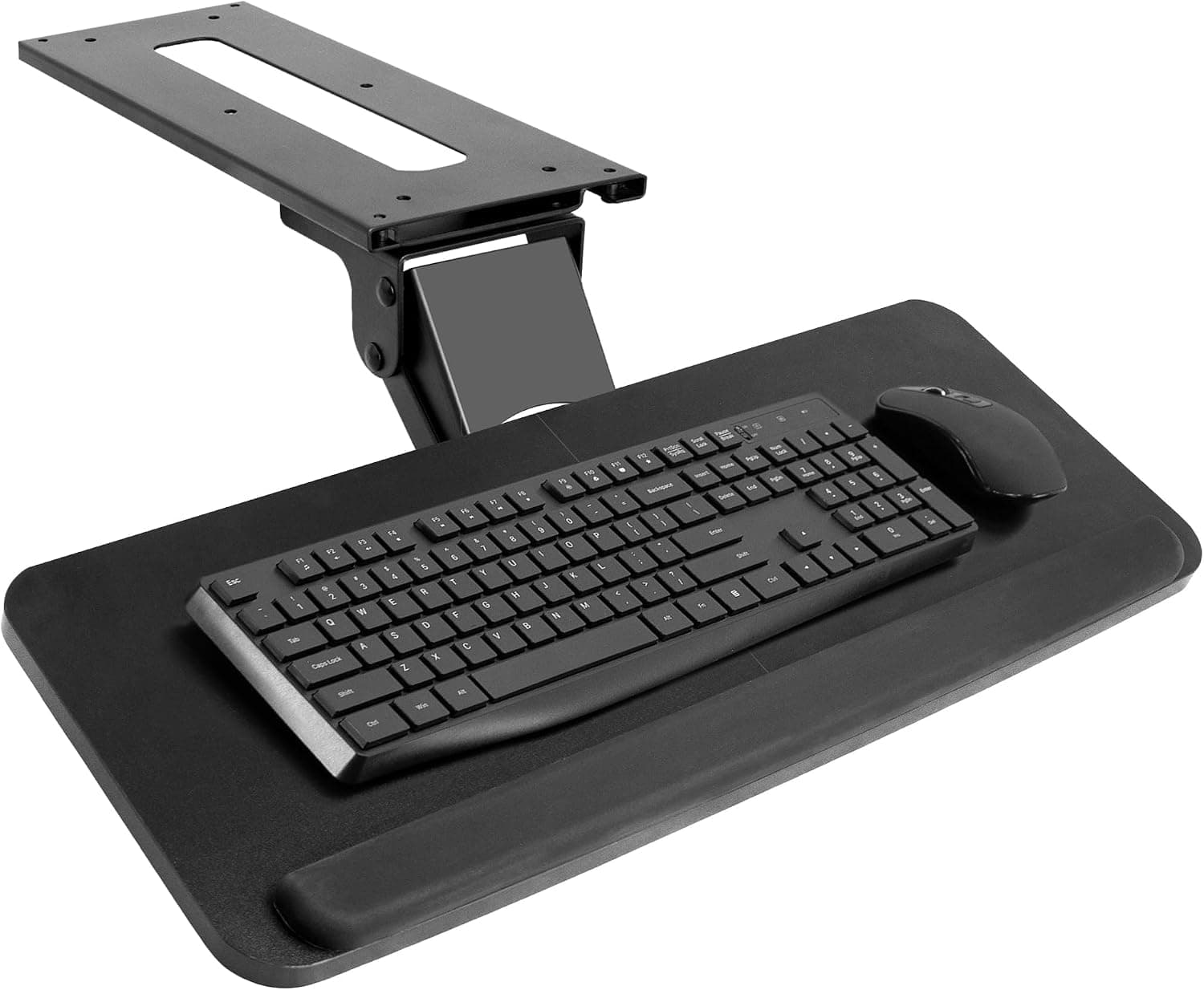
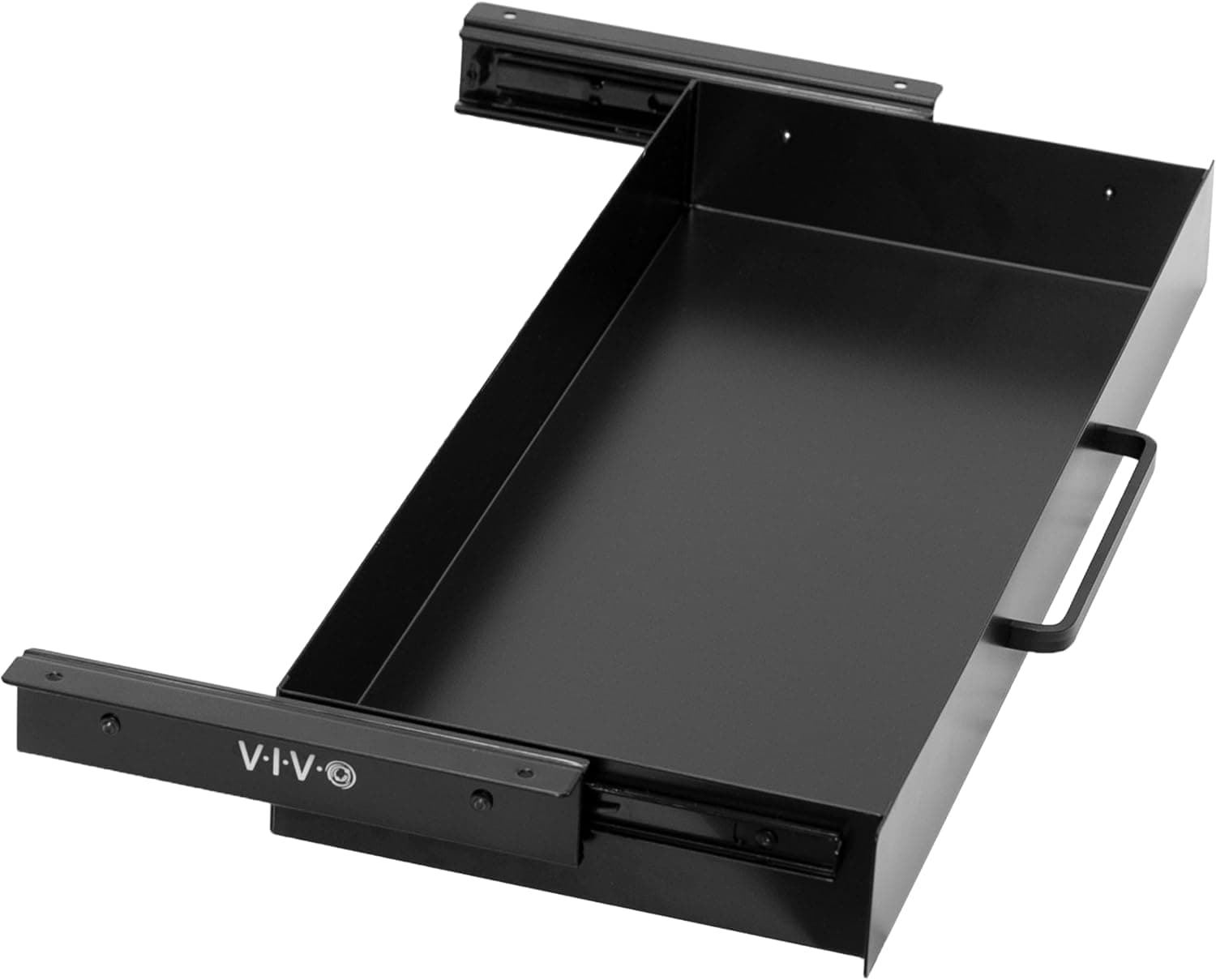
A clamp-compatible keyboard tray with separate mouse platform — reclaims depth on shallow desks without permanent holes when clamp models fit your frame.
Best for: Renters and sit-stand users testing keyboard trays before committing to screws.
- +Clamp or screw options depending on model
- +Mouse platform adjusts left or right
- +Affordable experiment with under-desk typing
- −Slide mechanism less refined than Ergotron or Mount-It!
- −Clamp may not fit thick or irregular desk frames
 Best wide platform
An extra-wide under-desk keyboard and mouse platform with tilt, swivel, and a gel wrist rest — for typists who want a rigid full-size board surface without clamp clutter on the desk edge.
Best for: Heavy typists and developers who pull the tray in and out daily and need keyboard-plus-mouse width.
- +26-inch-class platform fits full-size keyboards with mouse room
- +Tilt and swivel help neutral wrist posture on shallow desks
- +Bolt-on mount stays more stable than many clamp trays
- −Requires screw mount into solid wood/MDF — not glass desks
- −Needs adequate under-desk clearance for the track
The verdict
Shallow-desk workers should mount the 3M tray if screws are allowed — glide and wrist support justify the cost. Renters start with VIVO clamp models and verify frame fit. Ergotron is the long-typing upgrade when cheaper slides start to wobble after a year.
Advertisement
Ad placement activates after cookie consent.
FAQ
Keyboard tray or lower desk?+
Lower the desk or raise the chair first if possible. Trays help when desk height is fixed (dining table, built-in) or already at minimum and the keyboard still sits too high relative to elbows.
Will a tray work on a standing desk?+
Yes on many frames, but typing height changes when the desk rises unless the tray mounts to a fixed crossmember. Some standing-desk users prefer keeping keyboard on top and using monitor arms for depth instead.
Clamp or screw mount?+
Screw mounts are sturdier for daily slide cycles. Clamps suit renters and reversible setups. Check clamp opening against your desk thickness and apron shape.
Do I need a wrist rest on the tray?+
A gel rest on the tray front edge helps if the lip is hard plastic. Ideal ergonomics still depend on chair height and keeping wrists neutral — not planted while typing.
Related guides
Keep reading
Published 2026-07-05 · Updated 2026-07-26