Best Mouse for Work (2026): Ergonomic Picks for All-Day WFH
The best mouse for work and long computer days — ergonomic vertical and sculpted picks for WFH, plus when a mouse change alone won't fix wrist pain.
We keep the shortlist small on purpose. One strong fit beats three mediocre Amazon cards. How we research.
Affiliate links may be present in this buying guide. Prices are approximate and may change.
Bottom line for all-day mouse comfort
If your wrist or forearm hurts after long mouse sessions, try the Logitech MX Vertical first — the neutral grip addresses the most common repetitive-strain pattern for desk workers. If you need precision and heavy scrolling without a learning curve, the MX Master 3S is the better daily driver.
The Anker vertical mouse is the smart budget move when you are not sure vertical will feel natural. Give any new grip at least a week before judging it — your accuracy will dip before it improves.
A mouse alone does not fix bad desk height or chair armrests. Adjust those first if pain is new or severe, then swap the mouse.
Vertical vs sculpted
Vertical mice rotate your forearm into a neutral position, which helps many people with wrist pain caused by extension — the bent-back wrist posture common with flat mice. The tradeoff is a short adaptation period and slightly less pixel-level precision at first.
Sculpted traditional mice like the MX Master offer a middle ground with a thumb wing and angled body. They feel familiar immediately and excel at fine cursor work, scrolling through long documents, and creative apps.
There is no universal winner. Designers and video editors often keep a Master for precision tasks and use a vertical mouse for email-heavy days. Most people pick one primary mouse.
Pair with the right desk setup
An ergonomic mouse works best when your elbow sits near 90 degrees and your wrist stays neutral — not bent up or down to reach the pad. Lower the chair, raise the desk, or add a footrest before blaming the mouse.
Desk mats with consistent surface texture reduce the micro-effort of moving the mouse. A thin, uniform pad beats a glossy desk that creates stick-slip friction.
If pain persists after two weeks with a new mouse and adjusted desk height, consult a professional. Gear helps early discomfort; persistent pain needs medical assessment.
What mattered when comparing ergonomic mice
We focused on mice proven in remote-work contexts — reliable wireless, quiet enough for calls, and comfortable for six-plus hour days. Gaming mice with aggressive shapes were excluded unless they offered clear ergonomic benefit.
Logitech dominates this category for good reason: driver support, multi-device switching, and consistent sensor quality. The MX Vertical and Master 3S represent the two main ergonomic philosophies without venturing into obscure medical devices.
The Anker vertical mouse is the best sub-$30 test bed. If vertical feels wrong after a week, return it and stay with sculpted — you will have spent little to learn something important.
Mouse mistakes that hurt your wrist
Do not switch mouse grip and desk height on the same day — change one variable so you know what helped.
Do not grip a vertical mouse too tightly. Light contact reduces forearm tension more than squeezing for control.
Avoid tiny travel mice as your only home-office input if you work eight hours daily — compact shapes often worsen wrist angle.
Do not ignore keyboard position. A high keyboard with low mouse pad forces asymmetric shoulder strain even with a perfect mouse.
Vertical vs traditional vs trackball
Vertical mice rotate the wrist to a handshake grip, easing some ulnar stress. They need a learning week for precision clicks.
Traditional ergo shapes with thumb shelves suit people who switch between laptop trackpad and mouse often.
Trackballs fix arm movement but load the thumb — great for tight desks, risky if you already have RSI in the thumb base.
Size, weight, and sensor honesty
Match mouse size to hand length — fingertip grip on a tiny mouse overworks fingers; palm grip on a giant mouse strains shoulder.
Office workers rarely need 26K DPI sensors. Stable tracking on matte mats and quiet clicks matter more for open-plan courtesy.
Wired vs wireless for workdays
Wireless reduces clutter but adds charging rituals. Docking-style mice that charge in a stand solve forgetfulness.
Bluetooth saves a USB port; 2.4 GHz dongles reduce wake lag on older corporate VPN laptops — know which your IT stack prefers.
When a mouse will not fix pain
Chair height, monitor level, and break cadence dominate RSI outcomes. A $80 mouse on a too-high desk is still a too-high desk.
Sudden acute pain needs clinical assessment, not another Amazon order.
Two-week adaptation window
Vertical and trackball shapes need a real learning curve. Keep your old mouse nearby for the first ten workdays and switch back before deadlines if precision suffers. Most retailers allow returns long enough for an honest trial.
Hand size mismatches show up as finger cramp, not instant pain. Measure palm length against spec photos — fingertip grip on a tiny mouse overworks tendons by week two.
Wireless mice add charging rituals that break flow. If you forget to dock overnight and die mid-meeting, either commit to a charging dock on the desk or stay wired for reliability. Apartment desks with one USB port free may favor Bluetooth over a dongle.
Desktop depth and cable drag realities
Vertical mice need lateral space — on 20-inch deep desks the hand may hang off the front edge when the monitor sits too close. Trackballs fix arm travel but need thumb clearance beside the keyboard; shallow trays can collide with the ball housing when you slide the chair in.
Braided mouse cables on clamp trays snag when the tray stows — loop slack or go wireless if keyboard trays are part of your apartment setup. Who should skip ergonomic mouse upgrades: pain primarily from chair height or monitor level, acute RSI needing clinical assessment, and trackpad-first laptop workers who rarely grab a mouse.
Return-window precision test: spreadsheet drag-select, design tool nudge, and one gaming-adjacent flick test if you edit after hours. Loud clicks that echo on open-mic standups are return-worthy in thin-walled studios. Pair mouse trials with wrist rest height changes — blaming hardware while elbows still shrug wastes the adaptation window.
Apartment desk measurement before you order
Measure the free rectangle beside your keyboard after the laptop stand and coffee mug are in their usual spots — vertical mice often need a wider landing zone than a compact office mouse. On dining-table desks, leave room for plate clearance if you eat at the same surface; a tall vertical body can collide with bowls during lunch.
Check mat size and edge curl. A small cloth pad that cups under a heavy vertical mouse creates a micro-cliff for your wrist every time you cross onto the desk. If the pad slides on laminate, fix the pad first; blaming the mouse for shoulder fatigue wastes the return window.
Shared studios: prioritize quiet switches and avoid RGB that lights the bed wall at night. Dongles that stick out of a thin USB-C hub also snag bags when you pack the laptop — Bluetooth or a recessed receiver is kinder for hybrid days.
Week-two failure modes worth returning for
Pinky drag on the desk surface usually means the mouse is too tall or too narrow for your hand — not that you failed the learning curve. Thumb shelves that dig into the thenar after two hours are a fit problem; keep the receipt and swap sizes instead of adding a second wrist rest to compensate.
Sensor stutter on dark laminate or glass desks shows up as missed clicks in dense spreadsheets. Test on your real desktop finish, not only on the included pad. Battery anxiety that interrupts meetings twice a week is also a valid return if you already tried a nightly docking habit.
Who should delay any ergo mouse buy: people mid-physio for acute wrist pain, workers whose chair arms force a shrug that no mouse can fix, and trackpad-first roles with under an hour of mouse use per day. Fix height and breaks first, then reassess hardware.
Short answers below — use them only if the criteria above already match your constraints.
Quick picks
Best for wrist pain
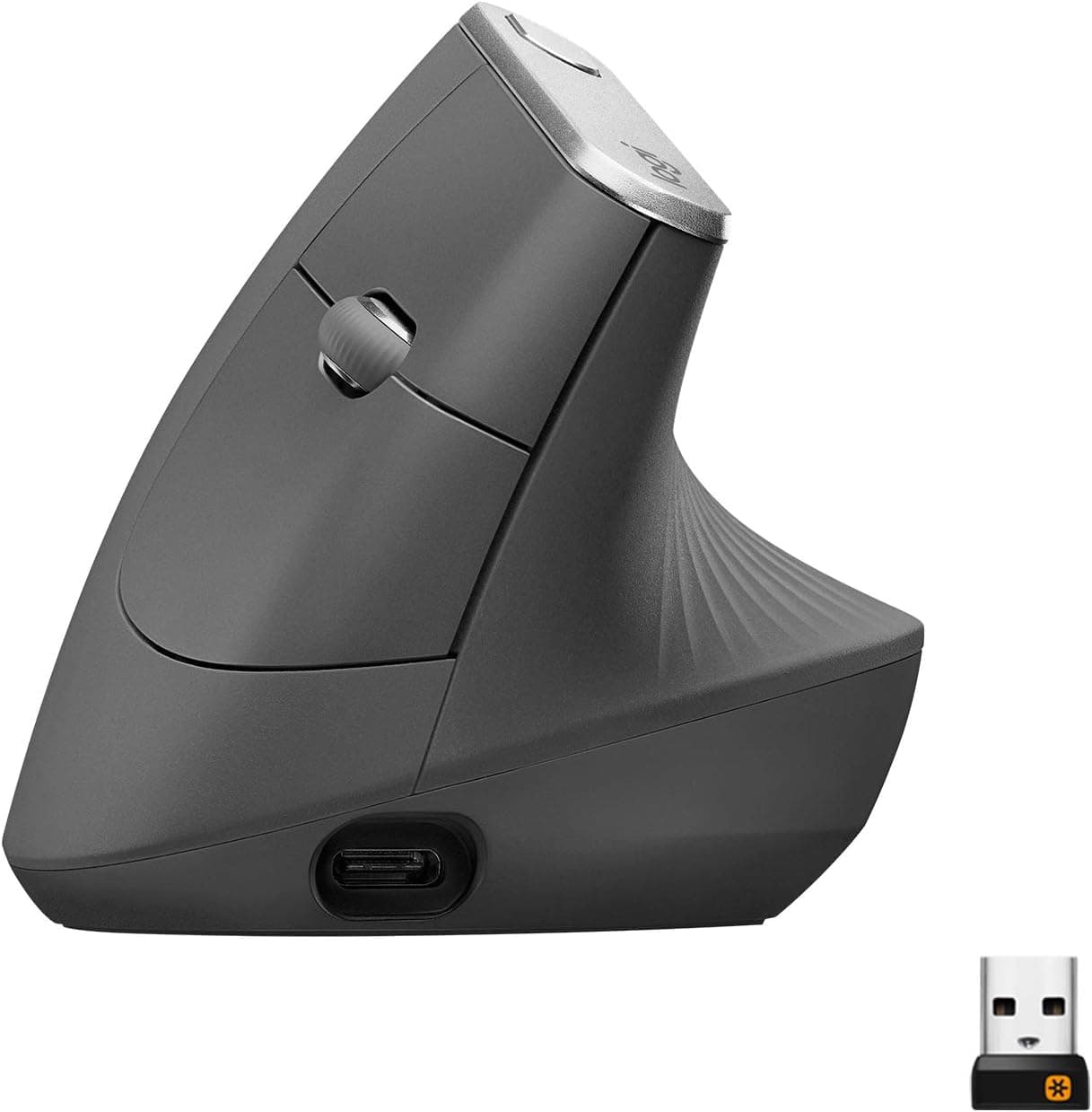
Logitech MX Vertical
Neutral handshake grip that takes pressure off the wrist during long sessions.
Best all-rounder
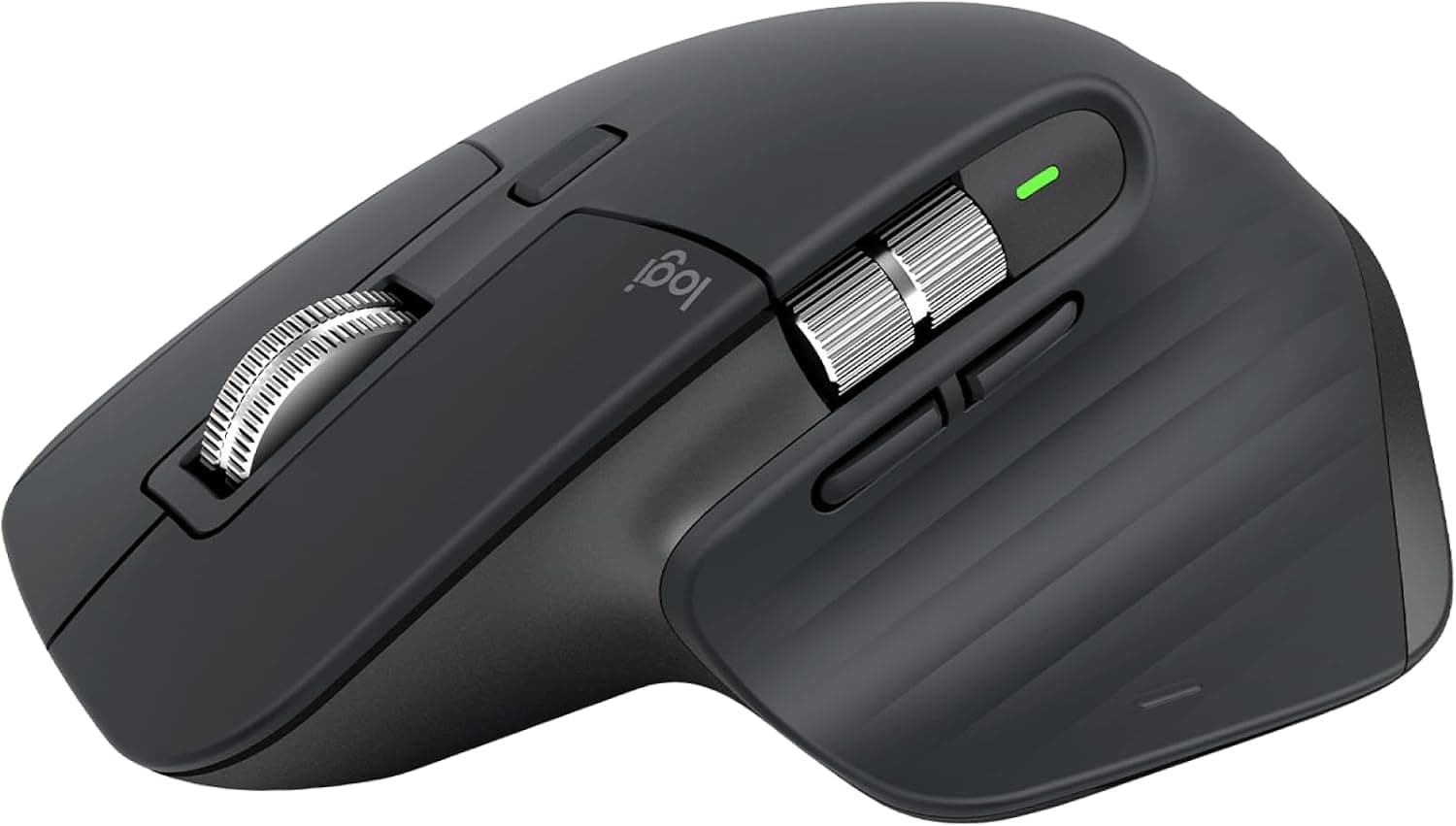
Logitech MX Master 3S
Sculpted comfort plus precision scrolling and multi-device switching.
Best budget try
Anker vertical mouse
Low-cost way to test vertical ergonomics before spending $100+.
Default picks (skip if constraints disagree)
These products illustrate the criteria above — they are not a mandatory shopping list. Skip any pick that fails your desk depth, budget, noise limits, or return logistics.
Best for ergonomicsLogitech MX Vertical
~$100A premium vertical mouse with a 57-degree angle that keeps your forearm in a natural handshake position — the default recommendation when wrist pain shows up after long mouse-heavy days.
Best for: Knowledge workers with mild to moderate wrist discomfort who spend hours in spreadsheets, design tools, or browsers.
- +Reduces wrist extension compared to flat mice
- +Easy-Switch between two devices
- +Quiet clicks suitable for shared home spaces
- −Accuracy takes a few days to rebuild for detailed design work
- −Too large for very small hands — try in person if possible
 Best overall
The power-user standard — a sculpted traditional shape with a thumb rest, MagSpeed scrolling, and multi-device support for people who want ergonomics without committing to vertical.
Best for: Remote workers who prioritize precision, scrolling efficiency, and device switching over maximum wrist rotation.
- +Excellent build quality and scroll wheel for long documents
- +Works on glass and most surfaces
- +Connects to three devices including one via Bluetooth
- −Still uses palm grip — less wrist relief than vertical
- −Right-hand shape only in most regions
Side-by-side comparison
| Feature | Vertical mouse | Sculpted mouse | Budget vertical |
|---|---|---|---|
| Typical price | $90 – $100 | $100 – $110 | $25 – $35 |
| Wrist position | Neutral — handshake grip | Angled — partial rotation | Neutral — basic vertical |
| Precision / gaming | Moderate — learning curve | Excellent — fine control | Moderate — basic sensor |
| Adjustment period | 3 – 7 days typical | Minimal — familiar shape | 3 – 7 days typical |
| Multi-device | Yes — Easy-Switch | Yes — up to 3 devices | Usually single device |
| Best if you… | Have wrist or forearm discomfort | Want ergonomics without going full vertical | Want to test vertical cheaply |
The verdict
Start with the Logitech MX Vertical if wrist discomfort is your main issue — give it a full week. Choose the MX Master 3S if you want one premium mouse for everything without relearning grip. Use the Anker vertical as a low-risk trial before committing to Logitech.
Advertisement
Ad placement activates after cookie consent.
FAQ
How long does it take to adjust to a vertical mouse?+
Most people need three to seven days of daily use before accuracy feels normal. Cursor speed may feel slow at first — increase DPI slightly in settings if needed, then reduce after adaptation.
Is the MX Master 3S ergonomic enough?+
For many users, yes. The thumb rest and sculpted body reduce strain compared to flat office mice. It is not as aggressive as vertical for wrist extension but is easier for precision work immediately.
Left-handed options?+
Vertical and ergonomic mice skew heavily right-handed. Left-handed workers should search specifically for left-hand vertical models — options exist but with fewer premium choices than Logitech's right-hand lineup.
Trackball instead of ergonomic mouse?+
Trackballs keep the hand stationary and move the cursor with the thumb or fingers — excellent for some RSI cases. They are a different category; try one if vertical and sculpted mice still cause pain.
Related guides
Keep reading
Published 2026-07-05 · Updated 2026-07-26