Best Desk Lamp for Video Calls & Zoom (2026)
Desk lamps and light bars for video calls — reduce eye strain, look better on Zoom and Teams, and skip gear you do not need.
We keep the shortlist small on purpose. One strong fit beats three mediocre Amazon cards. How we research.
This guide may include affiliate links. Purchases through them support the site at no extra cost to you. Prices are approximate.
Bottom line for call lighting
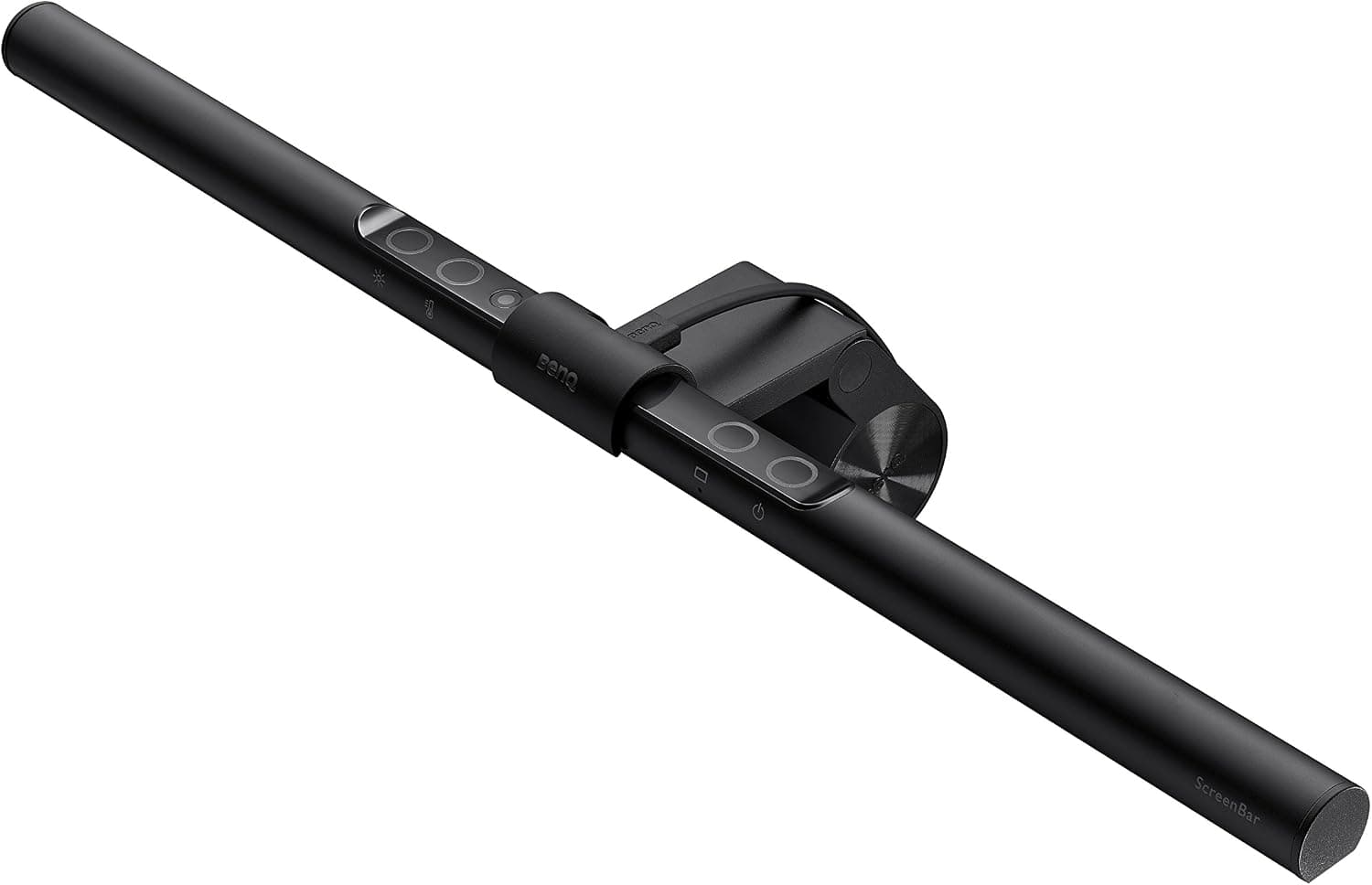
If you have a monitor, start with the BenQ ScreenBar — it solves desk lighting and reduces eye strain without eating desk space. If you are on a tight budget, a Honeywell HWT-H2 desk lamp placed to the side at roughly 45 degrees works well for both reading and calls.
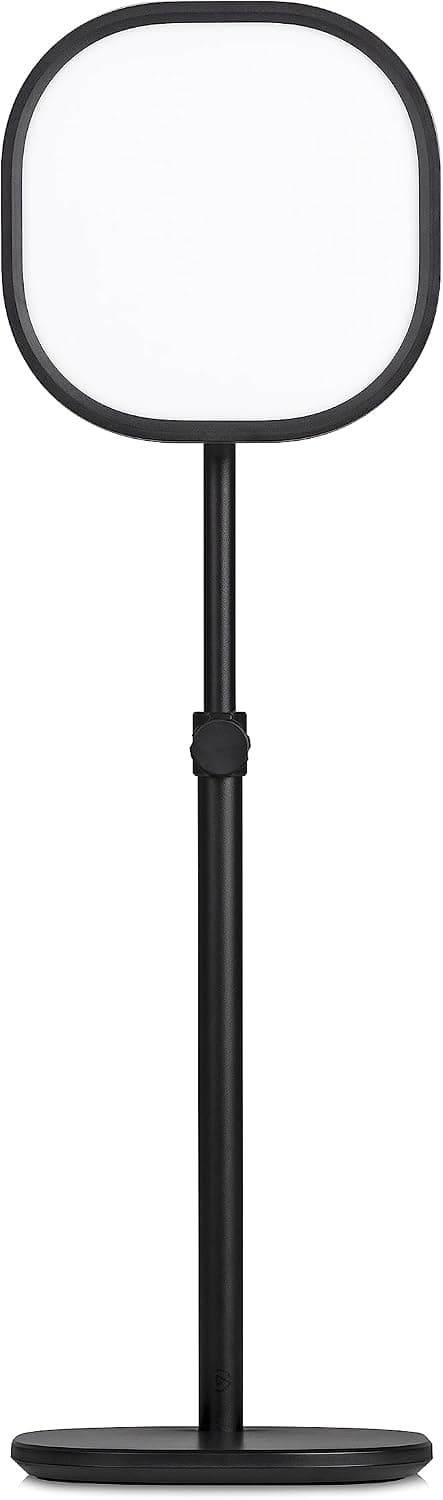
If video appearance is your main problem — you look tired, shadowed, or washed out on Zoom — add a dedicated key light like the Elgato Key Light Neo. That is a different job from general desk lighting, and trying to do both with one cheap lamp often disappoints.
Most remote workers need better placement before they need more lumens. Move away from backlighting windows, then add one good light source in front or to the side.
Why lighting matters more than your webcam
Most people blame their webcam when they look washed out on calls. The real issue is usually uneven lighting — a bright window behind you, a single ceiling light overhead, or a dim room that forces the camera to boost noise.
A good desk lamp or key light fixes both eye strain and on-camera appearance in one purchase. Your eyes get even illumination on documents and keyboard; your camera gets enough light on your face to render skin tones naturally.
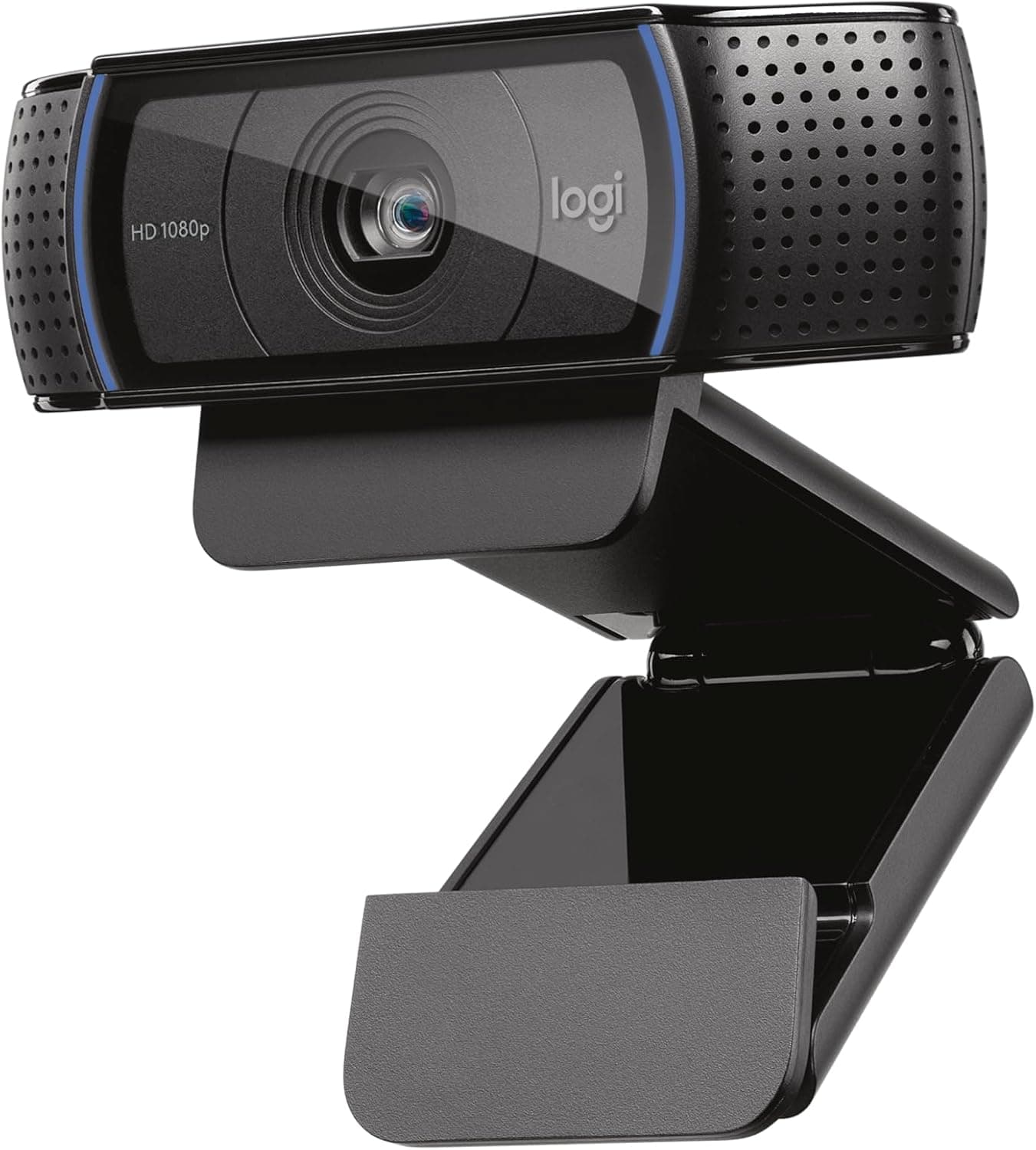
Upgrading from a 720p built-in webcam to a 1080p external model helps sharpness, but it cannot fix a silhouette caused by a window at your back. Lighting is the highest-ROI upgrade for video calls.
What to look for when buying
Adjustable color temperature (roughly 2700K warm to 6500K cool) lets you match daylight in the morning and shift warmer in the evening, which supports circadian rhythm and reduces the blue-heavy feel of cheap LEDs at night.
Avoid lamps that throw light directly at your screen. Side lighting, monitor-mounted bars, or asymmetric optics reduce glare and keep contrast readable.
For video calls, aim for soft, directional light at about 45 degrees from your face and slightly above eye level. Harsh overhead-only lighting creates under-eye shadows; a single light straight-on creates flat, surveillance-camera energy.
Check brightness range in lumens if listed — 400 to 800 lumens at desk distance is a useful band for combined work and call use. Brighter is not always better if it creates hot spots on your forehead.
What mattered when comparing desk lamps
We prioritized lights that fit typical WFH desks without a full studio rebuild. Each pick had to install in under 15 minutes, work for daily eight-hour use, and address either eye strain, on-camera appearance, or both.
The ScreenBar remains the default recommendation for monitor users because it removes the desk-space tradeoff entirely. Budget desk lamps earn their place when renters or hot-deskers need something portable and flexible.
Key lights are a specialist tool — worth it for daily presenters, managers on camera all day, or creators, but overkill if you only join one standup a week. We skipped giant ring lights that dominate small desks unless you are primarily creating content.
Lighting mistakes on video calls
Do not sit with a window directly behind you. Close blinds, reposition the desk, or add a strong front light — no lamp fixes pure backlighting alone.
Do not point a desk lamp at your monitor. Angle it toward your keyboard and face from the side, or use a monitor bar designed to avoid screen reflection.
Do not rely on ceiling lights alone for evening calls. Overhead lighting creates shadows under eyes and nose that make you look tired even when you are fine.
Avoid ultra-cheap LEDs with fixed color temperature if you work past 8 p.m. — the blue cast can feel harsh and may affect sleep when you log off late.
Desk lamp jobs for WFH video
Key light fills facial shadows; bias light reduces screen-to-room contrast for your eyes. One lamp can partially do both if placed at 45 degrees — not directly beside the camera on-axis.
Monitor light bars excel at desk wash without glare; they are weaker as sole face lights. Pair bar plus small panel when calls matter daily.
Dimmable, flicker-free LED with warm-to-neutral range beats raw lumens for webcam sensors that hunt exposure.
Sizing height and reach in prose
Lamp head should sit roughly at monitor height or slightly above when used as key light — not shining up your nose from desk level.
Reach matters on deep desks: a short arm lamp may leave the keyboard in shadow while your face is lit. Measure horizontal reach to the seating position, not just lamp height on the spec card.
Clamp bases need lip thickness. Glass and floating-edge tops may need weighted desk bases instead.
Color temperature and meeting skin tones
4000–5000K is the safe default for mixed work and calls. Warmer looks cozy in person and muddy on cheap auto white balance.
RGB accent modes are not key lights. Skin tones look wrong and some rolling shutter webcams flicker.
Lower lamp output so the webcam can drop gain — grain is often underlighting, not a bad sensor.
Skip if the room already works
If soft overhead plus a north window already give even face light at your desk hour, a lamp is optional.
If the real problem is a window behind you, fix position and curtains before buying hardware.
Tiny bedrooms may not tolerate a large softbox — small panels with diffusion cloth cover most needs.
Apartment and roommate constraints
Shared studios: prefer lamps that clip to the monitor and pack flat over floor tripods that block walkways.
Partners sensitive to bright LEDs at night need lamps with a true low dimming floor — not just 20% that still lights the room.
Renters moving yearly should avoid drilled shelf lights; clamp and weighted bases travel cleaner.
Return-window call tests
Record on your actual Zoom, Teams, or Meet setup — not the vendor app. Corporate VPN compression changes skin detail.
Test at 9 a.m. and 4 p.m. window light. A lamp that fixes morning glare may be redundant by afternoon.
Return lamps with audible coil whine or visible flicker on camera — both worsen during long meeting days.
Heat bulb replacement and desk reach
Integrated LED desks lamps run cooler than legacy bulbs but still warm clamp bases in direct sun — touch the metal after a three-hour call block before you cable-tie the cord permanently. Replaceable bulb models matter if you keep the lamp five years; sealed units die as e-waste when one LED section fails.
Reach and clamp lip thickness determine whether the lamp head actually sits at monitor height on deep apartment desks — a 12-inch arm leaves the keyboard lit but chin in shadow. Weighted bases need depth; clamp lamps need 3/4-inch minimum lip without glass overhang.
Who should skip desk lamps for video: workers already solved with monitor bar plus window reposition, bedrooms where partners sleep three feet from a blazing panel, and renters who cannot clamp on lease furniture — use a floor panel with sandbag base instead. Return-window test both morning and afternoon window angles before wrapping cords.
Short answers below — use them only if the criteria above already match your constraints.
Quick picks
Best overall
BenQ ScreenBar
Lights your desk without screen glare and keeps your face evenly lit on calls.
Best budget
Honeywell HWT-H2 LED desk lamp
Adjustable brightness and color temperature for under $40.
Best for creators
Elgato Key Light Neo
Dedicated face lighting with app control in a compact footprint.
Default picks (skip if constraints disagree)
These products illustrate the criteria above — they are not a mandatory shopping list. Skip any pick that fails your desk depth, budget, noise limits, or return logistics.
Best overallBenQ ScreenBar
~$109A monitor-mounted light bar that illuminates your desk surface and subtly lights your face without shining into the screen — the cleanest all-in-one fix for evening work and back-to-back calls.
Best for: Remote workers with a dedicated monitor who work late or in dim rooms.
- +Zero desk footprint — clips to monitor top
- +Auto-dimming adjusts to ambient light
- +Asymmetric optics reduce screen reflection
- −Requires monitor with suitable top edge for clip
- −Less dramatic for on-camera look than a dedicated key light
 Best budget
A foldable eye-caring desk lamp with USB-A and USB-C charging ports — the practical budget entry if you want adjustable brightness without a premium price tag.
Best for: Budget-conscious remote workers upgrading from an overhead bulb or phone flashlight.
- +USB-A and USB-C charging on the base
- +Foldable footprint fits cramped desks
- +Full-spectrum style light aimed at long reading sessions
- −Side placement takes trial and error to avoid glare
- −Can create uneven face shadows on video if positioned wrong
Side-by-side comparison
| Feature | Monitor light bar | Desk lamp | Key light |
|---|---|---|---|
| Typical price | $90 – $120 | $25 – $50 | $80 – $100 |
| Desk footprint | None — mounts on monitor | Small base on desk | Clamp or stand on desk/shelf |
| Best for eye strain | Excellent — no direct glare | Good with side placement | Moderate — tuned for face |
| Best for video calls | Good indirect face light | Good with correct angle | Excellent — purpose-built |
| Setup time | 5 – 10 minutes | Plug in — instant | 10 – 15 minutes with app |
| Best if you… | Have a monitor with flat top edge | Want the cheapest flexible option | Take daily calls or stream |
The verdict
Get the BenQ ScreenBar if you work at a monitor in a dim room — it is the best daily-driver for eyes and desk space. Choose the Honeywell HWT-H2 if budget comes first. Add the Elgato Key Light Neo when video appearance is a daily priority, not an occasional annoyance.
Advertisement
Ad placement activates after cookie consent.
FAQ
Is a ring light or a desk lamp better for Zoom?+
A desk lamp or key light at a 45-degree angle usually looks more natural than a ring light straight on. Ring lights are even and forgiving but can create flat, circular catchlights. Key lights and well-placed desk lamps mimic window light better.
Will a ScreenBar help me look better on video?+
It helps indirectly by adding front-area illumination without glare, which reduces the tired, under-lit look. For dedicated call quality, pairing a ScreenBar with a small key light or positioning the bar to spill some light toward your face works best.
What color temperature is best for video calls?+
Neutral white around 4000K to 5000K tends to look most natural on camera and matches many office environments. Warmer tones (2700K–3500K) feel cozy for evening but can look yellowish on some webcams.
Do I need two lights for a home office?+
Not always. One well-placed light solves most problems. Two lights (a key light plus fill from a softer source) help if you record content or spend four-plus hours on camera daily and want studio-style consistency.
Is a monitor bar enough for video calls?+
Often not alone. Bars light the desk and reduce eye strain well, but faces still need front fill. Use a bar for bias plus a small key light or repositioned desk lamp at 45 degrees for calls.
Related guides
Keep reading
Published 2026-07-05 · Updated 2026-07-15