Best Webcam Lighting for Zoom, Teams & Skype (2026)
Lighting for Skype, Zoom, and daily video calls — key lights, panels, and ring lights for small desks without a studio setup.
Read the criteria and trade-offs first. Product picks come after so you can skip anything that fails your desk, room, or return window. How we research.
Purchases through links in this guide may earn the site a commission. Prices are approximate.
Bottom line for webcam lighting
Position beats brightness. A moderately bright light at roughly 45 degrees to your face and slightly above eye level beats a blinding ring light straight on. Fix window backlight first, then add one dedicated front light.
Daily video callers should invest in the Elgato Key Light Air MK.2 — app control means you set it once and stop fiddling before every meeting. Small desks get the Lume Cube panel mini. Budget setups start with the NEEWER 10-inch ring light.
You do not need a separate webcam upgrade if lighting is the problem. Most built-in laptop cameras look acceptable with proper front illumination.
Position beats brightness
The goal is soft, even illumination without harsh shadows under your eyes or nose. Place your main light slightly above eye level and offset to one side — about 30 to 45 degrees from center.
A moderately bright light in the right place beats a 2000-lumen panel pointed at your forehead. Over-bright frontal light washes out skin tone and makes you look flat on cheap webcams.
If you wear glasses, angle the light slightly higher and farther to the side to reduce lens reflections. A diffused panel or key light with a soft edge works better than a bare bulb.
Avoid backlighting
Windows behind you will silhouette your face no matter how good your light is. Close blinds, reposition your desk so the window is in front or to the side, or add a much brighter front light to compensate — compensation is harder than moving the desk.
Monitor brightness alone is not enough fill. A bright screen behind your face creates contrast that cameras struggle with. Add front light even if your monitor is maxed.
For evening calls, turn off overhead lights behind you if they create a halo effect. Use one controlled front source instead of multiple unbalanced room lights.
What mattered when comparing video lights
We focused on lights that fit real home offices — not full YouTube studios. Each pick had to improve Zoom appearance in under fifteen minutes of setup and stay out of the way between calls.
The Key Light Air MK.2 is the default for professionals because consistency matters more than peak brightness. The Lume Cube panel mini wins on size for laptop-first workers. NEEWER 10-inch ring lights remain the budget gateway drug to decent video — with known tradeoffs in naturalness.
We skipped large softboxes and ceiling-mounted fixtures. They work beautifully but fail the small-desk, renter-friendly brief most WFH readers have.
Webcam lighting mistakes on calls
Do not place a ring light directly behind your laptop pointing at your face — it creates flat, deer-in-headlights energy. Offset it or use a key light angle instead.
Do not ignore white balance. If your light is very warm and your webcam auto white balance fights it, you may look orange. Match color temperature to room or set manual WB if your camera app allows.
Avoid mixing color temperatures — cool window daylight plus warm lamp plus RGB strip often confuses auto exposure on laptop cameras.
Do not buy lighting before fixing camera height. Eye-level framing plus decent light beats perfect light with a chin-up angle.
Key light basics without a studio
One soft key light at 45° off your face beats two harsh lamps that cancel shadows unevenly. Diffusion matters more than raw lumens for webcam sensors.
Color temperature near 4000–5000K reads neutral on most laptop webcams. Very warm lamps look cozy in person but orange on cheap auto white balance.
Brightness should let you lower webcam exposure — grainy auto-gain is often an underlit face, not a bad camera.
Clip lights vs ring lights vs monitor bars
Clip-on LED panels attach to monitors or laptops for travel. Ring lights flatten features if centered on-axis — move them slightly off-center for depth.
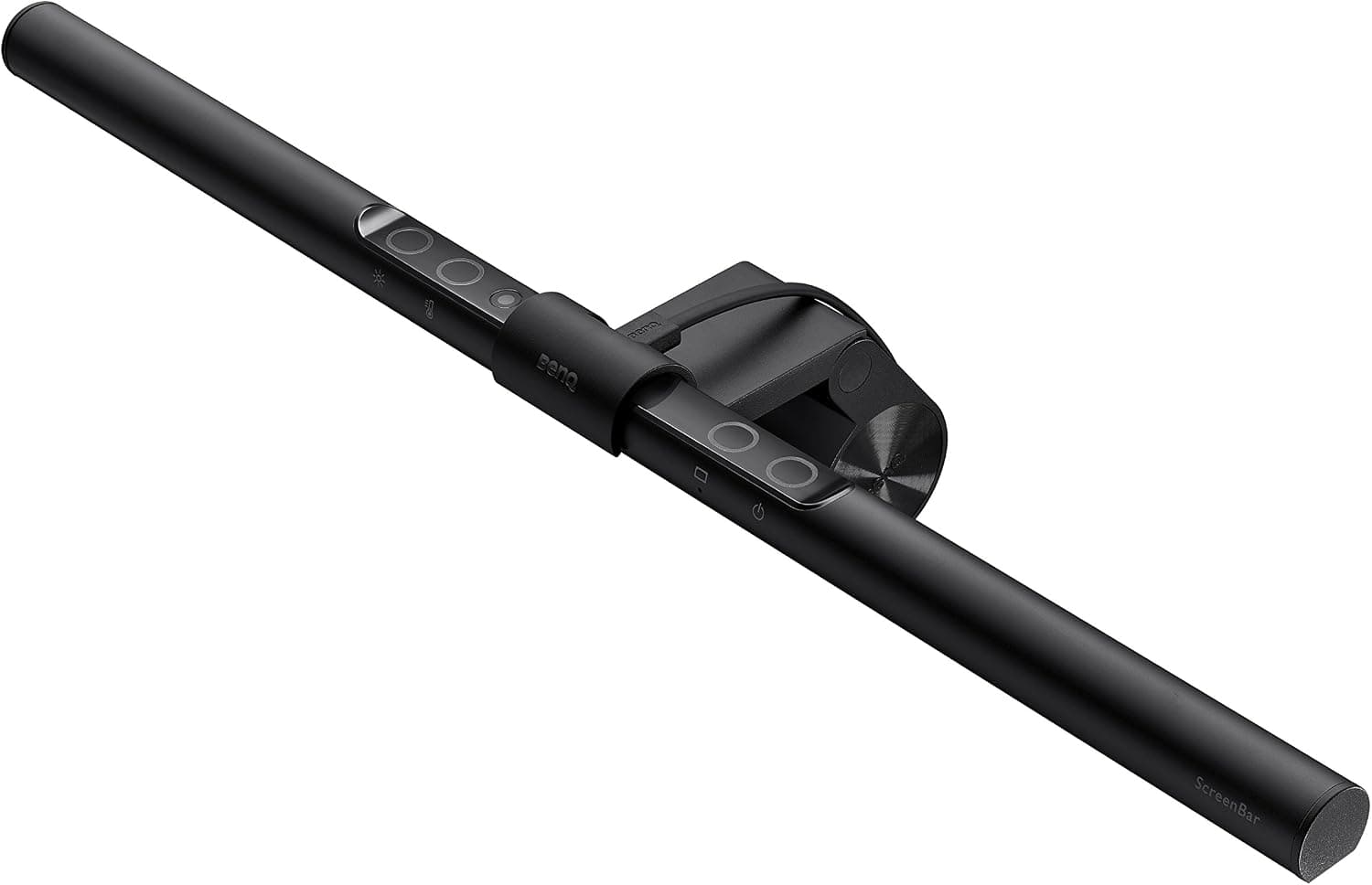
Monitor light bars illuminate the desk more than your face. Pair a bar for eye comfort with a small key light for video.
Window backlight fixes
A window behind you forces the camera to silhouette. Close sheer curtains and add front light, or swivel desk 90° so window light hits your face sideways.
Overhead recessed cans create raccoon eyes. A low front fill fixes what ceiling-only lighting breaks.
Skip these lighting buys
RGB gamer lights as primary key — skin tones look wrong and flicker on some rolling shutter webcams.
Giant softboxes in 8×10 bedrooms dominate life off-camera. Small panels with diffusion cloth cover most WFH needs.
Daily meeting setup routine
Before the first call, set key light brightness so you can lower webcam exposure — grainy video is often underlit faces, not bad sensors. Record thirty seconds on your actual platform and watch on a phone screen, not the laptop preview.
Window light changes hourly. A desk that looked fine at 9 a.m. may silhouette you at 4 p.m. when sun moves behind you. Sheer curtains plus a fixed front fill beat chasing auto exposure all week.
Clip lights travel between kitchen and bedroom desks in studio flats. Mark a repeatable position — same monitor edge, same angle — so you are not rebuilding lighting before executive reviews. Return gear that cannot mount on your thinnest bezel.
Apartment window glare and neighbor-facing setups
Studio layouts often force the desk toward the only window — neighbors across the lightwell see silhouette even when your face looks fine locally. Front fill at 45 degrees matters more than ring-light specs; close sheers and add a panel you can dim independently of overhead cans.
Partners sensitive to bright LEDs at night need lights with true low dimming floors — not 20 percent that still washes the bedroom during late calls. Warm color above 4000K looks orange on cheap auto white balance; test skin tones on the corporate VPN, not the vendor preview app.
Who should skip buying new lights: rooms with even north window fill already, workers on phone-only audio days, and desks where monitor bars already solve bias but chin shadow persists — add a small panel only, not a second ring. Return flicker visible on camera roll; coil whine near mics is return-worthy in thin-walled apartments.
Record test with your actual meeting shirt
Auto white balance reacts differently to navy, white, and patterned blouses — record thirty seconds in Teams or Meet wearing what you wear Mondays, not the gray tee from unboxing day.
Place key light at 45 degrees and slightly above eye line. Centered ring lights flatten features; side placement restores nose shadow that reads as depth on cheap sensors.
Dim overhead cans before you add front fill — fighting ceiling downlights creates raccoon eyes no panel fully fixes.
Mark light position with tape on the monitor edge when you hot-desk between kitchen and bedroom — repeatable setup beats perfect setup you cannot rebuild in five minutes.
Week-two partner complaints about bedroom glare
Lights without true low-end dimming wash partners trying to sleep during late calls — test 10 p.m. brightness on the lowest setting before the return window closes.
Cool panels aimed toward the bed reflect off white walls even when your face looks fine on camera. Flag or diffuse toward the desk, not the room.
PWM flicker invisible to your eyes may show as banding on camera roll — record slow pan across your face at 30 fps before day fourteen.
Who should skip new lights: north-facing rooms with even daylight, workers already acceptable on laptop cam with curtains fixed, and desks where monitor bars solved bias but not chin shadow — add one small panel only.
Short answers below — use them only if the criteria above already match your constraints.
Quick picks
Best daily driver
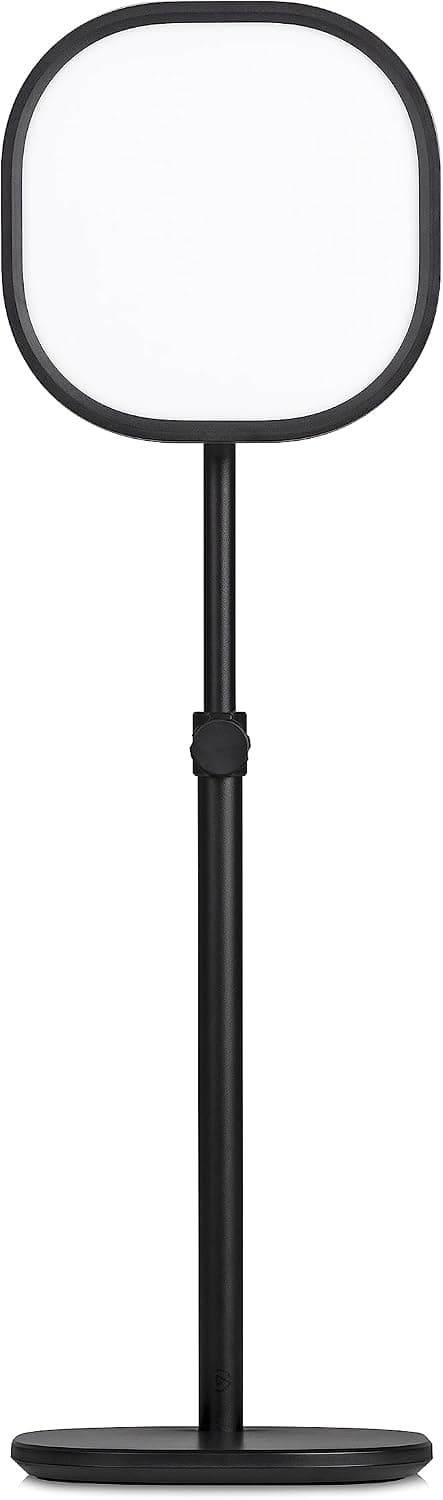
Elgato Key Light Air MK.2
App-controlled, consistent face lighting with a desk-friendly footprint.
Best for small desks
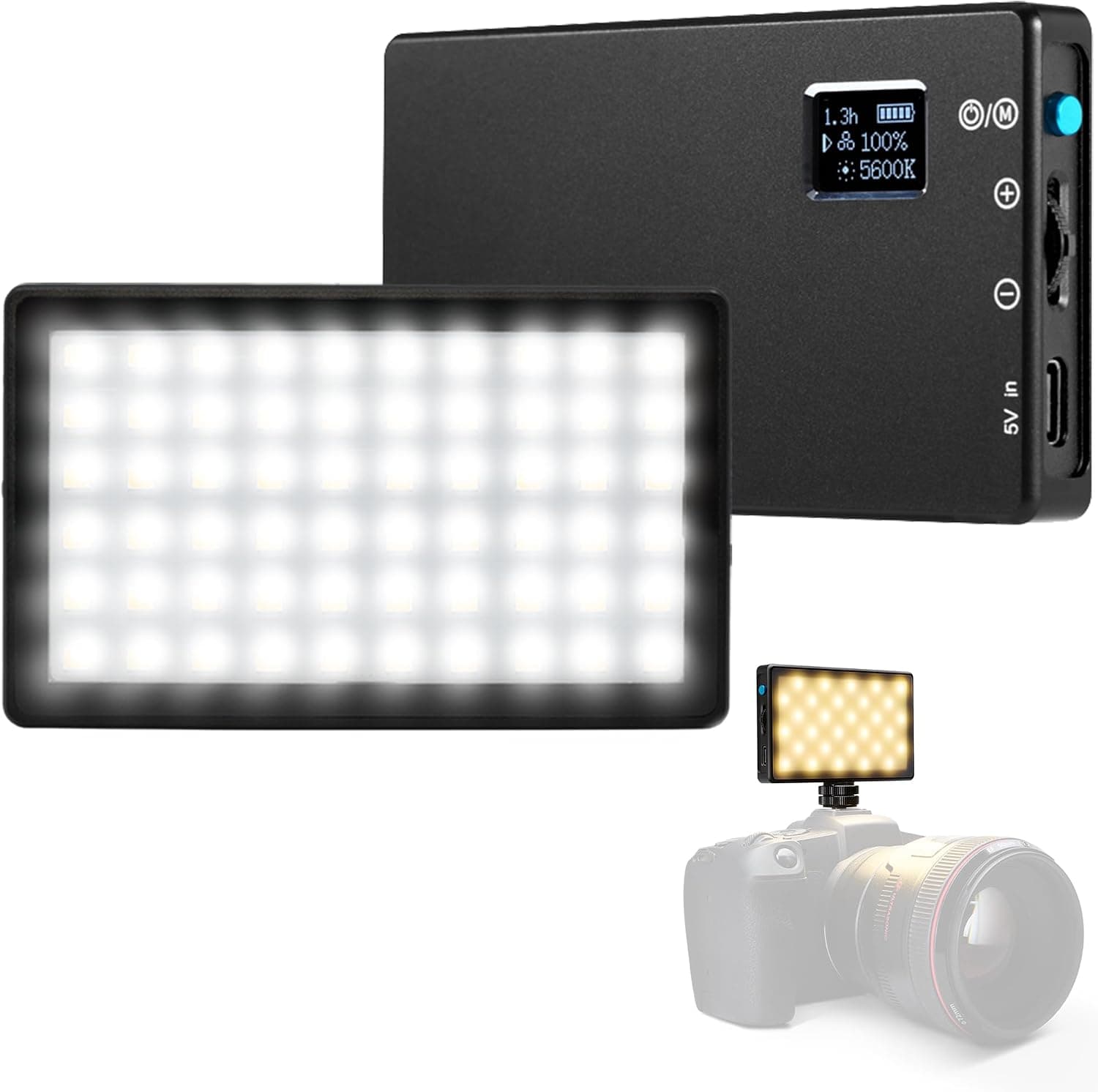
Lume Cube panel mini
Compact LED panel that clips to a monitor or tripod without dominating the space.
Best budget
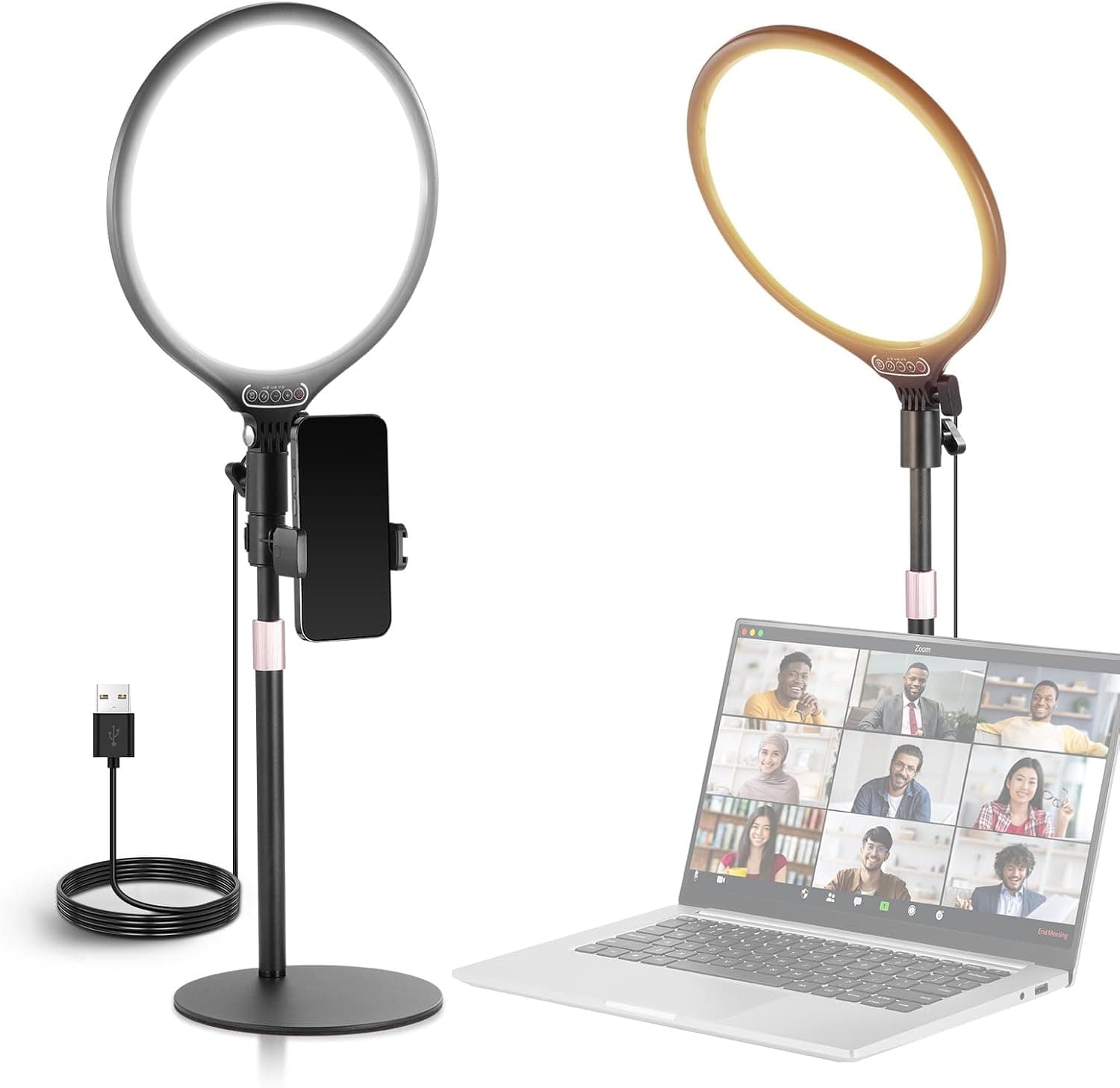
NEEWER 10-inch ring light
Even face illumination and phone holder at an entry-level price.
Our top picks
These products illustrate the criteria above — they are not a mandatory shopping list. Skip any pick that fails your desk depth, budget, noise limits, or return logistics.
Best overallA Wi-Fi enabled key light with app control, wide brightness range, and a footprint small enough for everyday desks — the set-and-forget option for people on camera hours each day.
Best for: Managers, consultants, and creators who join video calls multiple times daily.
- +Fine-grained brightness and color temperature in app
- +Consistent results day to day — no guessing dial positions
- +Desk stand or pole mount options
- −Premium vs basic ring lights
- −Requires app setup for best experience
 Best compact
A pocket-sized bi-color LED panel that mounts on a monitor, tripod, or hot shoe — strong fill light when a full key light feels like too much gear.
Best for: Small desks, laptops-only setups, and hybrid work bags.
- +Tiny footprint — clips to monitor or laptop screen
- +Built-in battery for travel setups
- +Adjustable color temperature for warm or neutral look
- −Smaller source than Key Light — less dramatic for dark rooms
- −Manual buttons — no desktop app ecosystem
 Best budget
The classic budget ring light — even illumination around the face, simple brightness dial, and often bundled with a tripod and phone holder for quick content setups.
Best for: Budget buyers, occasional presenters, and side-hustle creators.
- +Forgiving even light — hard to place completely wrong
- +Inexpensive entry to dedicated video lighting
- +Works for selfies, TikTok, and Zoom alike
- −Can look flat or create circular catchlights in eyes
- −Takes more desk or floor space than panel lights
Side-by-side comparison
| Feature | Key light | LED panel | Ring light |
|---|---|---|---|
| Typical price | $130 – $150 | $60 – $90 | $25 – $45 |
| Natural look on camera | Excellent — directional | Very good — soft panel | Good — can look flat |
| Desk space | Small base or desk clamp | Very compact | Medium — circle on desk or stand |
| App / dimmer control | Yes — Elgato app | Often manual or basic app | Usually manual dial |
| Best for | Daily Zoom / Teams | Monitor-mounted fill | Budget + content creators |
| Skip if… | You only call once a week | You hate visible gear on desk | You want zero setup |
The verdict
Fix your desk position relative to windows, then add the Elgato Key Light Air MK.2 if you live on video calls. Choose the Lume Cube panel mini for tight desks and travel. The NEEWER 10-inch ring light is the budget proof-of-concept — upgrade to directional light once you know how much you care about on-camera polish.
Advertisement
Ad placement activates after cookie consent.
FAQ
Ring light or key light for Zoom?+
Key lights at an angle look more natural for professional calls. Ring lights are easier for beginners and content but can appear flat. If you present to clients daily, prefer a key light or panel at 45 degrees.
Is 6500K or 3200K better on camera?+
Neutral around 4500K to 5500K suits most webcams and daytime calls. Warm 3200K feels cozy but can look yellow on auto white balance. Match your main room lighting for consistency.
Do I need two lights?+
One good key light is enough for most Zoom use. A second softer fill light helps in dark rooms or for recorded content. Start with one quality source before buying pairs.
Will lighting fix a blurry webcam?+
Lighting improves exposure and noise — a well-lit 720p feed often looks better than a poorly lit 1080p feed. It will not fix genuine focus or lens quality limits. Clean the lens first, then add light.
Related guides
Keep reading
Published 2026-07-05 · Updated 2026-07-26