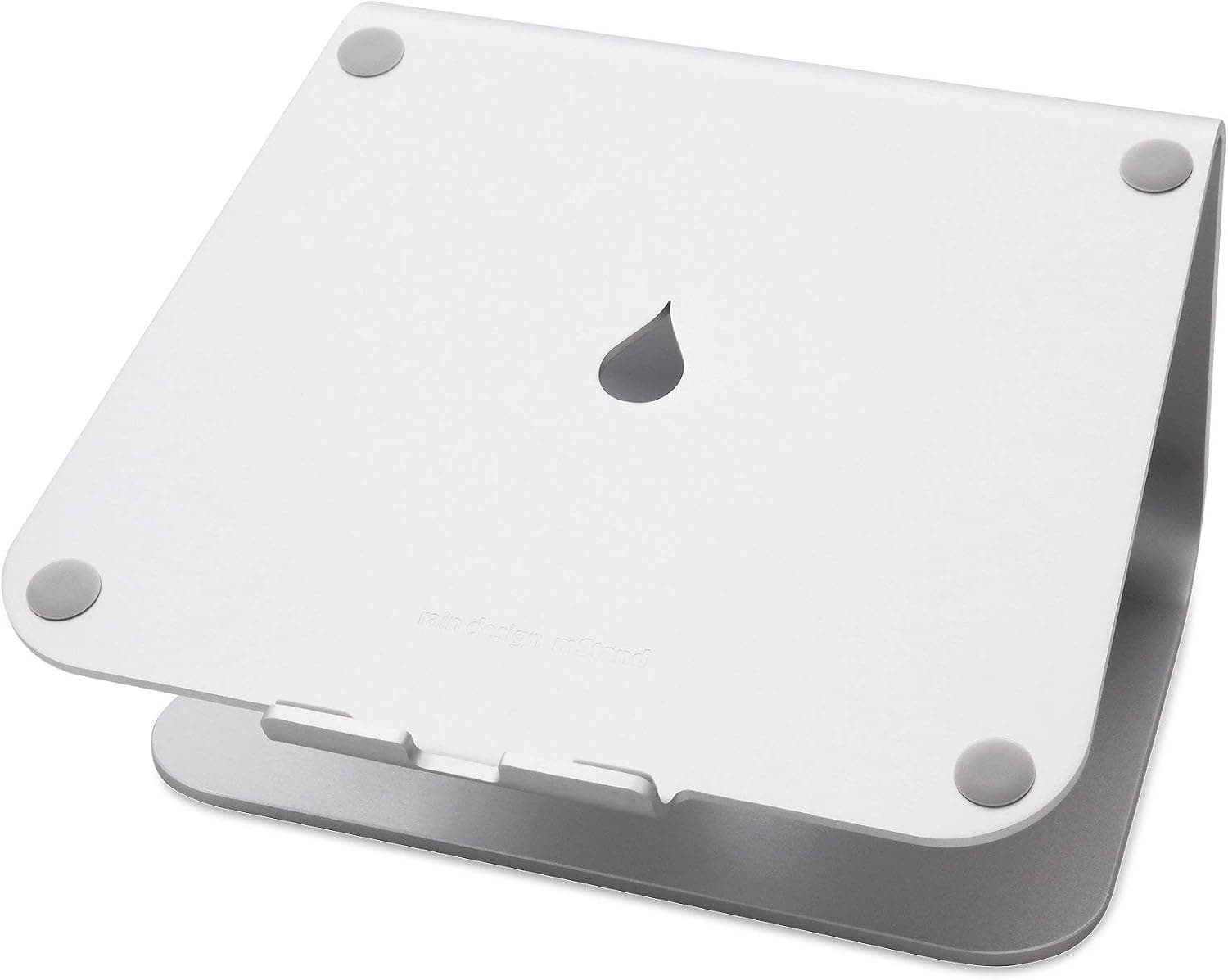
Best laptop stands for small desks
The best laptop stands for compact desks — raise your screen, reclaim space, and fix posture without buying a full monitor setup.
We keep the shortlist small on purpose. One strong fit beats three mediocre Amazon cards. How we research.
Product links in this article may be affiliate links. Prices are approximate and may change.
Bottom line for laptop elevation
On a small desk, a laptop stand is the cheapest way to fix neck posture and free keyboard space. Buy the Rain Design mStand if your desk is permanent and you want stability. Buy the Nulaxy for taller sit-to-stand adjustment. Hybrid workers on shallow desks should look at the foldable BESIGN LS10.
Every stand in this guide assumes you pair it with an external keyboard and mouse. Raising the screen without changing input position only fixes half the problem.
If your desk is under 20 inches deep, prioritize stands with small footprints — fixed risers and vertical lifts beat wide adjustable platforms that eat the last few inches of usable space.
The posture case for a stand
Working directly on a flat laptop forces your neck down and your wrists into awkward angles. Raising the screen so the top third sits near eye level is one of the cheapest ergonomic wins available.
The laptop keyboard is never at the right height when the screen is — that is physics, not product failure. An external keyboard lets your elbows rest near 90 degrees while your eyes stay level.
Small desks make this tradeoff more painful because you sit closer to the screen. A stand pushes the display back and up, which also reduces the claustrophobic feeling of a laptop filling your entire workspace.
Size constraints on small desks
On a compact desk, choose a stand that does not add much footprint. Vertical risers and foldable models work better than wide platforms that consume depth you need for a mouse pad.
Measure your available depth before ordering. A stand plus external keyboard plus mouse typically needs at least 18 to 20 inches of depth to feel comfortable.
Check that the stand supports your laptop weight and has ventilation if your machine runs hot. Gaming laptops and older Intel MacBooks benefit from open-base designs like the mStand and Nulaxy.
If you use a sit-stand desk, an adjustable stand helps bridge the gap between sitting and standing eye heights — though a monitor arm is the long-term upgrade once you add an external display.
What mattered when comparing laptop stands
We focused on stands that actually fit small desks — excluding wide dual-laptop platforms and bulky converter desks that belong in a different category. Stability at typing distance mattered more than maximum height range.
The mStand has been a remote-work staple for years because it does one thing well: lift the screen without flex. The Nulaxy earns its place as the best sub-$40 option with real adjustability. The Curve is niche but excellent if you live in the Apple ecosystem.
We skipped laptop towers and vertical storage docks in this guide. They save space differently but do not improve viewing height the way a riser does.
Laptop stand mistakes on tight desks
Do not buy a stand and keep using the laptop keyboard. Budget for a basic external keyboard — even a $25 membrane model completes the ergonomic upgrade.
Do not choose maximum height over stability. A wobbling laptop at eye level is worse for focus than a stable screen slightly below ideal.
Avoid stands with slick surfaces and no lip if you use your laptop on a standing desk — vibration from typing can shift unsecured machines.
Do not assume you need a monitor next month. A good stand plus keyboard buys months of comfortable use while you decide whether dual screens are worth the space.
Lift height without stealing depth
Small desks need stands that elevate the screen while tucking the keyboard underneath when not typing — hinged risers or vertical stands for closed-clamshell setups.
Minimum lift should align laptop camera near external monitor eye line if you use the built-in cam occasionally.
Aluminum passive stands help airflow; closed plastic tunnels can throttle thermals on sustained video calls.
Stability for typing on the laptop
If you type on the laptop keyboard while elevated, pick stands with front lips and rubber feet that resist nudge. Floating wedges wobble on hollow IKEA tops.
External keyboard users can use steeper angles optimized for viewing, not typing.
Portable vs desk-fixed
Fold-flat stands live in backpacks; heavy metal lifts stay put. Hybrid workers need quick collapse without knobs.
Integrated USB hubs in stands add cables — fine at home, awkward in cafés.
When to prefer a monitor arm instead
If you already own a 24-inch external panel, driving it at eye level beats propping a 13-inch laptop as primary view.
Dual-use dining tables may not tolerate a stand plus plate space — a single external monitor on a clamp arm preserves table shareability.
Apartment table-sharing constraints
Folding stands must collapse fast when the table returns to meals. Knob-heavy metal lifts that need thirty seconds to lower will not survive household friction — prefer quick-fold hinges.
Heat and fan noise rise on closed-clamshell stands during long calls. If the laptop thermally throttles, elevate with airflow gaps or return the tunnel-style stand for an open aluminum wedge.
Measure depth with the stand deployed: keyboard underneath only works if you still have six inches of forearm support on the front edge. Shallow apartment tables may need an external keyboard off the table entirely.
Return-window typing stability tests
If you type on the laptop keyboard while elevated, nudge the desk and type a aggressive paragraph on day one — hollow IKEA tops amplify wobble that looked fine in the product video. Front lip depth must exceed your laptop thickness or the machine slides forward when you tap the trackpad.
Closed-clamshell setups need external keyboard and cam height alignment — verify the built-in webcam still frames your face acceptably or budget a separate camera. Thermal throttling during hour-two calls is a return signal for tunnel-style stands with no airflow gap.
Who should skip laptop stands: users who already own a 24-inch panel on an arm, hybrid workers who need zero setup time at cafés, and dining tables where stand plus plate space cannot coexist. Portable folds should survive fifty open-close cycles in the return window without loosening hinges.
Short answers below — use them only if the criteria above already match your constraints.
Quick picks
Best premium
Rain Design mStand
Solid aluminum riser with minimal footprint and a clean, permanent-desk look.
Best value
Nulaxy adjustable stand
Foldable, height-adjustable, and under $35 for renters and travelers.
Best adjustable
BESIGN LS10
Foldable height and angle adjustment for hybrid work on shallow desks.
Default picks (skip if constraints disagree)
These products illustrate the criteria above — they are not a mandatory shopping list. Skip any pick that fails your desk depth, budget, noise limits, or return logistics.
Best overallA single-piece aluminum stand that elevates your laptop to a comfortable viewing height with almost no wobble — the default recommendation for permanent home desks.
Best for: MacBook and ultrabook users who want a premium, stable riser that looks intentional.
- +Rock-solid one-piece aluminum construction
- +Minimal desk footprint for small surfaces
- +Open design improves airflow on hot laptops
- −Fixed height — no adjustment once set
- −Not ideal if you frequently pack up your desk
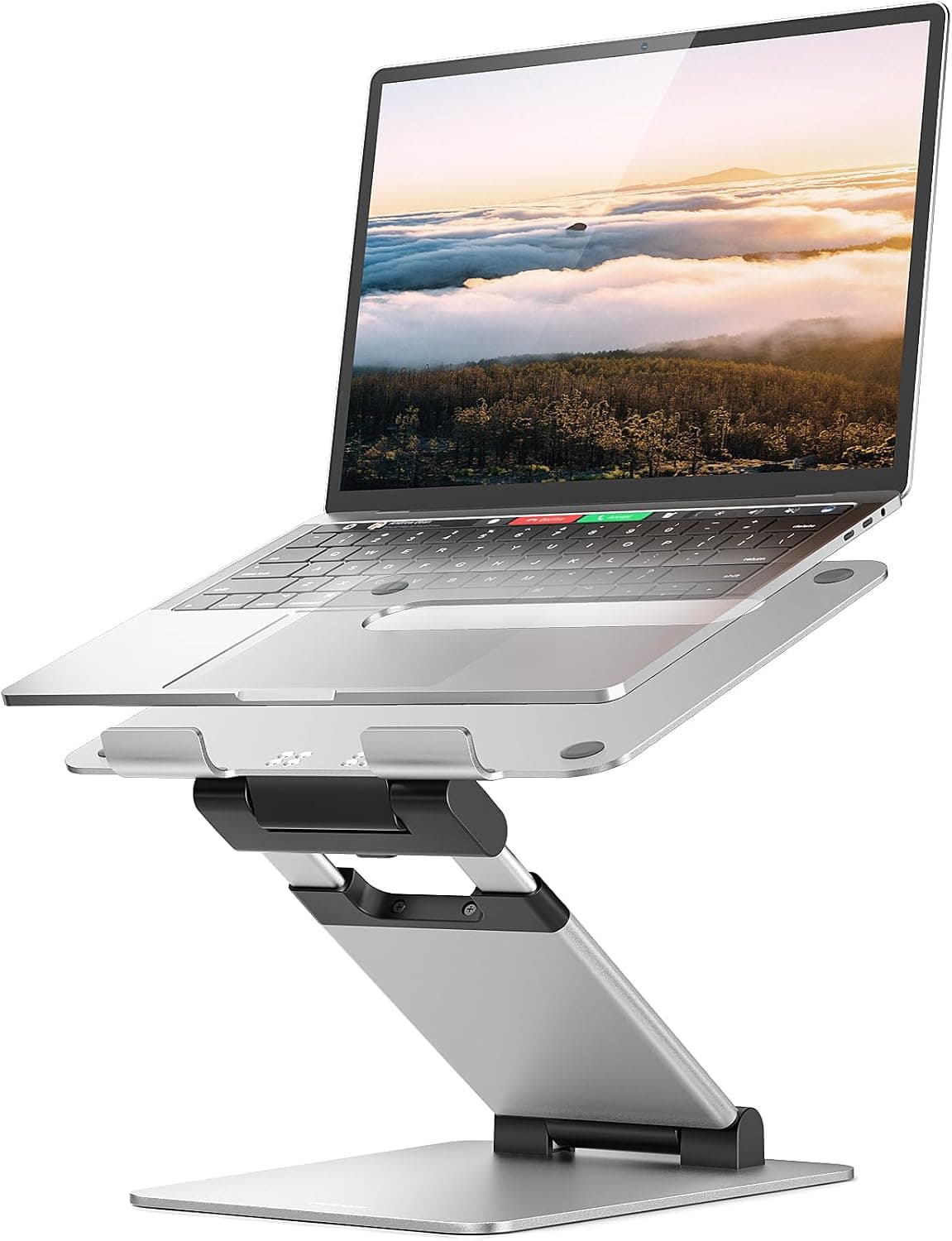 Best value
A foldable stand with multiple height settings and ventilation holes — the best budget option for small desks, standing-desk alternation, or occasional travel.
Best for: People who switch between sitting and standing or work from more than one location.
- +Collapses flat for storage or travel
- +Six height levels suit different chairs and desks
- +Works with laptops from 10″ to 17″
- −Less rigid than fixed aluminum risers at max height
- −Rubber pads may wear over years of daily folding
Side-by-side comparison
| Feature | Fixed riser | Adjustable stand | Curved elevation |
|---|---|---|---|
| Typical price | $40 – $60 | $25 – $40 | $50 – $70 |
| Height adjustment | Fixed — one height | Multiple angles / heights | Fixed — optimized angle |
| Footprint on desk | Small — ~7″ base | Medium when open | Small — vertical lift |
| Portable | No — desk stays put | Yes — folds flat | No — permanent setup |
| Ventilation | Open base — good airflow | Perforated platform — excellent | Open rear — good for MacBooks |
| Best if you… | Want a stable daily setup | Switch desks or travel often | Use a MacBook with external keyboard |
The verdict
For most small-desk setups, the Rain Design mStand is the buy-once choice — stable, compact, and clean. Choose the Nulaxy for a taller adjustment range or the BESIGN LS10 when you need a foldable travel-friendly option. Always pair an elevated stand with an external keyboard.
Advertisement
Ad placement activates after cookie consent.
FAQ
Is a laptop stand enough without a monitor?+
For many remote workers, yes. A stand brings the built-in screen to a healthier height. Add an external keyboard and mouse for the full benefit. Upgrade to a monitor when you need more screen area, not just better posture.
What height should my laptop screen be?+
When seated, the top of the screen should sit roughly at or slightly below eye level. You should look slightly down at the center of the display — about 15 to 20 degrees — not crane your neck up or hunch forward.
Will a stand help with laptop overheating?+
Stands with open bases or ventilation holes improve airflow compared to a laptop flat on a desk. They help but do not replace cleaning dust from fans or reducing background app load on heavy machines.
Fixed riser or adjustable stand?+
Fixed risers like the mStand are more stable for a permanent desk. Adjustable stands like the Nulaxy suit shared desks, travel, and sit-stand workflows where height needs change. If you only work at one desk, fixed is usually better.
Related guides
Keep reading


Published 2026-07-05 · Updated 2026-07-15