Best Standing Desk Accessories & Attachments for WFH (2026)
Standing desk attachments and accessories that improve comfort and posture — anti-fatigue mats, monitor arms, and gear worth buying vs skipping.
We keep the shortlist small on purpose. One strong fit beats three mediocre Amazon cards. How we research.
Some links in this guide may earn a commission at no extra cost to you. Prices are approximate and may change.
Bottom line for standing desk add-ons
If you already own a standing desk, the three accessories that change the daily experience most are an anti-fatigue mat, a monitor arm, and an under-desk cable tray. Everything else — balance boards, desk treadmills, fancy LED strips — is optional until those basics are covered.
Buy the mat first if standing makes your legs or lower back tired. Buy the monitor arm first if your screen sits too low or eats half the desk. Buy the cable tray first if cords are the thing that bothers you every time you look down.
Most remote workers can transform a standing desk for under $250 total by focusing on those three categories instead of buying a ten-item accessory bundle.
Why standing desks need accessories at all
A standing desk solves one problem: position. It lets you change height. It does not automatically fix screen placement, leg fatigue, or the cable spaghetti that gets worse when the desk moves up and down.
Without a mat, standing on hardwood or thin carpet for an hour often leads to sore feet and a subtle shift in posture that creates knee or lower-back strain. Without a monitor arm, people tend to leave the screen at sitting height and crane their neck upward while standing — which defeats much of the ergonomic benefit.
Cable management matters more on sit-stand desks than fixed desks because every height change pulls on cords. A tray under the frame gives slack a place to live so nothing yanks on your laptop or monitor when you press the up button.
What to buy first (priority order)
Start with the problem that annoys you most. If you already stand two or more hours a day and your feet ache, the mat is not optional — it is the accessory with the highest comfort return per dollar.
If you mostly sit but want the option to stand for calls or focus blocks, prioritize the monitor arm so both positions feel natural. Eye level should sit roughly at the top third of the screen whether the desk is at 28 inches or 42 inches.
Cable management is the right third purchase. It does not change how your body feels, but it reduces daily friction and makes the desk easier to adjust without thinking. Add a desk lamp, footrest, or keyboard tray only after those three are in place.
What mattered when comparing desk accessories
We prioritized accessories that work across different desk brands — FlexiSpot, Uplift, IKEA Bekant, and budget electric frames — without requiring custom parts. Each pick had to install with common household tools and support daily use for at least a year without obvious wear.
Price mattered, but so did cost per use. A $40 mat used five days a week beats a $15 mat that compresses in a month. Similarly, a monitor arm in the $150 range often outlasts two $35 arms that wobble or sag.
We skipped novelty items like under-desk ellipticals and oversized desk pads in this guide. They can be fun, but they do not solve the core comfort and organization issues most remote workers report on standing setups.
Mistakes that waste money on standing desk gear
Do not stand all day on day one. Ergonomists typically suggest alternating sit and stand every 30 to 60 minutes. Accessories support that rhythm — they do not replace the need to move.
Do not buy a monitor arm without checking VESA compatibility. Look for 75×75 mm or 100×100 mm mount holes on the back of your screen, and confirm the weight is within the arm's rating.
Do not mount a cable tray so tight that cables cannot flex when the desk rises. Leave enough slack in the segment between desk and floor, and use a sleeve or chain clip on the moving portion.
Avoid accessory bundles that include ten low-quality items. A bundle with a thin mat, a wobbly phone holder, and adhesive hooks often costs more than buying three good pieces separately.
Accessories that earn space on a standing desk
Anti-fatigue mats, monitor arms, cable trays, and keyboard trays each solve a different failure mode. Mats address foot and calf fatigue; arms reclaim desktop depth; trays stop power bricks from becoming floor hazards.
Buy accessories in the order your body complains — feet before RGB, cables before speakers. A standing habit that hurts will die regardless of how clean the Instagram photo looks.
Height-adjustable desks multiply cable and monitor problems fixed desks hide. Budget a vertical sleeve or chain before you buy a second gadget that sits on the top.
Monitor arms on moving desks
Single arms with long poles preserve eye level from sit to stand. Short-lift arms may leave the panel too low at standing height even when seated ergonomics were perfect.
Dual setups need weight-rated arms per panel — do not split a dual clamp meant for two light 24-inch screens across one heavy ultrawide and a laptop tray.
Cable service loops are mandatory. Stands mask bad routing; arms expose it the first time you raise the desk.
Mats, footrests, and shifting posture
Use anti-fatigue mats only in the standing zone — not under rolling chairs. Beveled edges reduce trip risk on studio apartment floors.
A sitting footrest still matters when the desk is tall. Standing accessories do not fix seated thigh angle.
Alternate posture every 30–45 minutes. Accessories support habit; they do not replace movement.
What to skip on a standing desk
Skip desktop cup holders and novelty hooks that fight monitor arm clamps for desk edge space.
Skip heavy speaker platforms clamped to thin tops — typing shake travels to the tweeter on video calls.
Skip permanent adhesive cable channels until you have lived with the layout one month.
Apartment and return-window checks
Walk-up deliveries for heavy arms and mats are return nightmares if you cannot get boxes back downstairs. Measure paths before you unbox.
Run a full workweek inside the return window: sit-stand cycles, video calls, and laptop sleep with the dock attached. Wobble and cable tug appear on day three, not minute three.
Renters should prefer clamp and adhesive-remove accessories over drilled add-ons tied to a top you do not own.
Meeting realities with standing accessories
Motor noise at 7 a.m. travels in walk-ups — program presets for courteous hours or lift manually during early calls.
Camera height changes when you stand unless the arm has enough lift travel. Test framing at both extremes before a client week.
Microphone boom arms can dip into the mat zone when you stand — reposition mics before you buy a taller mat stack.
Skip lists for accessory overload
Standing desks tempt accessory bundles — cup holders, headphone hooks, USB hubs clamped to every edge — that fight monitor arms for desk lip space. Buy in complaint order: cable chain first, mat second, arm third, before RGB anything.
Who should skip anti-fatigue mats on day one: new standers still building habit under thirty minutes daily. Who should skip keyboard trays: shallow desks already solved with external keyboard on the surface and monitor on arm.
Apartment renters should skip drilled accessories tied to tops they do not own. Return-window full cycle: sit, stand, video call, laptop sleep with dock — wobble and cable tug show on day three. Heat under stacked power bricks in trays rises when the desk is against a sunny exterior wall.
Buy in complaint order, not cart order
Standing-desk accessory pages push bundles. Resist the bundle. Order purchases by what actually interrupts your workday: feet aching after thirty minutes → mat; cables yanking when the desk rises → tray or chain; neck craning at standing height → monitor arm; then — and only then — organizers and hooks.
A useful rule: one accessory per return window. Live with the mat for a week before the arm arrives. Stacked unboxing makes it impossible to know which SKU fixed the problem and which SKU created a new clamp fight on the desk lip.
If you cannot name the complaint in one sentence (“my calves hurt when I stand” / “HDMI pulls taut at full height”), do not buy yet. Habit problems (never standing more than ten minutes) are not solved by shopping. Timers and calendar blocks are cheaper than mats.
A one-desk case study mindset
Picture a 55-inch standing desk in a studio: bed three feet behind the chair, one window to the side, landlord-owned laminate top. The winning kit is usually a clamp cable tray, a beveled mat that stores under the bed, and a single long-pole arm — not a headphone hook farm on every edge.
Noise and vibration travel. Motor presets at 7 a.m., mat slap when you step on and off, and arm wobble on video calls matter as much as “productivity.” Test those during the return window at the hours you actually work.
Document your desk depth, lip thickness, and VESA pattern before you click buy. Screenshots of Amazon dimensions lie less when you already measured the real top with a tape. That habit alone separates useful accessory shopping from collecting SKUs you will return.
Short answers below — use them only if the criteria above already match your constraints.
Quick picks
Best for standing comfort
Anti-fatigue mat
The single most effective upgrade if you stand more than 30 minutes at a time.
Best for desk space
Monitor arm
Lifts the screen off the desktop and frees room for keyboard, notes, and coffee.
Best for a cleaner setup
Under-desk cable tray
Hides power strips and slack cable — makes the whole workspace feel intentional.
Default picks (skip if constraints disagree)
These products illustrate the criteria above — they are not a mandatory shopping list. Skip any pick that fails your desk depth, budget, noise limits, or return logistics.
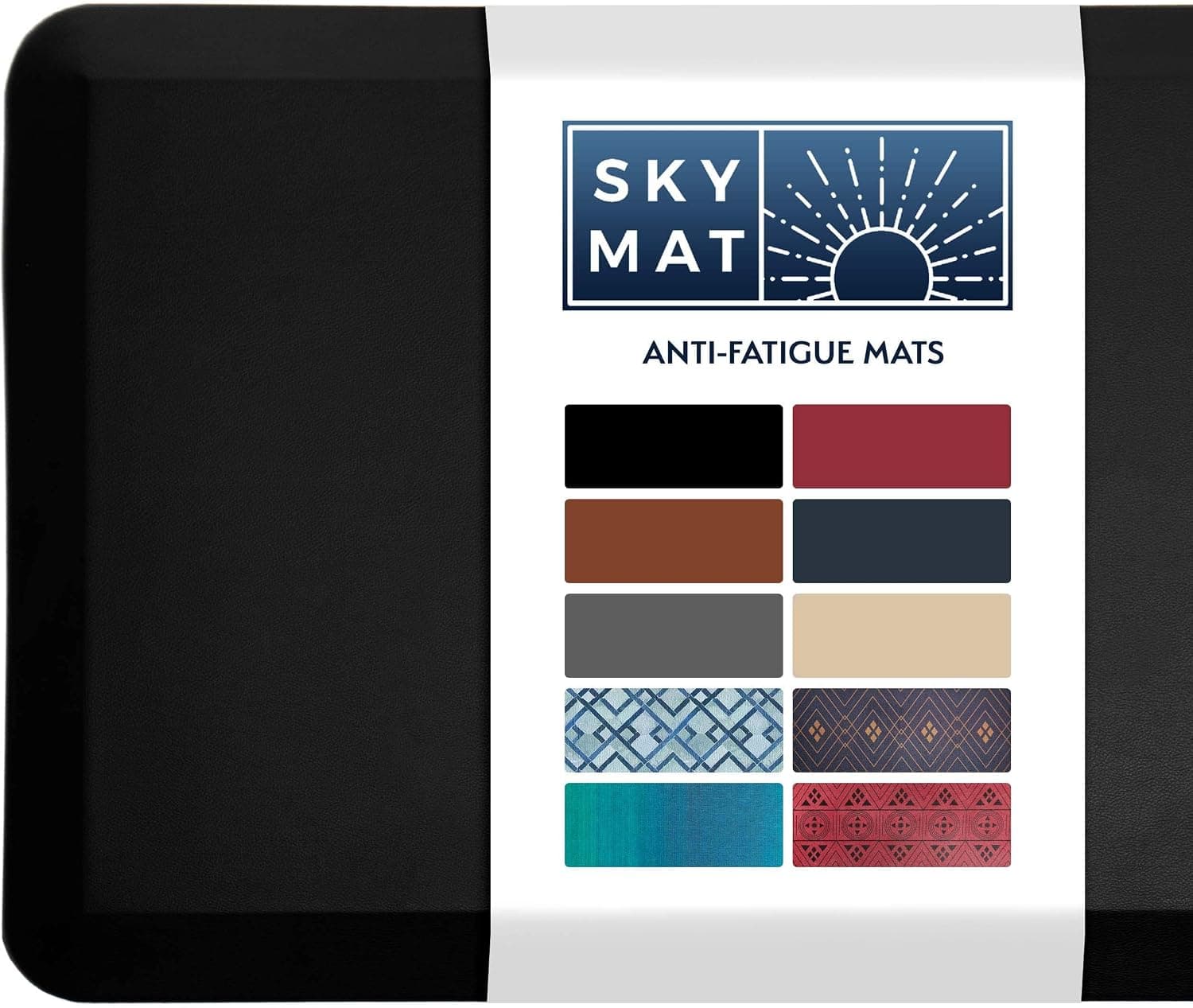
Best overallA dense, beveled-edge mat that takes the pressure off knees and lower back during standing blocks — without the squishy feel of cheap kitchen mats.
Best for: Remote workers who alternate sitting and standing throughout the day.
- +Firm enough for stable footing, soft enough for joint relief
- +Beveled edges reduce tripping when stepping on and off
- +Easy to wipe clean and roll up for desk moves
- −Large footprint — measure your floor space first
- −Rubber smell for the first few days out of the box
 Best for posture
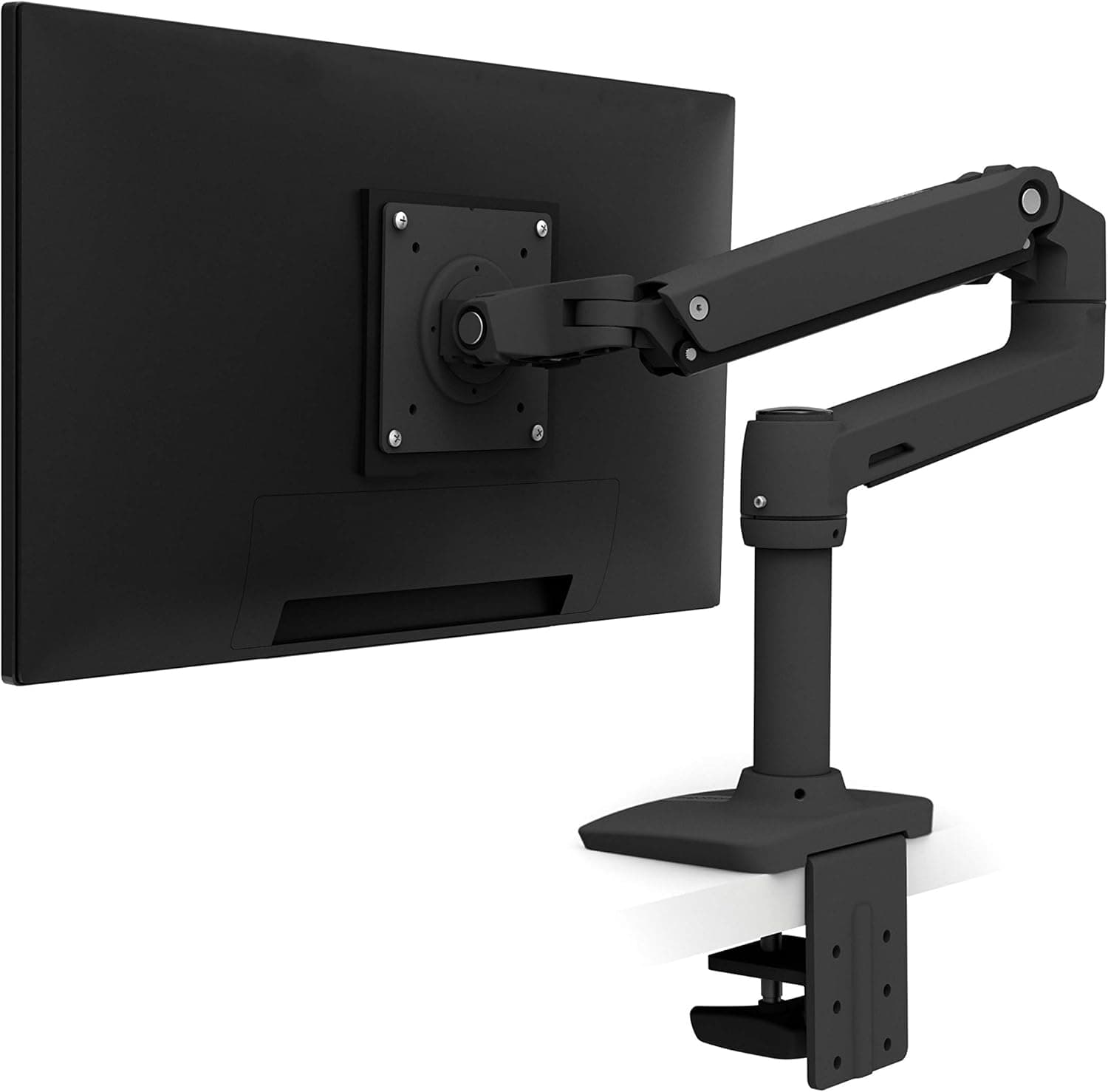
A proven single monitor arm with smooth gas-assisted movement — the upgrade most standing-desk users wish they had bought first.
Best for: Anyone with a VESA-compatible monitor who wants more usable desk depth.
- +Holds screen at eye level in both sitting and standing positions
- +Reclaims a surprising amount of desktop space
- +Built to last through years of daily adjustments
- −Requires VESA mount holes on the monitor
- −Premium price compared to budget arms
Side-by-side comparison
| Feature | Anti-fatigue mat | Monitor arm | Cable tray |
|---|---|---|---|
| Typical price | $35 – $80 | $35 – $165 | $20 – $45 |
| Main benefit | Leg and back comfort while standing | Screen height + desk space | Cable clutter and trip hazards |
| Setup time | Unroll and place — instant | 15 – 30 minutes | 10 – 20 minutes with screws |
| Works with sit-stand desks | Yes — moves with you | Yes | Yes — mount to fixed frame |
| Best if you… | Stand 30+ min per session | Use a shallow or cluttered desk | Have visible cords on the floor |
| Skip if… | You rarely stand | Monitor lacks VESA mounts | You already have a cable box |
The verdict
For most remote workers with a standing desk, buy the Sky Solutions mat if standing hurts your legs, add the Ergotron LX arm if screen height or desk space is the bottleneck, and finish with the REFLYING under-desk cable tray once you are ready to clean up the floor. That order matches how most people feel the pain — and it keeps spending focused on upgrades you will notice every day.
Advertisement
Ad placement activates after cookie consent.
FAQ
How long should I stand at my desk each day?+
There is no single number that works for everyone, but most ergonomists recommend starting with 15 to 30 minute standing blocks and sitting between them. Build toward two to four total standing hours across the workday rather than standing continuously.
Will a monitor arm work with a sit-stand desk?+
Yes — monitor arms are one of the best pairings with sit-stand desks because they let you reposition the screen independently as the desk height changes. Just confirm your desk thickness works with the arm's clamp and that the arm's height range covers both your sitting and standing positions.
Is an anti-fatigue mat worth it on carpet?+
Usually yes. Carpet adds a little softness but not enough support for long standing sessions. A good mat still reduces pressure on heels and makes micro-movements easier, which helps circulation during long calls or focus work.
Do I need different accessories for a manual crank desk?+
The same three categories apply. Manual desks benefit even more from cable trays because the slower height changes give cords more time to snag if they are not managed. Monitor arms and mats work identically on manual and electric frames.
Related guides
Keep reading
Published 2026-07-05 · Updated 2026-08-09