Best Ergonomic Office Chair for Home Office (2026)
The best ergonomic office chair for full-time WFH — lumbar support, seat depth, and picks from under $300 to long-term upgrades.
Start with the criteria and table. Only open product pages after you know depth, noise, and budget limits. How we research.
Some links may earn a commission at no extra cost to you. Prices are approximate and may change.
Bottom line for home office chairs
If you work from home full time, the chair matters more than your monitor arm or desk mat. Buy the Steelcase Series 1 when this is your primary office for years. Choose the SIHOO M57 when you want strong adjustability per dollar. Pick the HON Ignition 2.0 when you need credible ergonomics under $300.
Gaming chairs and dining chairs fail the same way: fixed lumbar, wide armrests, and recline-first design that breaks typing posture. Task chairs with seat depth, adjustable arms, and proper tilt are the category that actually holds up for eight-hour days.
Pair any chair with correct desk height — feet flat, thighs parallel, monitor at eye level. A great chair cannot fix a screen that forces you to look down all day.
What makes a chair ergonomic for WFH
Ergonomic here means adjustable to your body, not expensive branding. The non-negotiables for desk work: seat height so feet rest flat (or on a footrest), seat depth so two to three fingers fit between seat edge and calf, lumbar that contacts your lower back when seated fully back, and armrests that support elbows without lifting shoulders.
Mesh backs run cooler in apartments without dedicated HVAC. Padded seats feel softer initially but can run hot. Neither is universally better — climate and preference matter.
Headrests help if you recline for calls or reading. For upright keyboard work they are optional. Do not skip seat depth adjust to save money if you are shorter or taller than average — it is the adjustment most people need and most cheap chairs omit.
Steelcase vs Sihoo vs HON — how to choose
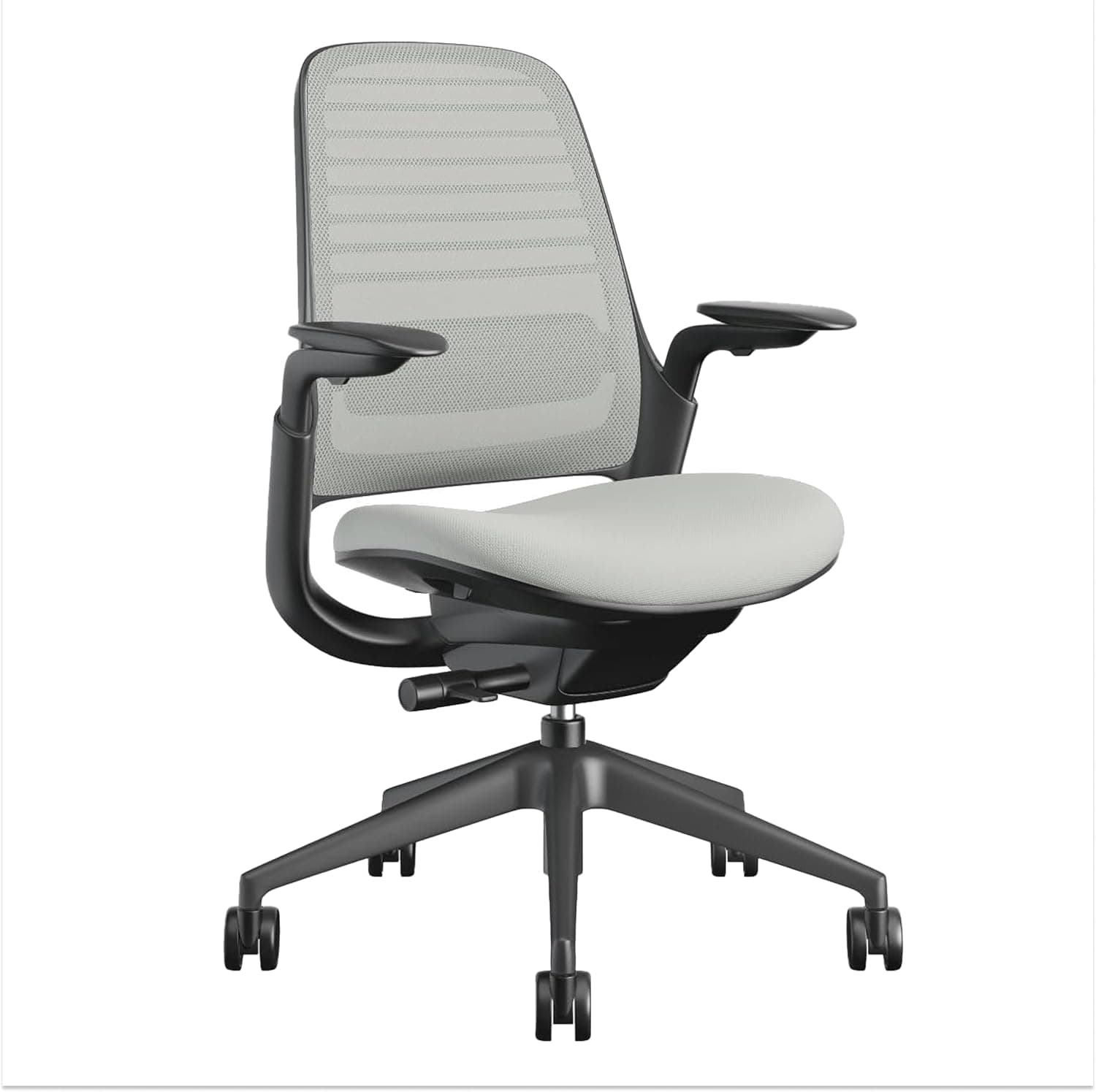
Steelcase Series 1 is the long-term pick when you know you will sit here daily for years. LiveBack lumbar moves with you rather than staying in one fixed bump. Build quality and warranty support justify the premium if this chair replaces a corporate office you no longer visit.
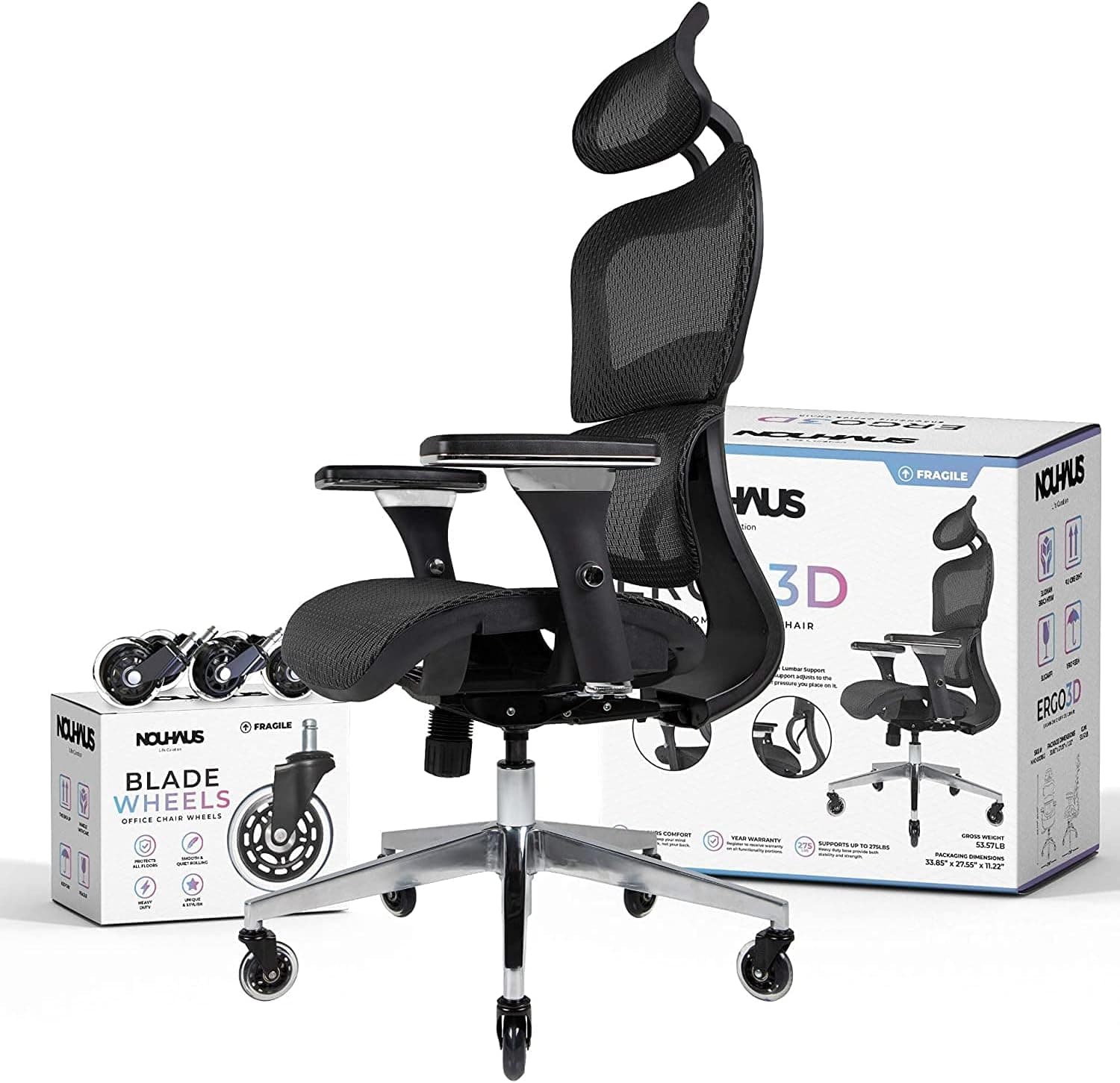
SIHOO M57 competes on adjustment count: headrest, two-way lumbar, and 3D arms — features that often cost more from legacy brands. The tradeoff is assembly time, no seat-depth slider, and the need to use the return window if mesh firmness does not suit you.
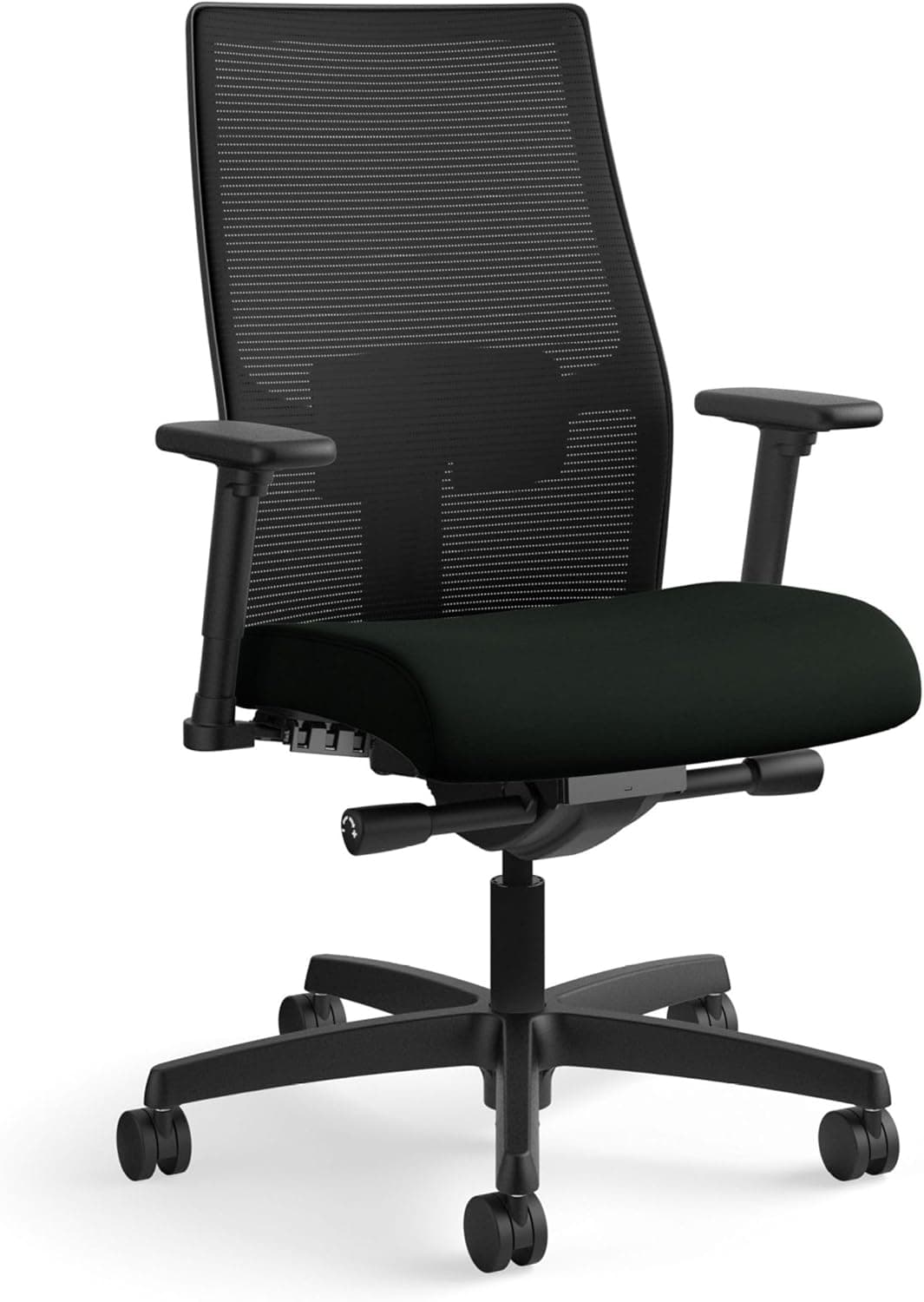
HON Ignition 2.0 is the honest budget anchor. It will not feel like a $900 Herman Miller, but it beats gaming chairs and dining chairs for actual work posture. Upgrade path: HON now, Steelcase when budget allows.
If you are in a very small room, also read our guide to compact chairs for apartment offices — footprint and armrest width matter in bedrooms and studio flats.
What mattered when comparing ergonomic chairs
We skipped racing-style gaming chairs and fixed-lumbar Amazon specials with fake reviews. Each pick is a task-chair-category product with adjustable arms and proper tilt mechanisms.
Steelcase Series 1 is the credible mid-premium step before Herman Miller territory. SIHOO M57 offers a broad adjustment range at mid-tier pricing. HON Ignition 2.0 carries commercial pedigree at a price that keeps budget buyers out of no-name chairs.
We excluded bulky executive chairs with fixed headrest wings that collide with monitor arms on shallow desks.
Office chair mistakes that hurt your back
Do not buy on aesthetics alone for a primary work chair — you will sit here more than on your sofa.
Avoid chairs with armrests too wide for your desk — they force you forward and break back support.
Do not skip a chair mat on hardwood — rolling resistance and noise add up, especially in apartments.
Use the return policy: sit full workdays for a week before the window closes.
Replacing a chair but keeping a too-high desk wastes the upgrade — check elbow height at the keyboard.
Adjustments that matter for eight hours
Minimum viable: seat height, seat depth or lumbar height, armrest height/width, recline tension. Skip ‘ergonomic’ labels without those levers.
Mesh backs breathe; foam backs feel plush initially but can run hot in uncooled rooms.
Headrests help reclined reading and some calls; they are optional if you sit upright for typing all day.
Sizing for home vs corporate fleet chairs
Office chairs sold to enterprises often fit average 5'8"–6'0" bodies. Shorter and taller users should check seat depth and cylinder height ranges before buying.
Weight capacity includes dynamic movement — respect limits on leaning and rolling, not just static sit.
Floors, casters, and mat pairing
Hard-floor casters on carpet feel like dragging an anchor; carpet casters on hardwood may scratch. Swap casters cheaply if the chair is right otherwise.
A mat smaller than chair roll zone still beats bare wood for casters over time.
When expensive chairs disappoint
Paying for brand leather aesthetics does not buy lumbar fit. Mid-tier task chairs with full adjustability beat executive chairs with fixed arms.
Chairs without return policies are risky — sit a full workday within the exchange window.
If pain persists after proper setup, consult a clinician. Chairs help but do not replace movement breaks.
Return-window full-day sit test
Keep the box until you complete three eight-hour days in the same desk configuration you use for real work — not a weekend movie marathon in recline.
Seat depth should leave two to three fingers between the pan front and your calves. Armrests should slide under the desk without shrugging shoulders when typing. Adjust everything before you declare fit on hour one.
Apartment deliveries sometimes mean assembling alone. If casters do not roll smoothly on your actual floor — carpet vs hardwood — swap them inside the return window instead of fighting drag for years.
Apartment delivery and box retention
Walk-up flats turn chair returns into logistics nightmares — measure stair landings before you discard cardboard. Many retailers require original packaging for bulky returns; flattening the box on day one costs you when the gas cylinder fails on day twenty.
Assembled chairs block closet doors in studio bedrooms — verify swivel clearance and armrest tuck under your actual desk depth before the return window closes. Compact task chairs still need 36 inches of roll zone behind you for natural recline without hitting a bed frame.
Who should skip buying new chairs online without trial: workers eligible for employer stipends with showroom access, anyone between moves in eight weeks, and users whose pain is acute rather than ergonomic. Landlords notice caster scratches — swap to appropriate floor casters immediately, not after lease-end disputes.
Side-by-side comparison
| Feature | Steelcase Series 1 | SIHOO M57 | HON Ignition 2.0 |
|---|---|---|---|
| Typical price | $450 – $550 | $180 – $230 | $250 – $320 |
| Seat depth adjust | Yes | No | Limited on base model |
| Lumbar support | LiveBack flex | Adjustable lumbar + headrest | Synchro-tilt lumbar |
| Armrests | 4D adjustable | 3D adjustable | Adjustable (config-dependent) |
| Best if you… | Sit 6+ hours daily | Want max adjustability per dollar | Need office grade under $300 |
Picks that match the criteria above
These products illustrate the criteria above — they are not a mandatory shopping list. Skip any pick that fails your desk depth, budget, noise limits, or return logistics.
Best overallSteelcase's entry task chair with LiveBack lumbar that flexes as you move — the default upgrade when a dining chair or gaming seat is causing lower-back fatigue during full-time WFH.
Best for: Remote employees who work at a desk six or more hours daily and want a chair that lasts years.
- +Consistent lumbar contact through long sessions
- +Clean design that fits modern home offices
- +Steelcase parts and warranty ecosystem
- −Premium price vs budget task chairs
- −Fewer knobs than some Korean competitors — intentional simplicity
 Best value
A high-back mesh task chair with adjustable lumbar support, headrest, and 3D armrests — a value pick for buyers who want broad adjustability without flagship-chair pricing.
Best for: Home office workers who want breathable mesh and adjustable upper-body support on a mid-range budget.
- +Adjustable headrest, lumbar support, and 3D arms
- +Breathable mesh for warm rooms without AC
- +330-pound published weight capacity
- −Assembly takes 45–60 minutes
- −Mesh firmness may not suit everyone — try return window
 Best budget
A commercial-grade office chair often deployed in real workplaces — available online at a price that undercuts flashy gaming recliners while delivering actual desk-work ergonomics.
Best for: Budget-conscious buyers who still need adjustable arms and proper synchro-tilt.
- +Real office-chair mechanism vs racing-style gaming seats
- +Adjustable arms on most configurations
- +Durable fabric rated for daily use
- −Office-generic look, not design-forward
- −Less refined than Steelcase at long sit durations
The verdict
Full-time remote workers should treat the chair as infrastructure: Steelcase Series 1 for the long haul, SIHOO M57 for broad adjustability per dollar, HON Ignition 2.0 when budget is tight but posture still matters. Measure your desk and return window before you buy — fit beats brand.
Advertisement
Ad placement activates after cookie consent.
FAQ
How much should I spend on a home office chair?+
Under $300: HON Ignition 2.0 tier — real task chair basics. $300–$400: Sihoo-class adjustability. $450+: Steelcase Series 1 when this is your office for years. Below $150, ergonomics are usually cosmetic.
Ergonomic chair or standing desk first?+
Chair first if you already sit six or more hours daily. Standing desks help when you alternate postures — they do not fix a bad seat. Many people need both eventually; sequence by what hurts today.
Task chair or gaming chair for remote work?+
Task chair for keyboard-heavy work. Gaming chairs emphasize recline and branding; task chairs emphasize seated posture, arm adjust, and seat depth. If you do not stream, skip the racing seat.
How long do ergonomic office chairs last?+
Quality task chairs often last 7–10 years of daily use. Budget chairs may show cushion compression or mechanism play within 2–3 years. Mesh backs generally outlast cheap foam.
Is a used office chair worth it?+
High-end task chairs from reputable resellers can beat new cheap chairs if gas cylinders and casters are fresh. Inspect mesh for tears and test recline locks. Skip unknown models with no spare parts path.
Related guides
Keep reading
Published 2026-07-06 · Updated 2026-07-15