Best Office Chair for Lower Back Pain (2026): Lumbar Support Picks
Office chairs for lower back pain — adjustable lumbar support, Amazon bestsellers ranked, and what to fix beyond the chair if your back still hurts.
We keep the shortlist small on purpose. One strong fit beats three mediocre Amazon cards. How we research.
Some links may earn a commission at no extra cost to you. Prices are approximate and may change.
Bottom line for lower-back support
Lower back pain at a desk is usually a stack of problems: chair without lumbar support, screen too low, sitting too long without breaks, and core muscles doing zero work. A chair alone will not cure chronic pain — but the wrong chair makes good posture impossible. For most WFH buyers on Amazon, the Nouhaus Ergo3D is the lumbar-first pick, the GABRYLLY wins when you need a footrest and recline for relief breaks, and the Duramont is the budget floor with real 4D lumbar adjust.
Skip gaming chairs with fixed lumbar pillows and Amazon no-name specials with suspicious review spikes. You want adjustable lumbar, seat height that lets feet rest flat, and armrests that keep elbows near your sides without shrugging shoulders.
If pain shoots down a leg, wakes you at night, or follows a fall, see a clinician before spending $300 on furniture. Chairs help ergonomics; they do not replace medical evaluation.
What actually helps lower back pain in a chair
Lumbar support should contact your lower back curve when you sit fully against the backrest — not float inches behind you. Fixed bumps fail because torsos differ; chairs with in/out and up/down lumbar adjust fit more people without guessing.
Seat depth matters as much as lumbar: if the front edge presses your calves, you slide forward and lose back contact. If the seat is too deep, short users perch on the edge — same result. Look for depth adjust or chairs known for moderate seat pans.
Armrests set too wide force you to reach for keyboard and mouse, loading the lower back indirectly. Width- and height-adjustable arms are worth paying for when pain flares during typing marathons.
Recline with tension control lets you open the hip angle slightly during calls, reducing disc pressure compared with bolt-upright gaming posture. A footrest — built-in or separate — extends that relief when you lean back.
Nouhaus vs GABRYLLY vs Duramont for back pain
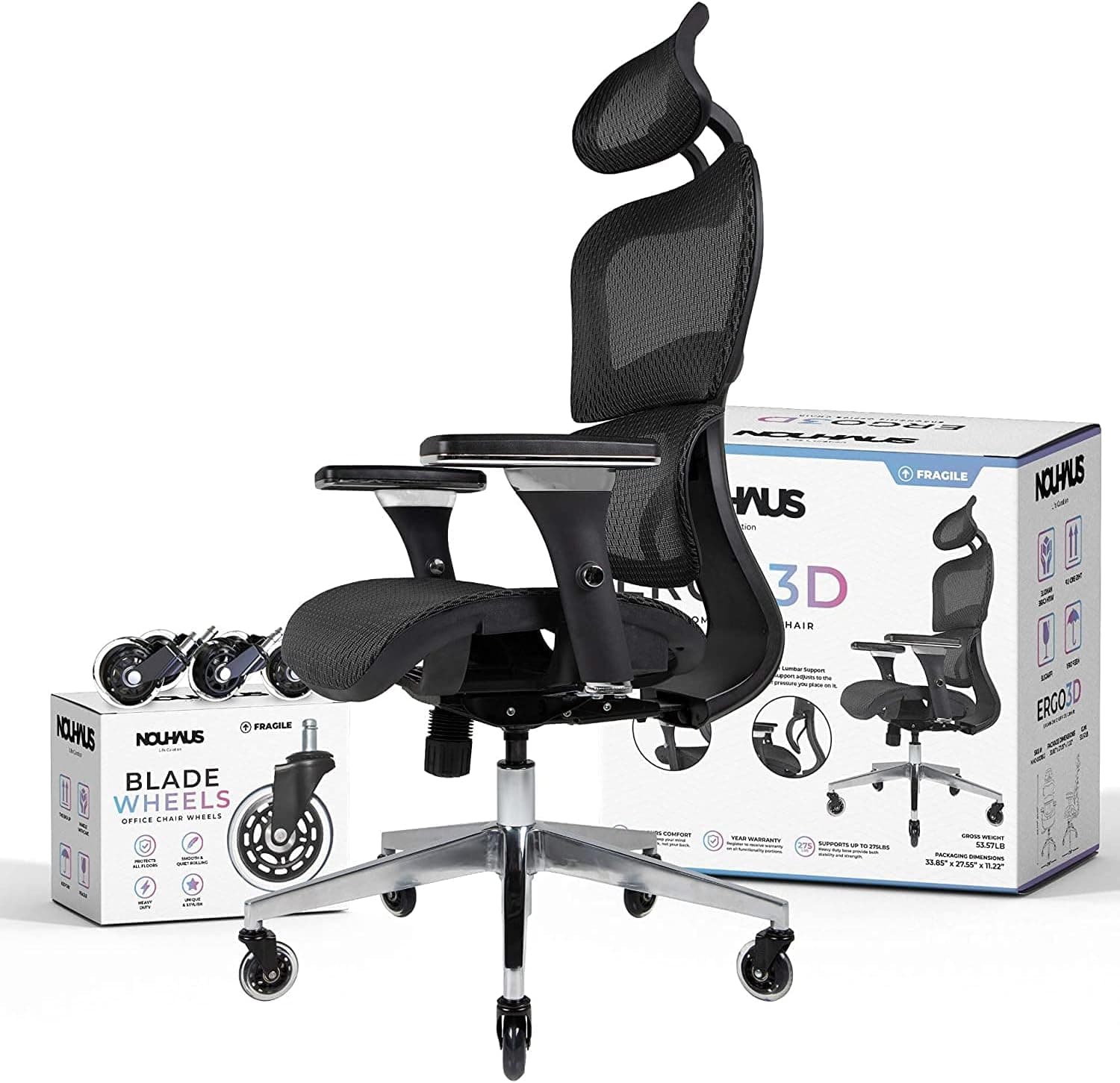
Nouhaus Ergo3D targets people who move at the desk. The elastic lumbar panel follows small shifts instead of staying rigid — useful if you alternate between typing upright and leaning in for spreadsheets. It is the Amazon favorite when reviews mention lower back specifically, not just "comfortable chair."
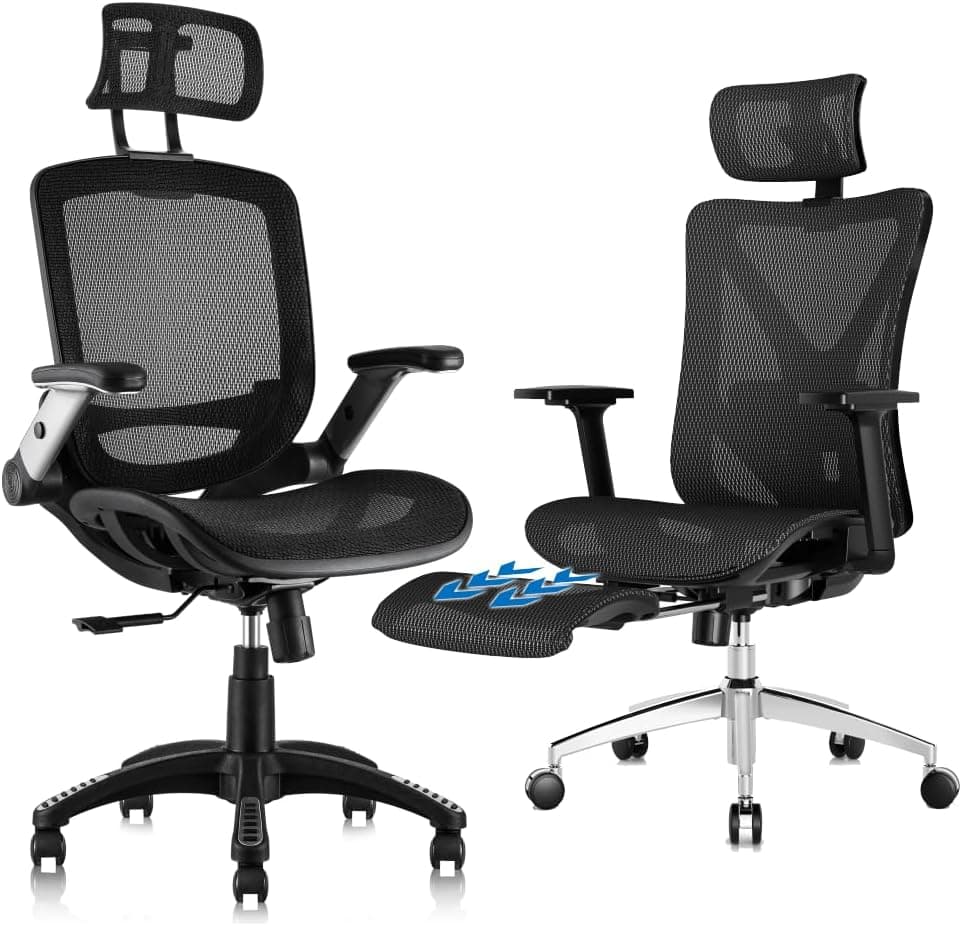
GABRYLLY fits workers who already know recline helps. The adjustable lumbar pad plus retractable footrest supports a 135° rest position without buying a separate ottoman. Choose it when micro-breaks are part of your pain management, not only upright focus work.
Duramont is the spreadsheet-friendly budget pick: maximum lumbar adjustability per dollar, memory-foam seat, and a long Amazon track record. Upgrade path: Duramont now, Nouhaus or a Steelcase-tier chair later if you still sit six-plus hours daily — see our general ergonomic office chair guide for long-term task-chair picks.
Already own a decent chair but pain persists? Check desk height, monitor position, and whether you need a footrest or standing breaks before blaming the seat alone.
What mattered when comparing lumbar chairs
We filtered Amazon listings for chairs that explicitly sell adjustable lumbar — not decorative pillows — and cross-checked bestseller rank, review volume, and BIFMA or SGS mentions where listed.
Nouhaus Ergo3D, GABRYLLY, and Duramont each have tens of thousands of owner reviews and recurring mentions of back pain relief in Q&A — a signal that real buyers use them for lumbar issues, not just aesthetics.
We excluded racing-style gaming chairs, fixed-lumbar budget specials under $120, and executive leather chairs with non-adjustable back wings that look premium but offer one lumbar position.
ASINs were verified live on Amazon US at time of writing. Always confirm the product page loads before purchase — listings change color variants and bundles.
Beyond the chair — habits that matter
Stand or walk two to five minutes every 30–60 minutes. No chair eliminates disc load from uninterrupted sitting — timers beat willpower.
Monitor top at or slightly below eye level. Looking down at a laptop on a table is a common hidden driver of lower back and neck pain together.
Feet flat on floor or footrest — dangling legs pull on the lumbar region. Shorter workers often need a footrest even with a good chair.
Light core and hip mobility work (gentle bridges, cat-cow stretches) support what ergonomics starts. Chairs align you; muscles maintain it.
Chair mistakes when back pain is the goal
Do not crank lumbar to maximum forward — over-aggressive pressure can increase pain. Start mid-range and adjust after a full workday.
Avoid buying a chair without using the return window. Sit full days for a week; lumbar fit is personal.
Do not ignore desk height. Elbows at roughly 90° with shoulders relaxed — if the desk is too high, even a great chair loses.
Skip "ergonomic" chairs with lumbar you cannot adjust. Marketing labels do not guarantee fit.
Gaming chairs with bucket seats often force wide knee angle and fixed pillows — poor match for keyboard-heavy WFH.
Short answers below — use them only if the criteria above already match your constraints.
Quick picks
Best lumbar support
Nouhaus Ergo3D
3D elastic lumbar that moves with you — Amazon bestseller built around lower-back pressure relief.
Best value
GABRYLLY Ergonomic Chair
Adjustable lumbar plus footrest for micro-breaks when sitting through flare-ups.
Best budget
Duramont Ergonomic Chair
4D lumbar adjust under $250 — the entry point when back pain finally forces an upgrade.
Default picks (skip if constraints disagree)
These products illustrate the criteria above — they are not a mandatory shopping list. Skip any pick that fails your desk depth, budget, noise limits, or return logistics.
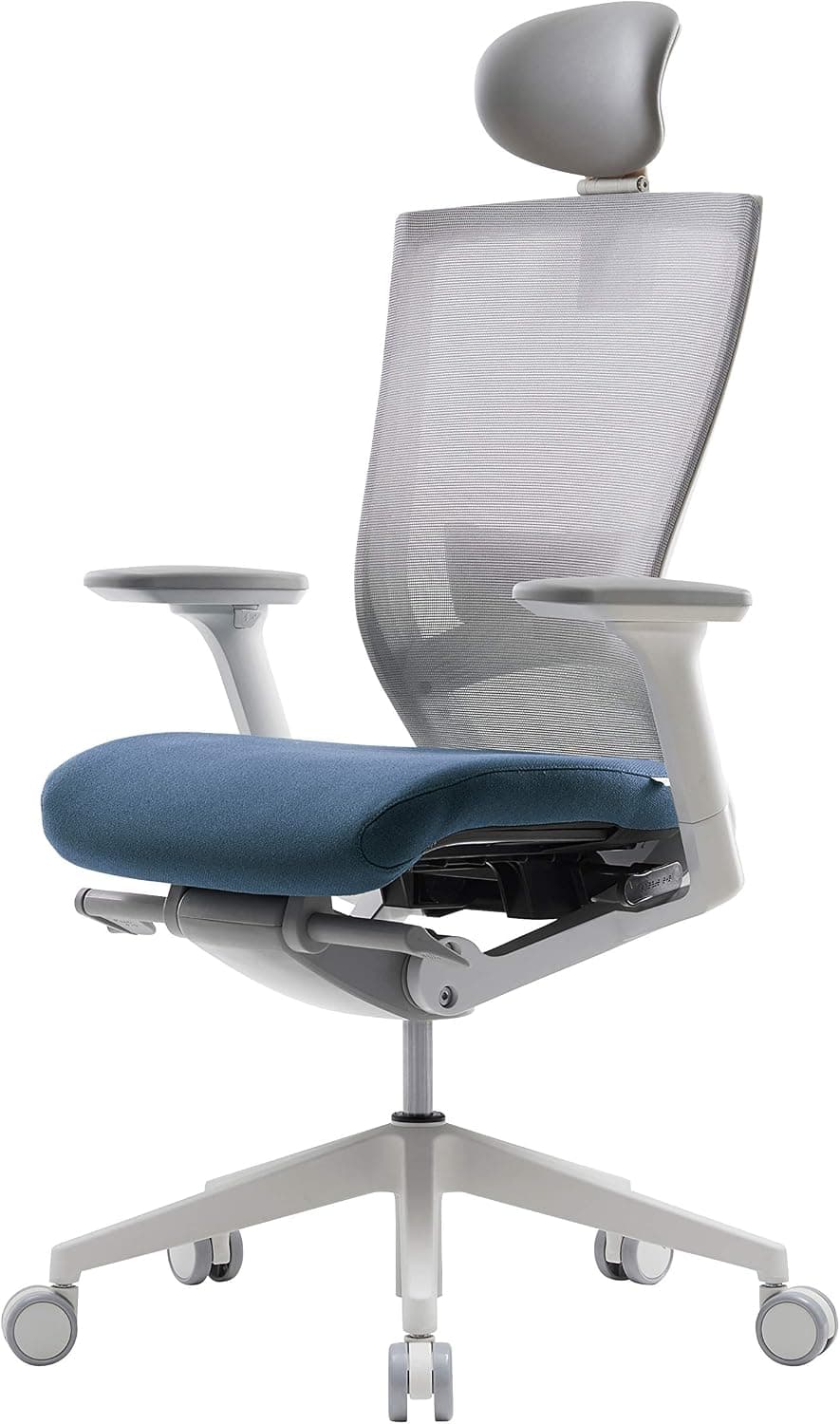
Best lumbar supportAn Amazon bestseller built around 3D elastic lumbar support — the mesh panel flexes as you shift forward and back instead of pressing one fixed plastic bump into a single vertebra. Pair that with 4D armrests, an adjustable headrest, and blade casters for hardwood, and you get a credible lower-back-focused chair without Herman Miller pricing.
Best for: Remote workers with daily lower-back ache who want dynamic lumbar contact through eight-hour desk sessions.
- +3D lumbar flexes with posture changes — better than static bumps for people who fidget
- +4D armrests reduce shoulder hike that often accompanies back pain
- +Breathable ElastoMesh back runs cooler than padded gaming chairs
- +Consistently high Amazon review volume in ergonomic category
- −Not a medical device — severe pain needs a clinician, not a chair SKU
- −Assembly takes 30–45 minutes; enlist help for the backrest section
- −Seat cushion is firmer than executive-chair foam — some prefer a seat pad
 Best value
A heavy-duty mesh chair with two-way adjustable lumbar support and a retractable footrest — the Amazon pick when lower-back relief includes short recline breaks, not just upright typing. BIFMA-tested frame, 300 lb capacity, and 3D armrests keep it in the value tier that actually ships with lumbar hardware, not marketing stickers.
Best for: WFH workers who feel relief when they recline slightly and elevate legs during calls or reading blocks.
- +Adjustable lumbar pad moves vertically and horizontally to match spine curve
- +Integrated footrest supports supine micro-breaks without leaving the desk
- +135° recline with tilt lock for controlled rest positions
- +Strong Amazon sales rank in ergonomic mesh category
- −Footrest adds bulk — measure desk depth before buying
- −Newer listing — fewer years of long-term owner data than Nouhaus or Duramont
- −Mesh seat is firm; add cushion if you prefer soft seating
Side-by-side comparison
| Feature | Nouhaus Ergo3D | GABRYLLY | Duramont |
|---|---|---|---|
| Typical price | $250 – $320 | $200 – $280 | $180 – $240 |
| Lumbar type | 3D elastic mesh panel | 2-way adjustable lumbar pad | 4D in/out/up/down lumbar |
| Footrest | No | Retractable steel footrest | No |
| Recline | Up to 135° | Up to 135° | Multi-angle with lock |
| Weight limit | ~275 lb | 300 lb | 330 – 350 lb |
| Best if you… | Want dynamic lumbar through long desk days | Need recline + foot support during breaks | Need max lumbar adjust per dollar |
The verdict
Treat lower back pain at the desk as a systems problem: chair, screen height, breaks, and sometimes medical care. On Amazon, buy the Nouhaus Ergo3D for dynamic lumbar through long workdays, the GABRYLLY when recline and footrest breaks are part of your relief, and the Duramont when budget is tight but fixed lumbar gaming chairs are no longer acceptable. Measure your desk, use the return window, and pair any chair with our ergonomic mouse and footrest guides if typing posture still loads your back.
Advertisement
Ad placement activates after cookie consent.
FAQ
Can an office chair fix lower back pain?+
It can reduce aggravation from poor sitting posture when lumbar support, seat depth, and desk setup are correct. It does not treat herniated discs, sciatica, or other medical conditions. Use a chair as part of ergonomics, not as treatment.
What lumbar support is best for lower back pain?+
Adjustable lumbar that moves in/out and up/down beats fixed pillows. Dynamic panels like the Nouhaus Ergo3D elastic lumbar help if you shift posture often. Match the chair to how you actually sit, not how marketing photos look.
Ergonomic chair or standing desk for back pain?+
Chair first if you sit most of the day. Standing all day also loads the back. Alternating sit and stand with a good chair and anti-fatigue mat is the long-term pattern many clinicians suggest — not replacing sit with stand entirely.
How long should I try a new chair before returning it?+
Use it for at least three to five full workdays within the seller return window. Adjust lumbar, arms, and height each morning. One afternoon is not enough to judge lumbar fit.
Is mesh or padded seat better for lower back pain?+
Mesh backs run cooler and support longer sessions without sweat. Padded seats feel softer on sit bones — Duramont's memory foam is the compromise pick here. Back support matters more than seat softness for lumbar pain specifically.
Related guides
Keep reading
Published 2026-07-13