
Best Desk Mats for Home Office (2026): Leather, Felt & Budget
The best desk mats and pads for home office — surface protection, mouse tracking, and leather, felt, and budget picks ranked.
Start with the criteria and table. Only open product pages after you know depth, noise, and budget limits. How we research.
Affiliate links may appear in product recommendations below. Prices are approximate.
Bottom line for desk mats
A full desk mat is the better single purchase for most home offices — it protects the surface, unifies keyboard and mouse area, and instantly makes the desk look finished. Buy the K KNODEL mat for reversible full-desk coverage. Choose Aothia for a wipe-clean leather look on a budget. Grab the SteelSeries QcK if you mainly need reliable mouse tracking for minimal spend.
Skip ultra-cheap oversized pads that curl at the edges within weeks. A $60 mat you keep for three years beats a $15 mat you replace twice.
If you eat at your desk, prioritize wipeable leather or synthetic surfaces over light-colored felt that stains.
Desk mat vs mouse pad
A full desk mat covers keyboard and mouse area, protecting the surface from scratches, oil, and mug rings while creating a unified color block. A smaller mouse pad only helps tracking in one zone.
For most home offices, a large mat is the better single purchase — especially on particleboard or soft wood that marks easily.
Mouse-only pads still make sense on desks with built-in leather inlays or glass tops where the whole surface already wipes clean.
Material matters
Leather and leather-alternative mats look great, wipe clean, and handle coffee spills better than untreated felt. They develop patina — a feature if you like character, a drawback if you want showroom-new forever.
Felt and wool mats add warmth and acoustic softening — keyboard clack sounds slightly duller — but attract lint and are harder to spot-clean.
Microfiber and synthetic gaming surfaces prioritize mouse consistency over luxury feel. They are practical, washable, and ideal for sweaty summers or shared desks.
What mattered when comparing desk surfaces
We looked for mats that survive daily WFH use — coffee, long mouse sessions, and laptop heat — without curling or peeling at the edges within months.
Grovemade and similar boutique brands sell direct — not on Amazon. For affiliate shoppers, the K KNODEL mat is the reliable reversible pick. Aothia adds a simple wipe-clean leather surface without premium pricing. SteelSeries QcK is the functional baseline everyone recognizes.
We skipped RGB mouse pads and oversized gaming brands with loud logos — fine for streams, distracting on client-facing video backgrounds.
Desk mat mistakes that show up fast
Do not buy a mat too small for your keyboard and mouse combined — measure width and depth first. Cramped mats defeat the unified look.
Do not place a felt mat where you eat daily unless you are disciplined about spills — stains set faster than on leather.
Avoid stacking mats. One quality layer beats a thin pad on top of another — uneven surfaces annoy wrists and wobble keyboards.
Do not forget desk mat thickness if your chair armrests barely clear the desktop — very thick mats can subtly reduce clearance.
Desk mat jobs beyond aesthetics
A good mat defines mouse and keyboard real estate, dampens typing clatter on hollow tops, and protects veneer from sweat and wrist oils.
Hard-surface fast mats suit low-DPI gaming and precise vector work. Cloth hybrids suit mixed typing and tracking without separate mouse pads.
Size: at minimum cover keyboard front edge plus mouse arc. Undersized mats drift and curl at corners within months.
Thickness and edge stitching
Ultra-thin mats stay put on glossy desks; thick mats cushion but can catch keyboard feet. Beveled edges reduce wrist catch on hard variants.
Stitching quality predicts lifespan. Frayed corners snag on watch clasps and hoodie cuffs.
Cleaning and coffee survival
Spill-resistant coatings help but are not submarine-grade. Blot immediately; weekly wipe with mild soap for cloth, manufacturer wipes for coated hard mats.
Light colors show stains; dark colors show dust on video. Mid-gray is the boring compromise that ages well.
When a cheap mat is fine
Temporary setups and student dorms: a basic neoprene pad until you know final desk dimensions.
If you already use a glass top, skip rubber mats that slip — desk suction mats or full-glass keyboard trays may be needed instead.
Sizing mat coverage in prose
Lay your keyboard and mouse on the desktop and trace the arc your wrist travels during a normal workday. The mat should cover that zone plus one inch of margin — undersized pads migrate and curl within weeks.
Depth matters on shallow apartment desks: a 14-by-32-inch mat may be the max before the front edge overhangs. Full-desk mats look cinematic but fight monitor stands and clamp arms.
Hard mats favor low-DPI tracking; cloth hybrids favor mixed typing and mousing. Return a mat that smells strongly of rubber if your office is a bedroom — off-gassing lingers longer in closed rooms than in open corporate floors.
Who should skip upgrading desk mats
Glass tops and high-gloss IKEA surfaces sometimes fight rubber mats that slide — a desk suction mat or bare glass with a small mouse pad may beat a full neoprene sheet that curls at the corners within a month.
Temporary dorm or sublet setups under six months do not need $80 mats; basic neoprene until you know final desk dimensions is rational. Who should upgrade: typists on hollow particleboard tops hearing clatter on calls, and anyone spilling coffee weekly on unprotected veneer.
Return-window curl test: unroll flat for 48 hours in the room where you work — winter dry heat causes shipped rolls to lift edges. Mid-gray hides dust on camera; jet black shows cat hair on every standup. Size for mouse arc, not Instagram full-desk coverage that fights monitor bases.
Desks that must clear nightly
Dining-table and kitchen-island workers need mats that lift in one motion without catching monitor stands. Oversized full-desk mats fight clamp arms and slow dinner setup — size to keyboard-plus-mouse zone only so the mat stores in a drawer.
Rolling mats on glass tops slide unless you choose suction-backed or hard-surface variants rated for smooth finishes. A mat that drifts half an inch per hour will drive you mad before week two.
Shared apartments: neutral mid-gray hides crumbs and dust on camera better than white showpiece mats. Light mats look Instagram-clean until the first coffee ring — then they look permanently neglected on video.
If the desk doubles as a kids homework surface after 5 p.m., choose wipe-clean coated hard mats over cloth that absorbs marker and sauce. Separation beats one premium mat you are afraid to use.
Week-two slip curl and smell on apartment floors
Shipped rolls need 48 hours flat in the room’s humidity before you judge curl. Winter dry heat lifts corners on neoprene; summer basement offices can smell rubber longer than spec sheets admit — return if bedroom off-gassing persists past week one.
Hollow IKEA tops amplify typing clatter through thin mats — thickness helps acoustics more than brand logos. If calls still pick up key noise, the mat is too thin for your top, not your keyboard.
Watch clasp and cuff snags on frayed stitching — week two is when cheap edges unravel. Beveled hard mats reduce wrist catch; raised stitched rims on cloth mats catch hoodie zippers.
Who should skip upgrading: glass-top users who track fine on a small pad, sublets under six months, and workers already happy with desk surface feel. A mat should solve clatter, slip, or stain — not just match an aesthetic photo.
Side-by-side comparison
| Feature | Leather / felt mat | Organizer mat | Gaming pad |
|---|---|---|---|
| Typical price | $15 – $30 | $55 – $70 | $10 – $20 |
| Coverage | Full desk — keyboard + mouse | Full desk + storage | Mouse area or large pad |
| Desk protection | Excellent | Excellent | Moderate — smaller area |
| Easy to clean | Leather yes — felt harder | Good — synthetic top | Very good — washable |
| Aesthetic upgrade | High | High — minimalist | Low — functional |
| Best if you… | Want a polished desk on Amazon without boutique pricing | Hide papers under the workspace | Prioritize mouse performance on a budget |
Picks that match the criteria above
These products illustrate the criteria above — they are not a mandatory shopping list. Skip any pick that fails your desk depth, budget, noise limits, or return logistics.
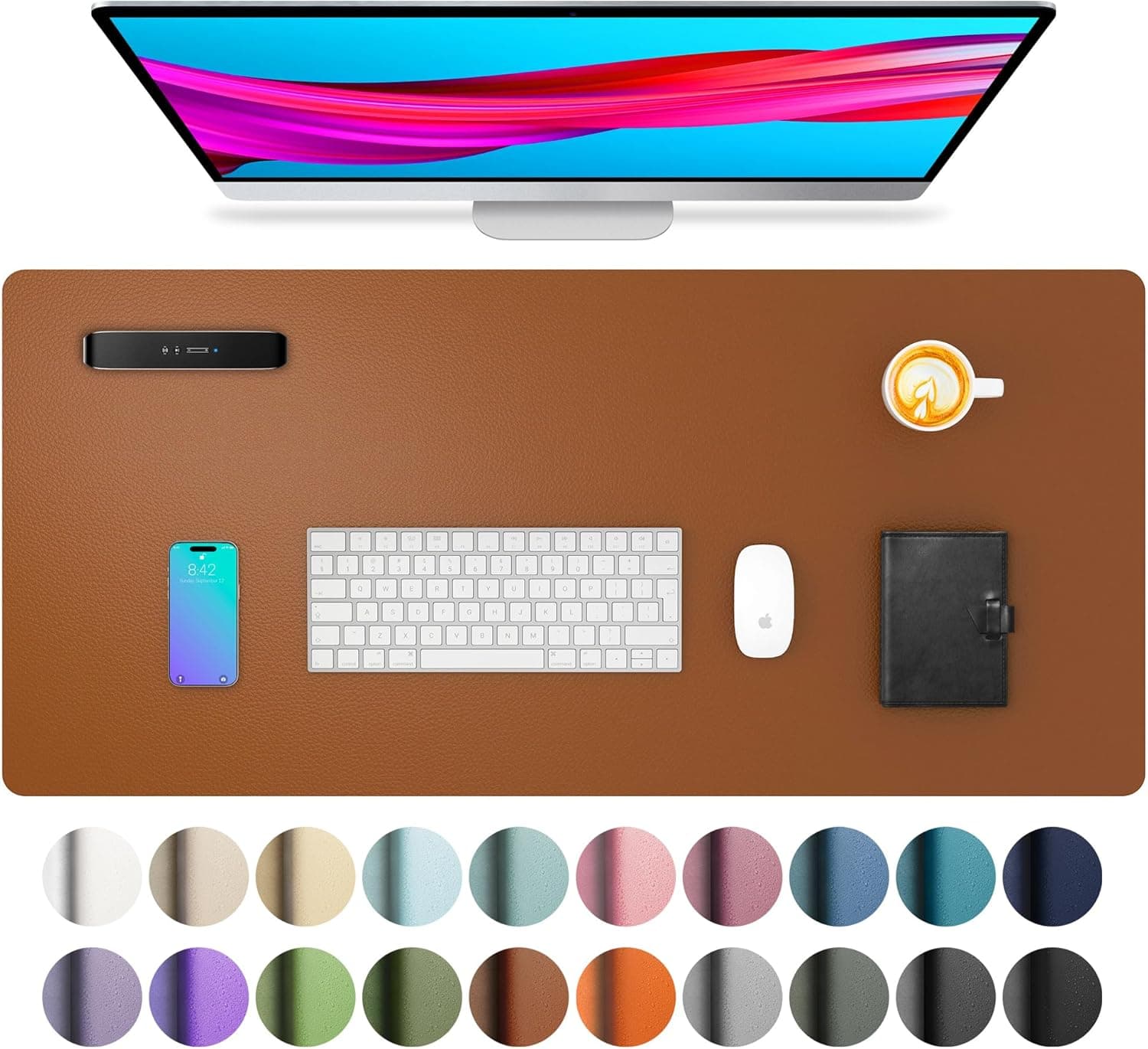
Best full-desk lookA dual-sided PU leather desk pad sized for keyboard and mouse together — wipes clean, lays flat quickly, and gives particleboard or IKEA tops a finished look without boutique pricing.
Best for: Remote workers who want full-desk coverage and a clean background on video calls.
- +Large 31.5" × 15.7" footprint covers keyboard and mouse zone
- +Water-resistant surface handles coffee rings and daily spills
- +Dual-sided colors — flip for a refresh without buying a second mat
- −PU leather, not vegetable-tanned leather — premium brands like Grovemade sell direct
- −Light colors show wear faster than black or dark grey
 Best value leather
A large PU-leather desk pad with a suede non-slip backing — protects the work surface and creates one calm keyboard-and-mouse zone without a premium price.
Best for: Remote workers who want full-desk protection, easy spill cleanup, and a warmer writing surface.
- +31.5-inch size covers keyboard and mouse together
- +Water-resistant top wipes clean after spills
- +Suede backing helps the mat stay put
- −PU leather rather than full-grain leather
- −Ships rolled and may need time to flatten
 Best budget
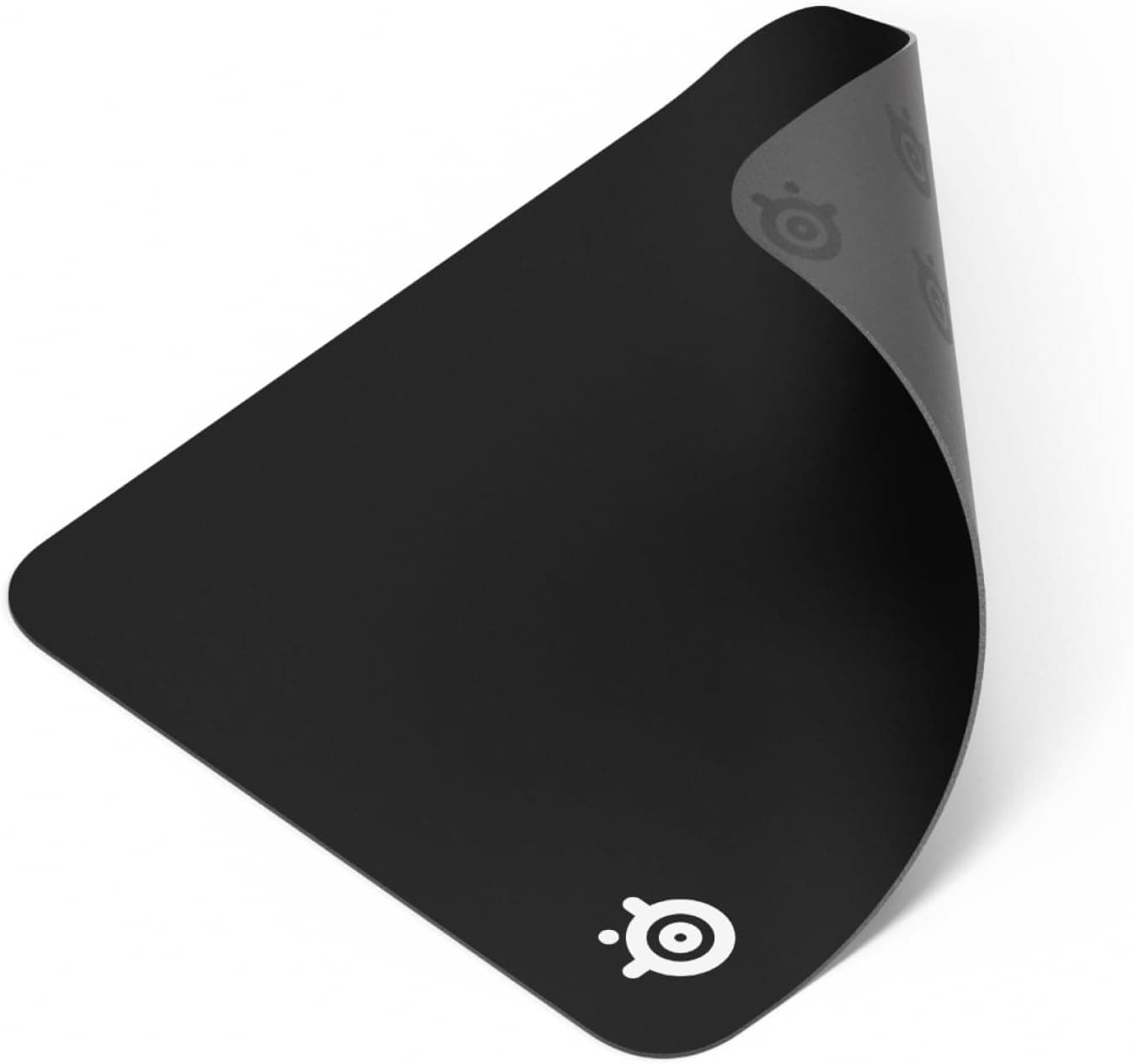
SteelSeries QcK
~$12The gaming-grade classic — consistent mouse tracking, durable cloth surface, and a price low enough to replace yearly if coffee wins.
Best for: Budget buyers who care about mouse performance more than full-desk aesthetics.
- +Proven tracking surface for optical and laser mice
- +Multiple sizes including large desk coverage
- +Machine washable on many models
- −Cloth look reads casual vs leather or felt premium mats
- −Does not protect desk edges outside the pad footprint
The verdict
Buy the K KNODEL desk mat if your home office doubles as a video background and you want one clean surface anchor. Pick Aothia for a leather-look surface at a lower price. Choose SteelSeries QcK when tracking and budget beat aesthetics — you can always upgrade the mat after the chair, monitor, and lighting are sorted.
Advertisement
Ad placement activates after cookie consent.
FAQ
Do desk mats improve mouse tracking?+
Yes compared to bare wood, glass, or glossy surfaces. Consistent texture helps optical sensors track predictably. Gaming-grade cloth like the QcK is optimized for this; premium leather mats are usually good enough for office mice.
How do I clean a leather desk mat?+
Wipe with a damp cloth and mild soap for most spills. Avoid soaking. Condition leather mats occasionally per manufacturer guidance to prevent cracking in dry climates.
Desk mat or standing desk mat?+
Different products. Desk mats sit on the tabletop for keyboard and mouse. Anti-fatigue mats sit on the floor for standing comfort. Standing desk users often want both.
Will a desk mat stop wrist pain?+
A mat alone rarely fixes wrist pain — desk height, mouse ergonomics, and keyboard position matter more. Mats improve surface consistency and comfort slightly but are not medical devices.
Related guides
Keep reading
Published 2026-07-05 · Updated 2026-07-26