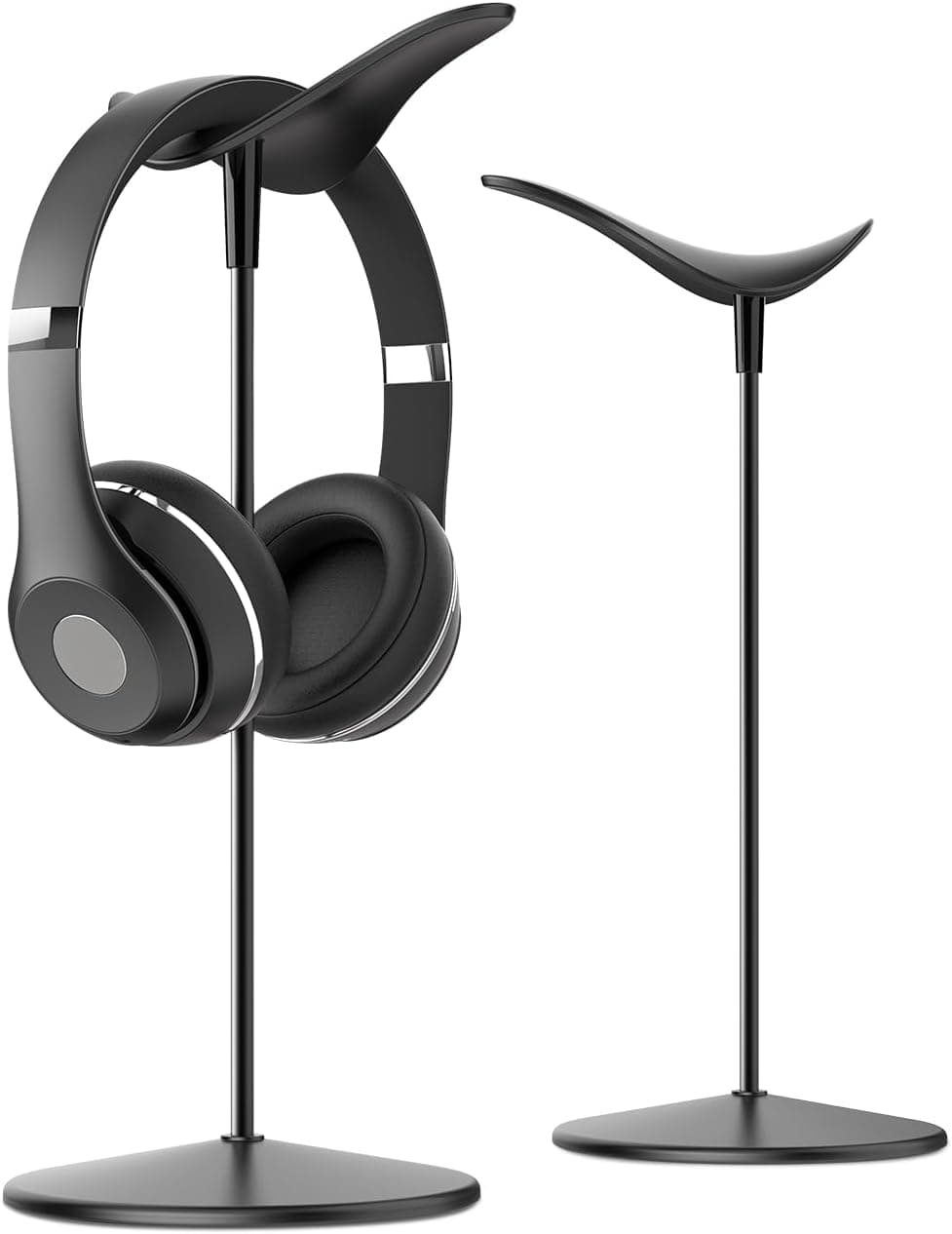
Best headphone stands for small desks
Headphone stands and hooks that fit compact desks — keep headsets accessible without sacrificing mouse space or video-call aesthetics.
Read the criteria and trade-offs first. Product picks come after the decision framework so you can skip anything that does not match your desk, room, or return window. How we research.
This guide may include affiliate links at no extra cost to you.
The short answer
Headphones on a small desk either eat mouse space, look messy on camera, or slide off the edge. A compact desktop stand like Lamicall works if you have one corner free. Under-desk hooks like Lamicall erase footprint entirely. Compact vertical stands fit tight back corners.
Pick based on how often you grab them — hourly users want easy reach; occasional users can hide hooks under the lip.
Stop draping headsets over monitor tops — it stresses hinges and blocks tilt.
Desktop stand vs under-desk hook
Desktop stands trade a few square inches for one-motion grab-and-go. Best when headphones are part of your call workflow every hour.
Under-desk hooks preserve aesthetics for video backgrounds and tiny surfaces. Reach is slightly worse but muscle memory adapts in a day.
Wireless charging stands exist but add bulk — most WFH users do not need charging on the stand if headphones charge overnight.
Sizing for over-ear vs on-ear
Over-ear sets like Sony WH-1000XM series need stands with adequate height and stable bases — light hooks can sag.
On-ear and lighter headsets fit almost any hook. Verify clamp weight ratings for 300g+ wireless cans.
Dual headset households may need two hooks — one work, one personal — to avoid daily swap friction.
How we chose these picks
Footprint and stability mattered more than RGB or USB passthrough gimmicks. Each pick fits typical 40-inch wide home desks without encroaching on mouse area.
Lamicall is the common aluminum recommendation for aesthetic desks. Under-desk adhesive hooks dominate small-desk Reddit threads. A compact vertical stand is the budget vertical option.
We skipped giant wooden tree stands that belong on audiophile side tables, not work desks.
Common mistakes to avoid
Do not hang headphones on monitor arms — uneven load affects arm tension.
Avoid adhesive-only hooks on sagging particleboard — clamp when possible.
Do not place stands in front of air vents on desktop PCs or docked laptops.
Skip stands with huge bases if your desk depth is under 20 inches.
Footprint types that actually fit
Vertical posts with a slim base tuck beside the monitor stand. Wide arc stands look elegant in photos but steal mouse pad space on 24-inch deep desks.
Under-desk hooks free the surface entirely if you have a wood or laminate lip that accepts clamp or adhesive. Skip adhesive on peeling veneer.
Multi-headset households need two narrow posts, not one ‘tree’ with three prongs that becomes a tipping hazard on a crowded corner desk.
Material and cable wear
Metal posts with a soft top pad reduce headband creasing compared to bare aluminum. Leatherette pads on headsets can stick to certain plastics in summer heat — look for rounded contact surfaces.
If your headset cable is permanently attached, route it down the post with a reusable tie so the plug does not snag when you grab the cans between calls.
When a stand is the wrong buy
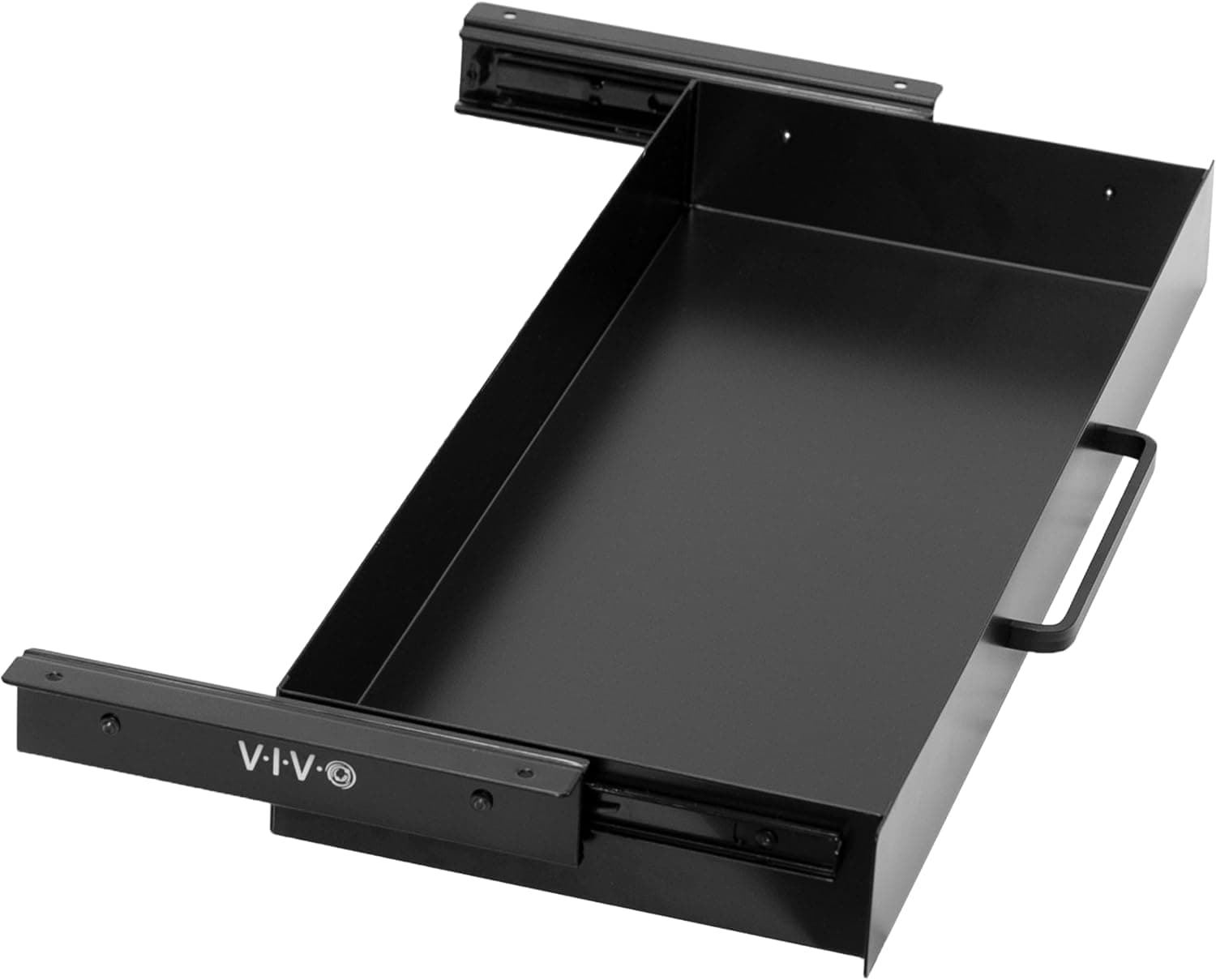
True wireless earbuds users rarely need a desk monument. A shallow dish or drawer tray is enough.
If headsets live in a bag for hybrid work, an in-bag hard case protects better than a stand you never pass on commute days.
Placement near monitors and mics
Keep heavy headsets off the same shelf as a sensitive condenser mic — bumps transmit through cheap boom arms.
Stands behind the monitor hide clutter on video but can encourage leaving cables plugged in hot. Unplug USB headsets if you hear ground hum when charging laptops nearby.
Sizing footprint for shallow desks
Measure the strip beside your monitor base where a vertical post can live without stealing mouse pad width. On 20-inch deep desks, a 4-inch base is the practical max before your wrist hits the stand on every swipe.
Under-desk hooks need a continuous lip of at least three-quarters of an inch. Floating-edge IKEA tops and glass desks often reject hooks entirely — know that before you order adhesive variants that promise universal fit.
If you alternate between on-ear cans for calls and over-ear cans for focus music, one wide arc stand may fit neither well. Two slim posts or a single hook plus a drawer tray for the second headset often uses depth more efficiently than one sculptural tree.
Apartment desk: tip-risk and roommate traffic
Narrow apartment corridors mean hips brush the desk edge. A top-heavy headset tree next to the aisle will tip — prefer a low center of gravity or an under-desk hook that cannot be clipped by a backpack strap.
Shared studios amplify cable snags: label left/right earcups if multiple people share one stand, and keep boom-mic arms folded before hanging so plosive screens do not snap against the post.
Within the return window, hang your heaviest headset, nudge the desk intentionally, and see whether the stand walks. If it slides on laminate, add a discrete rubber pad or choose a clamp hook instead of chasing decorative marble bases that photograph well and ship poorly.
Who should skip a desk stand
Earbud-first workers and hybrid commuters who stash cans in a bag daily do not need a desktop monument — a drawer tray or hook inside the bag compartment protects better. Multi-headset households with one shared desk may prefer labeled hooks on a peg rail behind the door instead of a post that steals mouse depth.
Condenser mic setups on fragile boom arms hate bumps from heavy headsets landing nearby. If your desk depth is under 22 inches, an under-desk hook often preserves more usable surface than a vertical post beside the monitor base. Apartment desk depth, door swing, and roommate traffic matter more than the hero photo in the listing.
Return-window tip test: hang the heaviest set you own and simulate roommate traffic — a shoulder bag clipping the stand should not send the post flying. Skip weighted marble bases on rolling standing desks; micro-roll plus top-heavy stands equal slow-motion disaster during sit-stand cycles. If the friction persists after setup, return promptly instead of buying another accessory to compensate.
One stand rule for hybrid workers
If the headset travels three days a week, prioritize an under-desk hook or bag case over a marble desk sculpture you never use midweek.
Keep boom mics folded when hanging so foam windscreens do not crush against the post. Soft pads reduce headband dents after long hangs.
Skip multi-headset trees on desks under 48 inches wide — one slim post plus a drawer tray for the spare pair stays calmer.
Cable routing beside the dock
USB headsets with fixed cables snag when the stand sits between dock and monitor. Route the cable down the post and under the desk tray before you clip desktop paths — otherwise the plug pulls when you grab cans between calls.
Wireless charging stands for earbuds and over-ear hooks for cans can coexist on 20-inch deep desks only if the dock lives on the side opposite the mouse arc. Map cable exits before you order a wide arc stand.
Ground hum appears when headset USB shares a hub with charging bricks. Plug directly into the laptop during return-window tests if audio buzzes only when the dock is loaded.
Label left/right on shared household desks — one stand for two people fails when boom mics bend opposite ways and foam screens touch.
Week-two clutter creep on narrow desks
Headset stands become coat hooks for lanyards, badges, and unused cables by week two. If the post collects more than one device, you traded mouse space for a vertical junk tree — reset or move to under-desk hook.
Marble and weighted bases that felt stable on day one slide on laminate once dust accumulates under the pad. Lift and clean weekly or switch to clamp hooks.
On standing desks, micro-roll moves the stand toward the keyboard zone until the wrist hits it mid-typing. Lock casters during work sessions or mount hooks on the frame rail instead.
Who should skip stands: earbud-only workers, desks under 42 inches wide with dual monitors, and anyone who already hangs cans on a bag hook by the door.
Short answers below — use them only if the criteria above already match your constraints.
Quick picks
Best desktop
Aluminum headphone stand
Small footprint, stable base, and clean look for daily headsets.
Best zero footprint
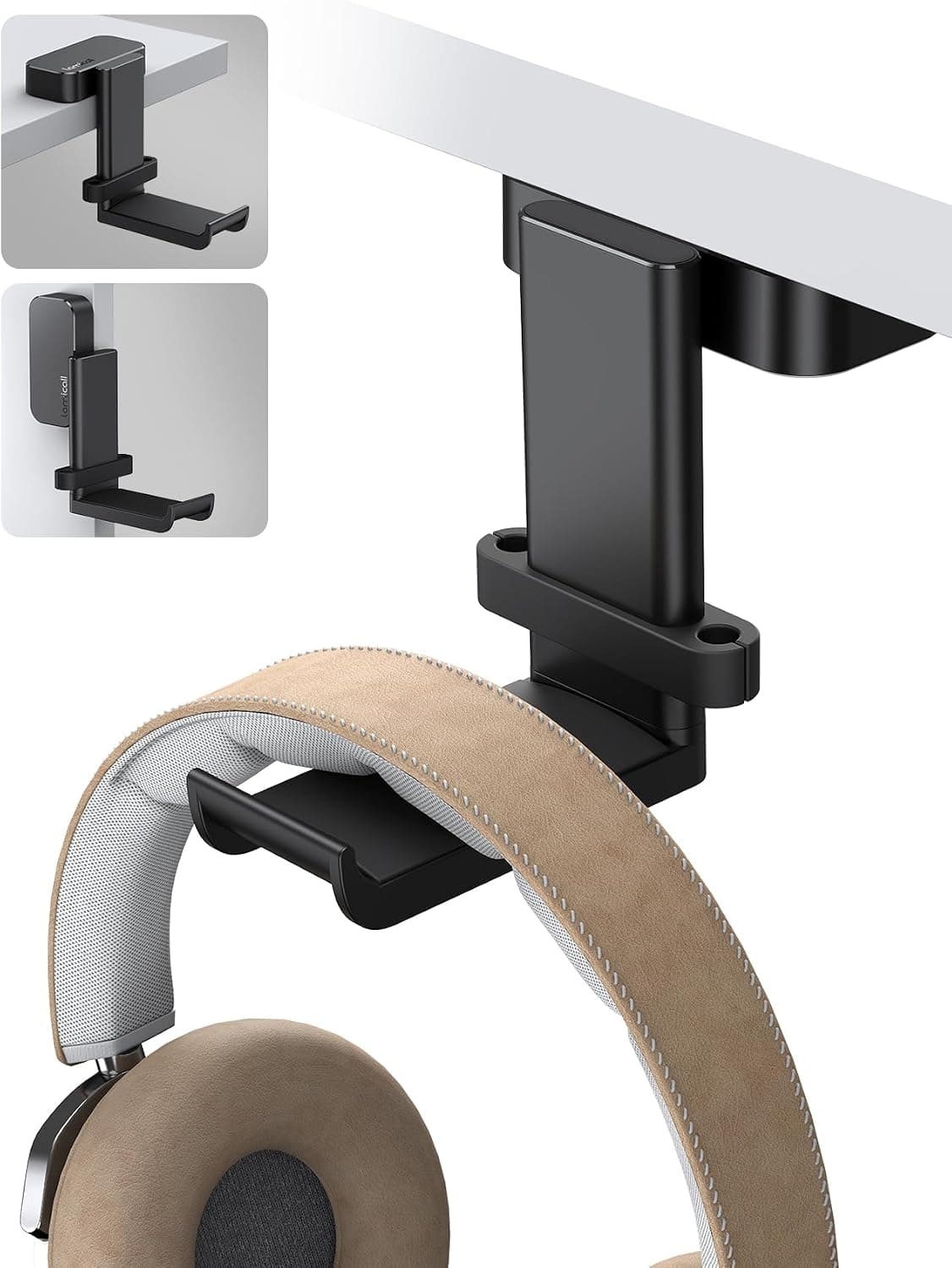
Under-desk hook
Mounts beneath desktop — headphones hang invisible until needed.
Best vertical
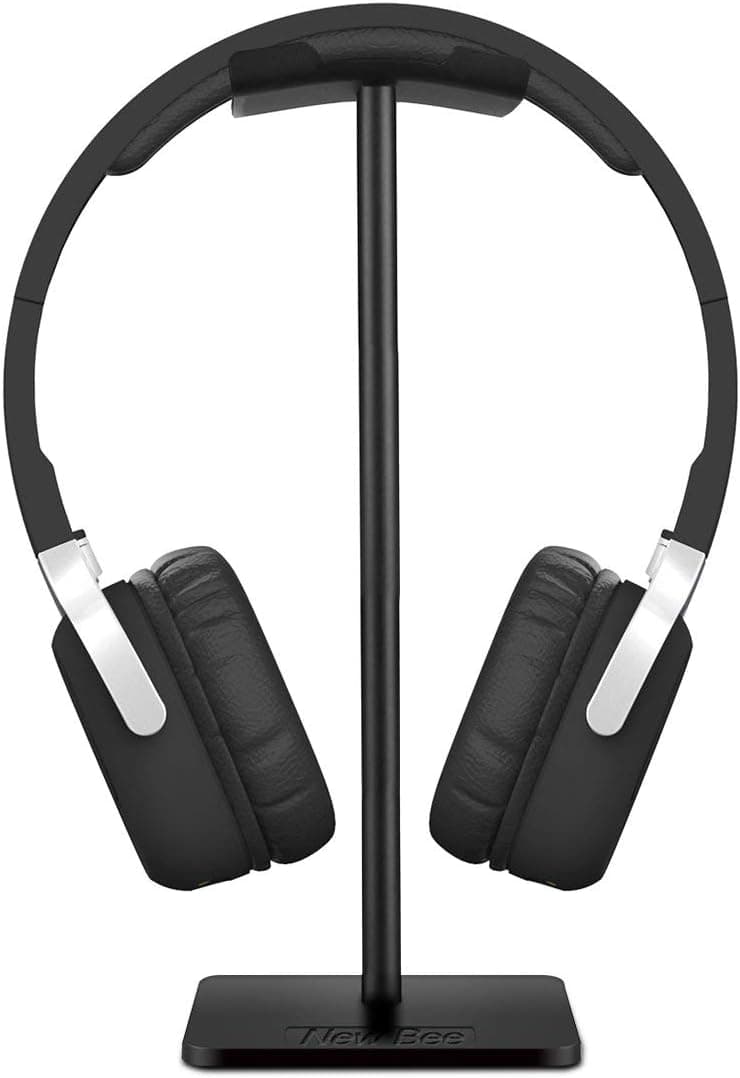
New bee headset holder
Tall narrow profile preserves corner space on cramped desks.
Our top picks
These products illustrate the criteria above — they are not a mandatory shopping list. Skip any pick that fails your desk depth, budget, noise limits, or return logistics.
Best overallA minimal aluminum stand with a small square base — holds over-ear headsets upright without the giant tree-shaped stands meant for audiophile display cases.
Best for: Daily video-call workers who put headphones on and off all day.
- +Compact base fits front corner of small desks
- +Aluminum matches Apple and monitor arm aesthetics
- +Open design — pads breathe vs flat hook
- −Still uses some desktop real estate
- −Very heavy wireless headsets need careful balance
 Best space saver
A clamp or adhesive hook that mounts under the desk lip — headphones hang completely off the surface until you reach down.
Best for: Desks where mouse pad and keyboard already consume every inch.
- +Zero footprint on desktop
- +Hidden from webcam background
- +Clamp option avoids adhesive on finished desks
- −Less convenient if you hate reaching under desk
- −Clamp may not fit beveled desk edges
 Best value
A vertical holder with padded arms and a narrow base — designed to sit in the back corner without blocking monitor risers or wall shelves.
Best for: Gaming and call headsets that need a stable hang without wide spread.
- +Padded arms protect headband coating
- +Tall narrow silhouette saves width
- +Inexpensive backup for second desk
- −Plastic build — not premium feel
- −Can tip if bumped on light bases
Side-by-side comparison
| Feature | Desktop stand | Under-desk hook | Vertical holder |
|---|---|---|---|
| Typical price | $15 – $30 | $10 – $18 | $12 – $22 |
| Desk space used | Small base ~4″ | None — under mount | Corner — narrow base |
| Show on video calls | Sometimes visible | Hidden | Edge of frame |
| Heavy headset safe | Yes with weighted base | Check clamp weight limit | Varies by model |
| Best if you… | Grab headphones hourly | Surface is full | Use desk corner only |
The verdict
Small desks should try the Lamicall under-desk hook first — zero surface cost. If reach annoys you, move to the Lamicall desktop stand in the back corner. A compact vertical stand is the budget vertical option when corners are your only free zone.
Advertisement
Ad placement activates after cookie consent.
FAQ
Headphone stand or hook for small desks?+
Hook if surface space is critical. Stand if you put headphones on ten-plus times daily and have one corner available.
Will a stand fit AirPods Max?+
Most over-ear stands fit AirPods Max — verify headband width on narrow vertical holders. Weighted desktop stands handle them better than light adhesive hooks.
Dual headphones on one desk?+
Use two under-desk hooks on opposite sides or one wide desktop stand with alternating hang — avoid stacking two sets on one peg.
Headphone stand visible on Zoom?+
Under-desk hooks stay off camera. Desktop stands in back corners often leave frame. Center-front stands read cluttered — move to side.
Related guides
Keep reading
Updated 2026-07-26