Best monitor light bars for eye strain in 2026
Monitor light bars compared — reduce eye strain and screen glare without a desk lamp eating space. BenQ, Quntis, and budget picks ranked.
Read the criteria and trade-offs first. Product picks come after so you can skip anything that fails your desk, room, or return window. How we research.
Affiliate links may appear in this guide. Prices are approximate.
Bottom line for monitor light bars
Monitor light bars fix the bright-screen-in-dark-room problem that causes eye strain — they light the desk area without shining into the panel. BenQ ScreenBar is the proven pick; Quntis is the budget trial; ScreenBar Plus if you want a dial.
They replace desk lamps for monitor users who lack space or hate screen glare from side lamps.
Verify your monitor has a flat top edge for the clip before ordering.
Light bar vs desk lamp
Desk lamps often glare on screens or create uneven pools of light. Monitor bars sit above the panel and use asymmetric beams to skip the screen surface.
Bars also keep the desk clear — important on 20-inch-deep surfaces.
Desk lamps still win for video-call face lighting — bars primarily help eye comfort and document visibility.
Who benefits most
Evening and early-morning workers when ambient light is low. Programmers, writers, and analysts in dark room corners. Anyone who gets headaches after long sessions with only monitor backlight.
Less critical if you work only in well-lit rooms with balanced overhead light — but most home offices are dimmer than office buildings.
What mattered when comparing light bars
Optical quality and clip compatibility mattered most. BenQ invented the category for a reason — clones vary in glare control.
Quntis represents the best-selling budget tier worth trying before premium. ScreenBar Plus serves dial lovers without changing light quality.
Light bar mistakes for eye strain
Do not buy bars for curved monitors without checking curved-specific models.
Avoid ultra-thin monitor tops that cannot support clip weight.
Do not max brightness — bars work best at moderate output matching room light.
Skip bars if your main problem is face lighting on Zoom — get a key light instead.
Why bias light beats a random desk lamp
A monitor light bar washes the desk and slightly the wall behind the display, lowering the contrast shock between a bright screen and a dark room. That can reduce eye strain on evening shifts better than blasting a lamp into your face.
Bars that clamp to the top bezel keep the desk free for writing. Confirm compatibility with ultrawide curves and webcam mounts — some stacks fight for the same top edge.
Look for flicker-free dimming and a wide warm-to-cool range if you take camera calls; colder light can look more “awake” on webcam while warmer light feels calmer for late writing.
Asymmetric bars that throw more light forward than backward reduce wall glare behind you on video — useful in white-walled apartments that bounce light into the camera.
Mounting and cable discipline
Route the bar’s USB power into the same tray as the monitor PSU so you do not add another dangling brick. Prefer bars powered from a monitor USB port only if that port stays powered when the display sleeps — many do not.
If you use a monitor arm, test whether the bar shifts balance. Lightweight bars are fine; heavier ones may need tension retune.
Thick top bezels and curved edges may need spacer pads included in the box. If the clamp only grabs 2 mm of plastic, the bar can sag after a month.
Who should skip a light bar
If your room already has soft overhead lighting and a matte display with no night glare, a bar is optional. If you need to light your face for video, a front-facing key light still matters more than a downward desk bar.
Glossy desks show hotspots. A matte desk mat under the keyboard softens reflections from the bar.
Dual-monitor stacks with mismatched heights make one bar awkward. Two smaller bias sources or a ceiling fixture may be simpler.
Brightness habits that actually help
Match bar output roughly to screen brightness, not maximum turbo. A bar cranked to 100% while the display is dimmed still leaves hot spots on glossy keys.
Use warmer temps after sunset even if you prefer cool white for spreadsheets. Circadian comfort is the point — not winning a kelvin spec sheet contest.
Desk sharing and rental moves
Clamp bars travel easier than drilled under-shelf LED strips. Pack the rubber pads so the next desk does not get pinch marks.
If you alternate between two homes, label which monitor each bar fits — bezel thickness differs more than people expect between brands.
Video call lighting overlap
A monitor bar improves desk bias and reduces eye strain, but it is not a substitute for face lighting on Zoom. Most bars throw forward and down — your chin and under-eye shadows may stay dark while the keyboard looks great. Pair a bar with a small key light or position a soft lamp at 45 degrees when client-facing calls matter.
Webcam placement fights for the same top bezel as many clamp bars. Test stack order before the return window closes: bar rear, camera forward, or move the camera to a side tripod if the clamp footprint blocks the lens. Ultrawide curves exaggerate glare when the bar sits off-center.
Auto exposure on laptop webcams reacts to bright desk hotspots. If your face looks dim while the mat glows, lower bar brightness or warm the color temperature. Meeting reality beats spec-sheet lumens — run a test recording with the same blouse or shirt you wear on Mondays.
Sizing bezel clamp fit in prose
Measure top bezel thickness and curvature before checkout — not diagonal screen size alone. Many ultrawides and thin-bezel gaming panels reject clamp bars that need a flat 8 mm lip. If your monitor sits on an arm, add the arm's forward offset when checking whether the bar clears the wall on a 20-inch deep apartment desk.
Who should skip a light bar: rooms with even overhead lighting and matte displays, dual mismatched monitors where one bar looks asymmetric, and glass desks where reflected bar hotspots hit the camera. A desk lamp with a long arm may cost less and light your face better for calls.
Use the return window to test at 9 p.m. with only the bar on — that is when eye-strain relief matters. Listen for coil whine on dim settings; some PWM dimming flickers on camera even when your eyes do not notice. Pack rubber pads if you alternate between two monitors with different bezel profiles.
Evening shifts without lighting the whole room
Apartment workers often share a bedroom office where overhead lights wake a partner at 10 p.m. A monitor bar gives you task light without flooding the ceiling — but only if you dim it to match screen brightness, not max output. Turbo mode looks productive in photos and harsh in a 120 sq ft room.
Warm color temps after sunset reduce the “hospital corridor” feel on video when you must stay on calls late. Cool white helps spreadsheets at 2 p.m.; at 9 p.m. it reads tired on camera and strains eyes against a dark wall beyond the monitor.
If the bar reflects in a glossy screen, tilt the monitor slightly or add a matte filter before you blame the bar. Reflections often come from desk position relative to a hallway light, not from the bar itself.
Roommates on opposite schedules: route bar power through a smart plug on a timer so accidental 6 a.m. brightness does not become a household argument. Physical knobs beat app-only dimmers when you are half-asleep.
Week-two eye strain habits that stick
People buy bars, crank them once, then forget to dim when the sun sets. Week two is when headaches return because screen brightness dropped but bar output stayed at noon levels. Tie bar dimming to the same ritual as enabling night mode on the OS.
Dual-monitor setups with one bar on the primary panel leave the secondary screen floating in a dark pool — uneven luminance fatigues faster than no bar at all. Either add bias light on both panels or accept that the secondary is reference-only at lower brightness.
Take a five-minute break every hour without turning the bar off entirely — sudden contrast jumps when you return mimic the problem the bar was supposed to fix. Steady low bias beats on-off cycling.
Who should skip: rooms with quality overhead dimmers and matte displays already comfortable at night, and call-heavy roles where face lighting matters more than desk bias. A $30 key light at 45 degrees may solve video while a bar only polishes the keyboard.
Short answers below — use them only if the criteria above already match your constraints.
Quick picks
Best overall
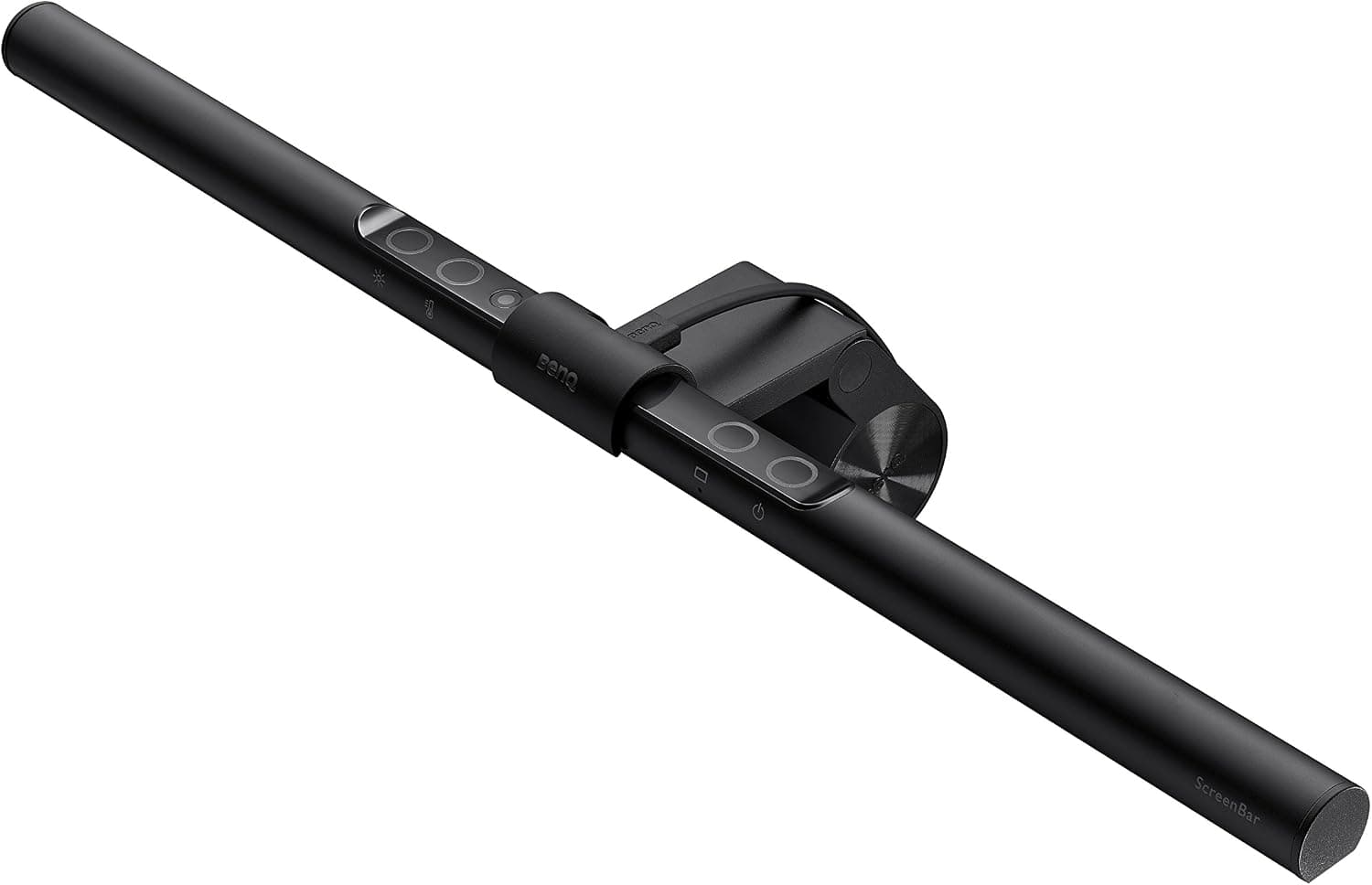
BenQ ScreenBar
Asymmetric optics — lights desk, not screen.
Best budget
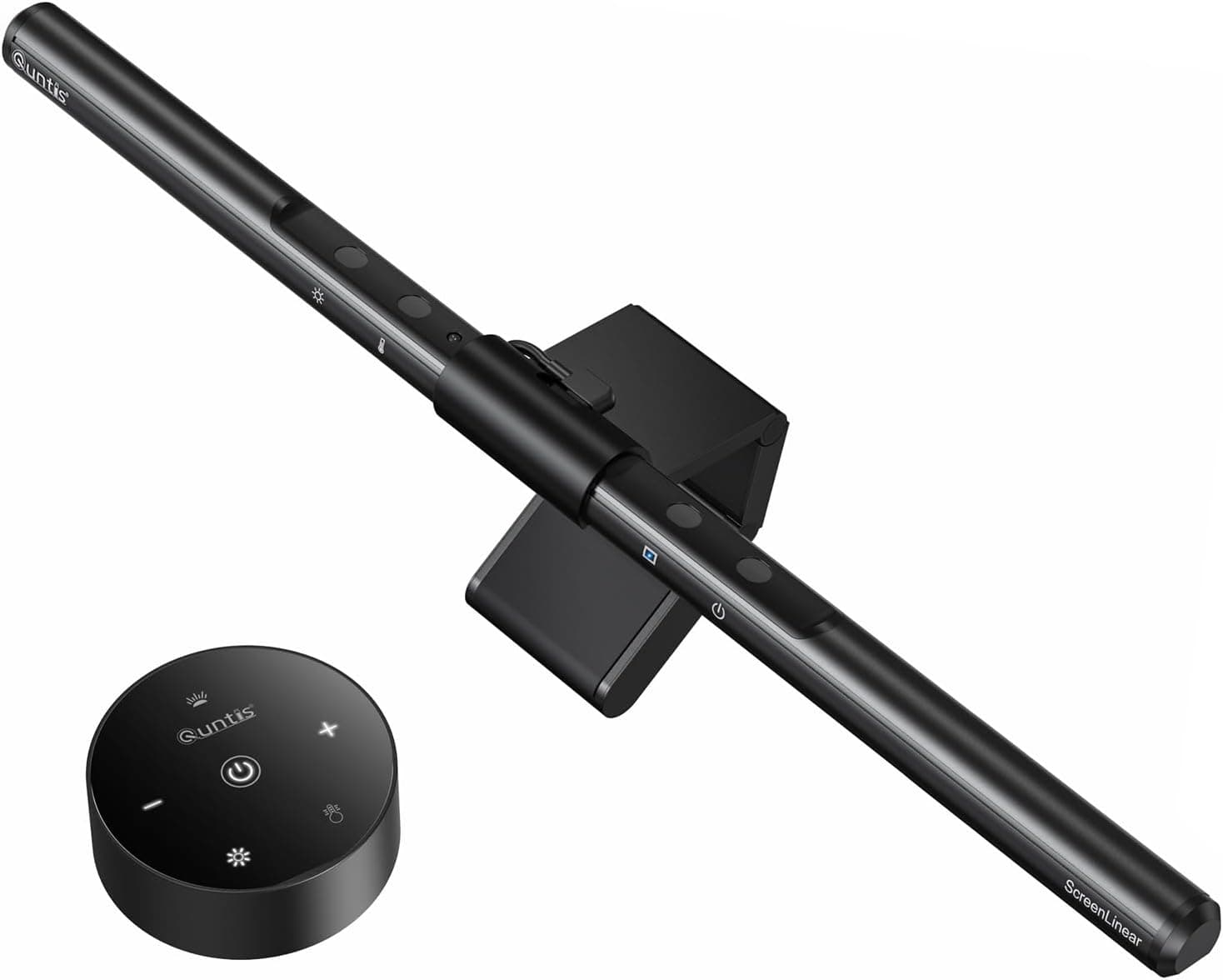
Quntis monitor light bar
ScreenBar-style features at roughly half the price.
Best with dial
BenQ ScreenBar Plus
Physical controls when you hate app or touch sliders.
Our top picks
These products illustrate the criteria above — they are not a mandatory shopping list. Skip any pick that fails your desk depth, budget, noise limits, or return logistics.
Best overallBenQ ScreenBar
~$109The category-defining monitor light with asymmetric optics that illuminate your desk and keyboard without reflecting off the screen — the default fix for evening eye strain.
Best for: Remote workers on monitors 24 inches and up with flat top bezels for the clip.
- +No desk space used — clips to monitor
- +Auto-dimming sensor adjusts to room light
- +Reduces contrast between bright screen and dark room
- −Requires compatible monitor top edge
- −Premium vs budget clones
 Best budget
A widely bought ScreenBar alternative with stepless dimming and color temperature control — the budget entry when you want monitor-mounted lighting without BenQ pricing.
Best for: Budget-conscious workers testing whether light bars beat desk lamps.
- +Touch controls for brightness and warmth
- +USB powered from monitor or hub
- +Similar form factor to premium bars
- −Optics less refined — possible slight glare on glossy screens
- −Build quality varies vs BenQ long-term
 Best controls
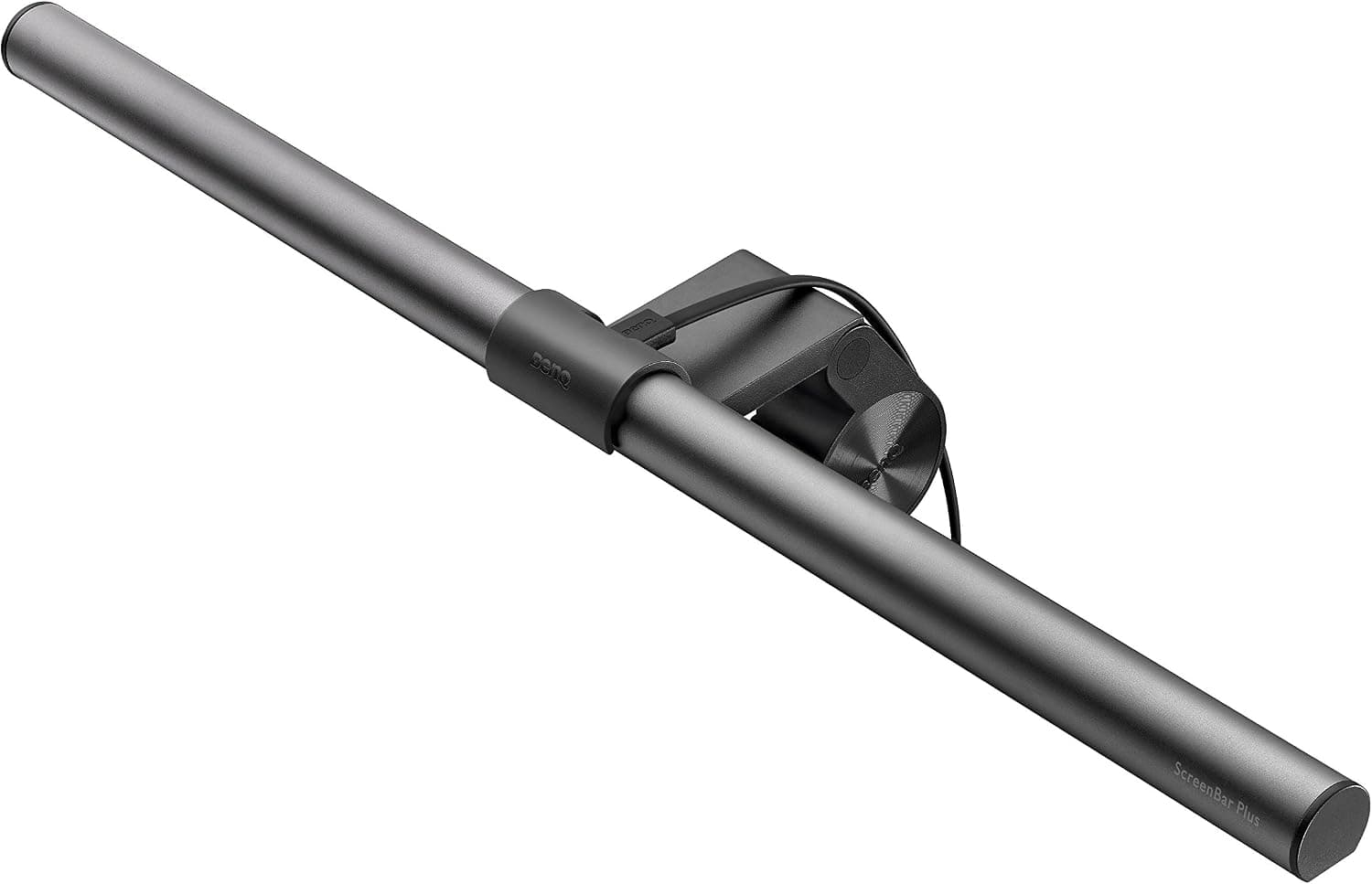
BenQ ScreenBar Plus
~$139The ScreenBar with a desktop dial controller for brightness and color temperature — same optics as the standard model, better for people who adjust lighting multiple times daily.
Best for: Power users who tweak lighting often and prefer tactile control.
- +Dedicated dial — faster than touch bar on monitor
- +Same asymmetric light pattern as ScreenBar
- +Remembers last setting on power cycle
- −Dial adds desk clutter — ironic for zero-footprint lighting
- −Extra cost over standard ScreenBar
Side-by-side comparison
| Feature | BenQ ScreenBar | Quntis bar | ScreenBar Plus |
|---|---|---|---|
| Typical price | $100 – $120 | $40 – $55 | $130 – $150 |
| Auto-dimming | Yes | Varies by model | Yes |
| Desk footprint | Zero | Zero | Zero |
| Best if you… | Want proven optics | Budget first | Prefer physical dial |
The verdict
Buy the BenQ ScreenBar if eye strain in dim rooms is your problem — it is the monitor light bar to beat. Try Quntis on a budget. ScreenBar Plus only if you will use the dial daily.
Advertisement
Ad placement activates after cookie consent.
FAQ
Will a light bar work on a laptop?+
Most clip bars target external monitors. Laptops need clip-on screen bars designed for thin lids or a desk lamp instead.
Light bar enough for video calls?+
Indirectly — reduces overall contrast fatigue. Dedicated face lighting still helps camera appearance.
USB-A or USB-C power?+
Most bars include USB-A cables — run from monitor hub, dock, or adapter. Check wattage if daisy-chaining many USB devices.
ScreenBar vs Halo?+
Halo variants add front spill for desk documents. Standard ScreenBar focuses on asymmetric desk illumination — pick Halo if you read paper on the desk often.
Related guides
Keep reading
Published 2026-07-05 · Updated 2026-07-26