Best privacy screens for shared home office spaces
Monitor privacy filters and desk dividers for WFH in shared rooms — keep confidential work off shoulder-surfers and video-call reflections.
We keep the shortlist small on purpose. One strong fit beats three mediocre Amazon cards. How we research.
Affiliate links may appear in this guide at no extra cost to you.
When WFH privacy actually matters
Not every remote worker needs a filter. If your desk faces a wall and you live alone, software posture and lock-screen habits may suffice.
Shared apartments, couples WFH in one room, and parents in open floor plans change the calculus — shoulder surfing becomes daily, not theoretical.
Compliance-heavy roles (health, finance, legal) may require physical screen privacy regardless of household layout — check employer policy before relying on room arrangement alone.
Filter vs divider — or both
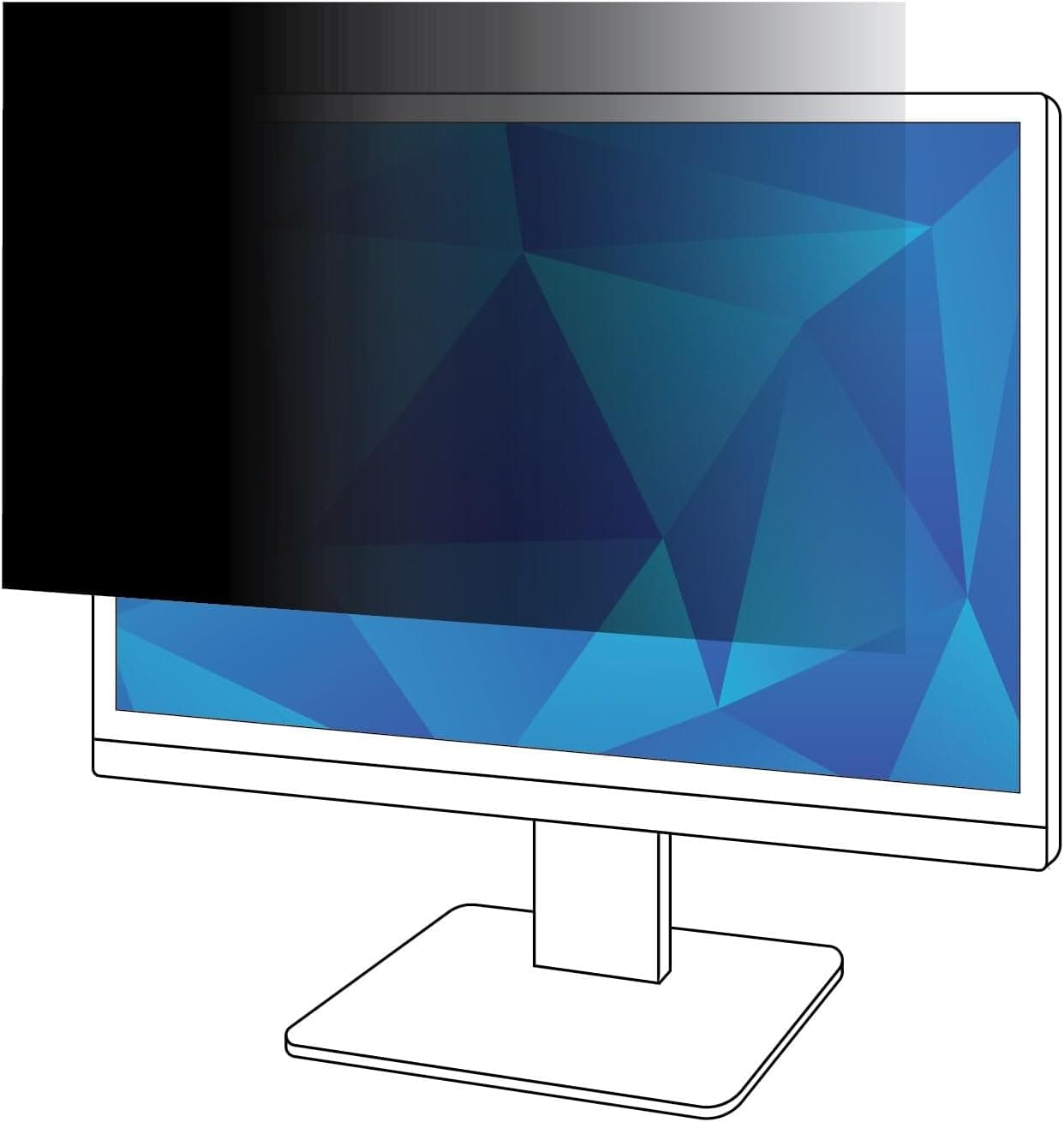
Filters use micro-louvers so light from the screen only exits in a narrow cone toward your eyes. Someone at 45 degrees sees a dark or mirrored surface.
Dividers block line-of-sight to the whole desk area — useful for focus and calls, but a person standing beside you can still read the monitor.
Combined setup works in the worst cases: filter for data, divider for psychology and video background.
What mattered when comparing privacy screens
We prioritized filters from established optical brands — cheap tint sheets scratch and bubble without real privacy angles.
3M remains the reference implementation for monitor sizes. Magnetic options suit hybrid workers who present without filters occasionally.
Desk partitions were limited to clamp mounts suitable for renters — no cubicle wall systems.
Privacy screen mistakes in open rooms
Do not buy the wrong filter size — measure active screen area diagonally and match model charts.
Avoid permanent adhesive filters on rental monitors if removal matters — clips or magnetic instead.
Do not assume a divider replaces a filter for compliance — they solve different problems.
Bump monitor brightness after installing filters — initial dimness is normal.
Threat model at home vs café
At home, privacy filters mainly block shoulder surfers — partners walking behind, guests on couches. They do not stop someone determined to screen-share or photograph from an angle with a phone.
In cafés and coworking lounges, filters reduce casual glances but not reflections that reveal content in bright windows. Seat with your back to a wall when handling sensitive spreadsheets.
Angle matters: most filters narrow acceptable viewing to roughly ±30–40°. Test from the hallway before assuming HR data is hidden.
Brightness and eye strain tradeoffs
Filters dim the panel slightly. You may crank brightness to compensate, which raises power draw and heat on laptops.
Matte filters help glare; glossy-retention filters keep punchier color but show fingerprints. Pick based on whether you work near floor-to-ceiling glass.
Install on laptops and externals
Magnetic or adhesive laptop filters travel well; clip-on versions can interfere with closing the lid if mis-sized.
External monitors need the exact diagonal and aspect — 16:10 filters on 16:9 panels leave gaps that leak content.
When filters are not enough
Legal, medical, and finance workflows may require OS-level controls, VPN policies, and simply not working in public on certain files.
If your real risk is household members glancing, a repositioned desk or room divider may beat a filter you hate visually.
Video call visibility tradeoffs
Filters dim the panel — you may run higher brightness during calls, which heats the laptop and drains battery faster on all-day Zoom schedules. Test a recorded call with the filter installed before you commit past the return date.
Shoulder surfers at home are slower than a partner walking behind you during a screen-share. Filters help glances, not determined photography at an angle. Seat with your back to a solid wall when discussing payroll or patient notes.
Matte filters can make fine spreadsheet text slightly softer. If your job is pixel-precise design or accounting, verify legibility at your normal zoom level. Sometimes repositioning the desk 90 degrees solves more than a permanent film you resent visually.
Sizing filter fit without gaps
Laptop filters must match exact diagonal and aspect — a 16-inch 16:10 film on a 16:9 panel leaks content at the corners where shoulder surfers actually look. Measure active display area, not lid size; bezels vary by generation even within the same brand.
External monitors need the same discipline: ultrawide filters are not interchangeable with 27-inch 16:9 sheets. A 2 mm gap at the bottom edge defeats the purpose on a couch-facing studio desk. Magnetic attachments travel better than adhesive for renters who swap between personal and work laptops.
Return-window legibility test: open a dense spreadsheet at your normal zoom and view from 30 degrees off-axis — the angle a partner walking to the kitchen would see. If you crank brightness above 80 percent to compensate, track battery and heat during a three-call morning.
Who should skip privacy filters entirely
If your risk is casual glances from a partner you trust, repositioning the desk or adding a low room divider may beat a permanent film you hate visually. Filters do not stop screen sharing mistakes or phone photos from determined angles in cafés — situational awareness still matters.
Designers and photo editors who need true color and brightness should skip filters that mute panels — use OS privacy overlays and separate user accounts on shared machines instead. Legal and medical workflows may require policy controls beyond hardware films anyway.
Apartment workers who hot-desk between rooms lose filters sized for one machine fast. Skip adhesive films on company-owned laptops without IT approval. When the real problem is a window reflection revealing your screen to the building across, curtains beat filter dimming every time.
Household desk placement before buying film
Walk the sight lines partners and guests actually use — hallway approach, couch angle, kitchen pass-through. A filter helps glances from 30 degrees; it does not help someone seated beside you on the sofa.
Rotating the desk 90 degrees so the panel faces a wall often solves more than film on a panel visible from the bed. Measure before you dim a display you need at full brightness for spreadsheets.
Open-plan studio flats: a low bookshelf or folding screen behind the couch beats a filter when the risk is casual social glances, not corporate espionage.
Kids and pets do not respect viewing cones — filters are not parental controls. Separate OS accounts and closed lids beat hardware angles for household policy.
Week-two brightness fatigue on all-day calls
Filters steal one to two stops of brightness — by week two you may run laptops at 100 percent brightness with hotter fans and shorter battery. Track whether compensation heat is worse than the privacy benefit.
External monitors with filters need the same legibility test at your normal zoom on dense spreadsheets. Soft text at 30 degrees off-axis may still be readable enough to leak payroll rows — verify, do not assume.
Adhesive filters that bubble at corners after humidity swings fail the threat model silently. Re-seat inside the return window or return before the gap widens.
Who should skip filters: designers needing true color, workers whose real fix is desk rotation, and company laptops without IT approval for adhesive films.
Short answers below — use them only if the criteria above already match your constraints.
Quick picks
Best monitor filter
3M privacy filter
Gold-standard narrow viewing angle for confidential spreadsheets and email.
Best magnetic attach
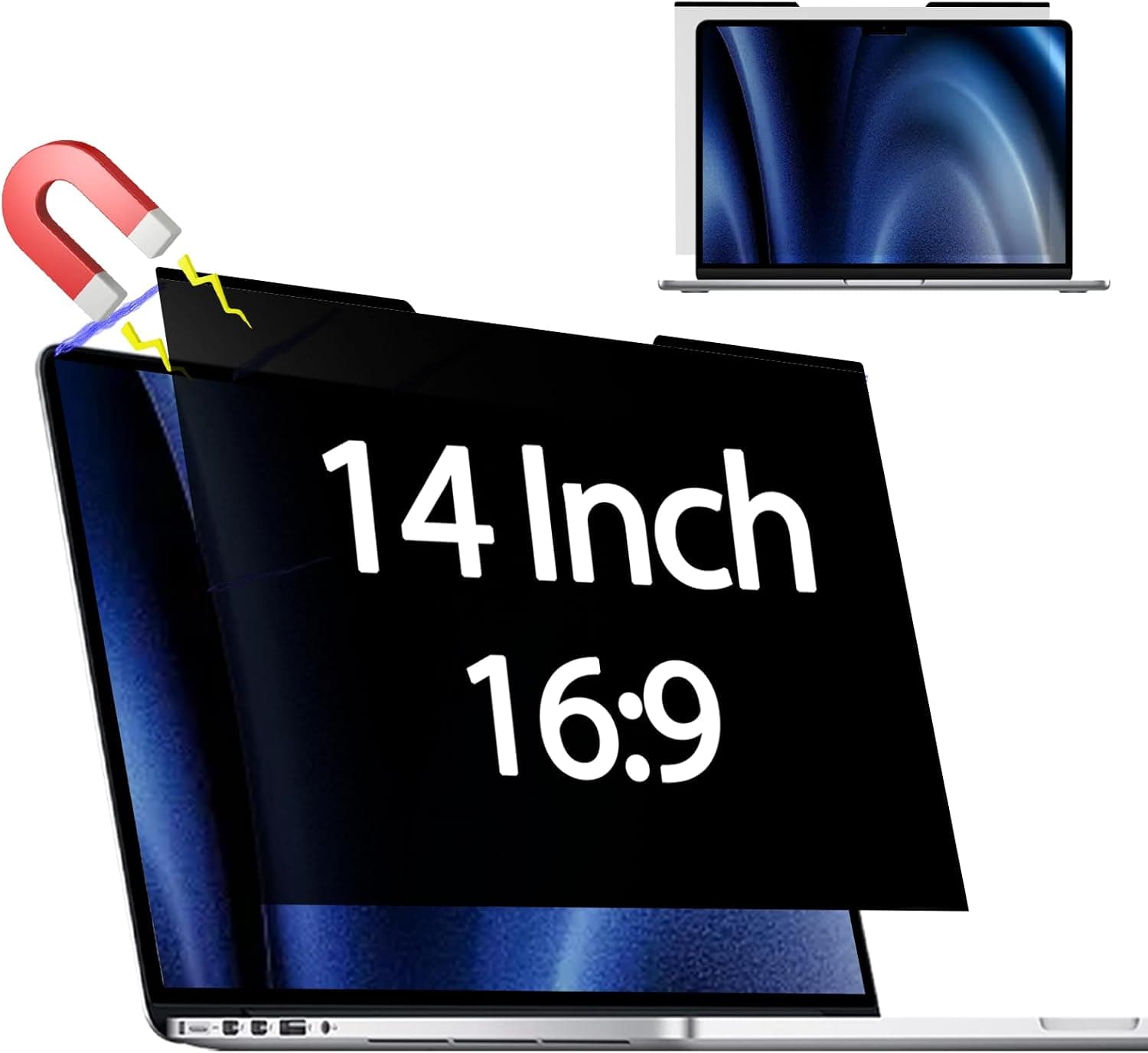
Magnetic laptop privacy screen
Snaps on and off when you switch between private and presentation mode.
Best desk divider
VIVO desk partition
Blocks visual distraction from roommates — not just screen angle.
Default picks (skip if constraints disagree)
These products illustrate the criteria above — they are not a mandatory shopping list. Skip any pick that fails your desk depth, budget, noise limits, or return logistics.
Best overallA optical filter that narrows the viewing angle so only someone directly in front sees clearly — the corporate standard adapted for home workers handling client data in shared apartments.
Best for: Finance, legal, HR, and healthcare remote workers with compliance concerns.
- +Proven micro-louver technology — not cheap tint film
- +Available sized to common 24–27″ monitors
- +Also reduces glare from windows
- −Slightly dims screen — bump brightness one notch
- −Must buy correct size — no one-size-fits-all
 Best for laptops
A magnetic-attached filter for MacBook and some external monitors — easier to remove than adhesive when you present or watch video off-hours.
Best for: Workers who want privacy during the day but full brightness and angle at night.
- +Snaps off without residue — good for shared MacBooks
- +Travel-friendly for cafe work with sensitive previews
- +Installs without clips scratching bezels
- −Model-specific sizing — verify exact laptop or monitor
- −Magnetic strength varies by device bezel material
Side-by-side comparison
| Feature | Privacy filter | Magnetic filter | Desk partition |
|---|---|---|---|
| Typical price | $40 – $80 | $35 – $60 | $50 – $90 |
| Protects screen content | Yes — narrows viewing cone | Yes — same principle | No — blocks room sightlines only |
| Reduces roommate distraction | Partial | Partial | High — physical barrier |
| Removable daily | Clips or adhesive | Magnetic — easy | Semi-permanent mount |
| Best if you… | Handle sensitive data on screen | Toggle privacy often | Desk faces shared living area |
The verdict
Match the product to the threat: 3M filters for side-angle screen privacy, Magnetic privacy screens for removable laptop protection, desk dividers when shared-space distraction is the bigger pain. Measure twice, size the filter once, and bump brightness after install.
Advertisement
Ad placement activates after cookie consent.
FAQ
Do privacy filters hurt eyes?+
They slightly reduce transmitted light, which can cause squinting if brightness stays low. Increase monitor brightness or use good desk lighting after installation.
Can I use a filter on a laptop?+
Yes — magnetic and clip-on laptop filters exist. Verify closure clearance on clamshell models so the lid does not stress the filter when closed.
Privacy filter for video calls?+
Filters do not affect what your webcam shows — they limit side viewing of the screen itself. For call privacy, use headphones and mind what is on screen when sharing.
Is a room divider enough?+
Enough for focus and visual separation, not enough for data compliance if someone can stand beside your monitor. Pair divider with filter when both distraction and confidentiality matter.
Related guides
Keep reading
Published 2026-07-05 · Updated 2026-07-26