Best budget standing desk converters in 2026
Standing desk converters that turn your existing desk sit-stand — budget picks, ergonomics limits, and when a full electric desk is worth it.
Start with the criteria and table. Only open product pages after you know depth, noise, and budget limits. How we research.
Some links may earn a commission. Prices are approximate.
Bottom line for budget desk converters
Converters add sit-stand to your current desk for $100–$220 — cheaper than electric desks but less ergonomic at seated height and often wobbly at standing. FlexiSpot is the default recommendation. VIVO for small desks. Consider full electric desk if budget allows $300+ sales.
Pair with anti-fatigue mat when standing 30+ minutes.
Measure desk depth — converters need stable base desk; flimsy IKEA tables may wobble.
Converter vs full standing desk
Full desks adjust entire surface — keyboard, coffee, notes rise together. Converters lift only top platform — seated ergonomics suffer because monitor stacks high even when sitting.
Converters win on price, renter mobility, and testing standing before big purchase.
Electric full desks on sale sometimes beat premium electric converters — compare before buying.
Ergonomics limits
Keyboard tray tier helps but converter setups often put screens too high when seated. Monitor arms on converter tops can worsen wobble.
Single monitor under 25 lbs ideal. Dual monitors on converters — check weight limits carefully.
Alternate sit and stand — converters do not fix all-day standing on hard floors without mat.
What mattered when comparing converters
Stability ratings and keyboard tray inclusion separated useful converters from wobbly monitor-only blocks.
FlexiSpot and VIVO dominate budget category with replaceable parts. Electric converter slot for users who cannot manual-lift.
Converter mistakes on fixed desks
Do not exceed weight rating — wobble ruins typing experience.
Avoid converters on glass desks without verifying stability.
Do not skip keyboard tray — monitor-only risers hurt wrists standing.
Measure ceiling height — converters add vertical stack.
Measure keyboard depth and elbow height
The keyboard tray should let elbows land near 90° without shrugging. Shallow trays force trackpads into bad wrist angles. If you use a separate mouse, confirm there is room on the same plane as the keyboard — split height between keyboard and mouse is a common conversion regret.
Monitor top should sit near eye level. Many budget converters put the display too low when the keyboard tray is comfortable; a small monitor riser or arm may still be required.
Leave clearance behind the converter for cables when the desk is against a wall. Sliding designs need rear space that crowded bookshelves steal.
Writers who use paper notebooks need front lip clearance. Some trays pinch when you slide a pad forward — test with your actual notebook size, not a credit card.
Stability tests before you commit
In product videos, look for typing bounce at full height. In your home, place the unit and type a paragraph at standing height on day one within the return window. If the image jitters, return promptly — no accessory mat fixes a floppy scissor mechanism.
Watch lateral wobble when you write with a pen. Corner desks and thin tops amplify movement. A heavy desktop helps; a glass top rarely does.
Load the converter with your real gear before the return window closes. Empty-frame demos on YouTube hide flex that appears only with a 27-inch monitor and a docked laptop.
Budget pitfalls
Ultra-cheap no-name converters often omit keyboard trays or ship mismatched screws. Factor assembly time: an evening lost to missing hardware is not a bargain.
If your goal is medical rehab after back pain, talk with a clinician about sit-stand cadence. Hardware alone does not fix posture if you stand locked for three hours without moving.
Shipping weight surprises matter in walk-up apartments. A 40-pound converter delivered to a third-floor flat is a different purchase than a 25-pound gas-lift model.
Cable and monitor arm interactions
Raising the whole stack shortens effective cable reach to the floor. Plan a service loop or a vertical sleeve if the desk is not height-adjustable underneath.
Monitor arms clamped to the converter platform can shift the center of gravity. Prefer lighter panels or factory stands on budget converters unless the spec sheet explicitly allows VESA loads.
Who should skip converters entirely
If your fixed desk is already too high for seated elbow height, stacking a converter makes standing better but sitting worse. Fix chair height and foot support first.
Gamers with heavy speakers and dual monitors often exceed safe converter loads. A full frame with dual motors spreads weight more predictably.
Apartment constraints and return-window reality
Walk-up flats and narrow doorways turn a converter purchase into a logistics problem. Measure the path from the building entrance to the desk room, not just the desktop footprint. A unit that fits the table but cannot round a stair landing becomes an expensive return with restocking hassle.
Use the return window for a full workweek, not a weekend demo. Type at standing height during at least two video calls, raise and lower the platform while cables are connected, and check whether the keyboard tray clears your knees when the dining chair tucks in. Wobble that feels minor on day one often worsens once you add a monitor arm.
Renters on shared tables should confirm weight marks and surface rules before clamping or bolting anything. Heavy converters on thin particleboard tops can bow permanently. If the desk must return to roommate-ready condition in six months, favor models that lift without drilling and leave no oil rings from gas springs.
Heat and noise under converter stacks
Converters raise laptops and monitors closer to ceiling fixtures and shelf lights — check clearance before you buy. A platform that lifts a 27-inch panel may put the top bezel six inches from a low pendant, which reads fine in photos but blocks standing height in a loft bedroom. Heat from a closed-clamshell laptop on the keyboard tier also rises into the display zone during long encoding sessions.
Gas-spring and scissor mechanisms can squeak when humidity swings in unconditioned apartments. If you share walls with a nursery or a partner on opposite shifts, lift during off-call hours and grease per manual only after the return window proves the noise is acceptable. Manual converters trade motor hum for shoulder effort — budget that if you change posture six times daily.
Who should skip converters: users on desks already too high when seated, anyone with a glass top rated below the converter footprint, and dual-monitor setups exceeding published weight without margin. Cable length gets shorter effective reach when the whole stack rises — plan a vertical sleeve if the desk itself does not move. Return promptly if typing bounce appears on camera; no mat fixes a flexy keyboard tray.
Week-two keyboard tray sag and cable pinch
Gas springs and scissor frames settle after the first hundred lifts. Keyboard trays that felt level on install day may tilt forward by week two — re-tension per manual or return if keys slide toward you during typing.
Cable pinch appears when the monitor tier rises but the power strip stays floor-fixed. HDMI and USB-C paths that cleared on day one can pull taut at max height by day ten — add six inches of slack before zip ties harden mistakes.
Typing bounce on video calls worsens once you add a heavy wireless keyboard and palm rest. Return-window test: record a standup at full standing height with real gear, not the lightweight keyboard from unboxing.
Manual converters traded for shoulder strain show up in week two when you stand six times daily. Budget physical effort or upgrade to smoother lift — cheap manual units become coat racks by month two.
Side-by-side comparison
| Feature | Full-width converter | Compact riser | Gas spring |
|---|---|---|---|
| Typical price | $150 – $220 | $100 – $150 | $120 – $180 |
| Keyboard tray | Usually included | Sometimes separate | Varies |
| Max load | 30 – 35 lbs typical | 25 – 30 lbs | 25 – 35 lbs |
| Best if you… | Standard 24″+ deep desk | Small desk or corner | Light monitor + laptop |
Picks that match the criteria above
These products illustrate the criteria above — they are not a mandatory shopping list. Skip any pick that fails your desk depth, budget, noise limits, or return logistics.
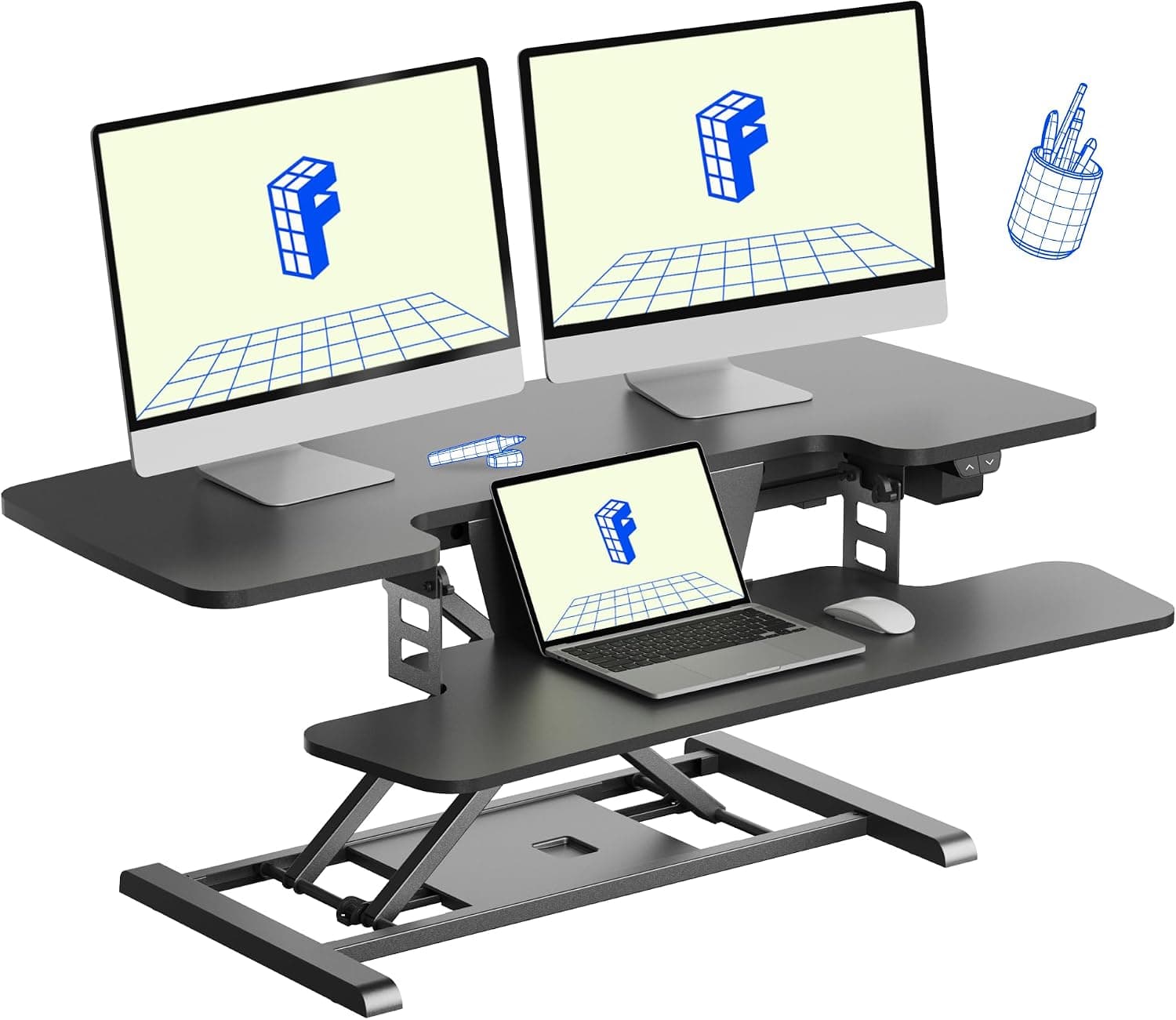
Best overallA 40-inch electric sit-stand converter with keyboard tray — button-height changes without replacing your existing desk.
Best for: Renters and budget WFH workers who want powered lift without buying a full electric desk.
- +Electric lift — no manual gas-spring struggle
- +Keyboard tray improves standing ergonomics vs monitor-only risers
- +No furniture replacement — sits on current desk
- −Eats vertical space — monitor may feel high when seated
- −Heavy units — two-person lift to place
 Best compact
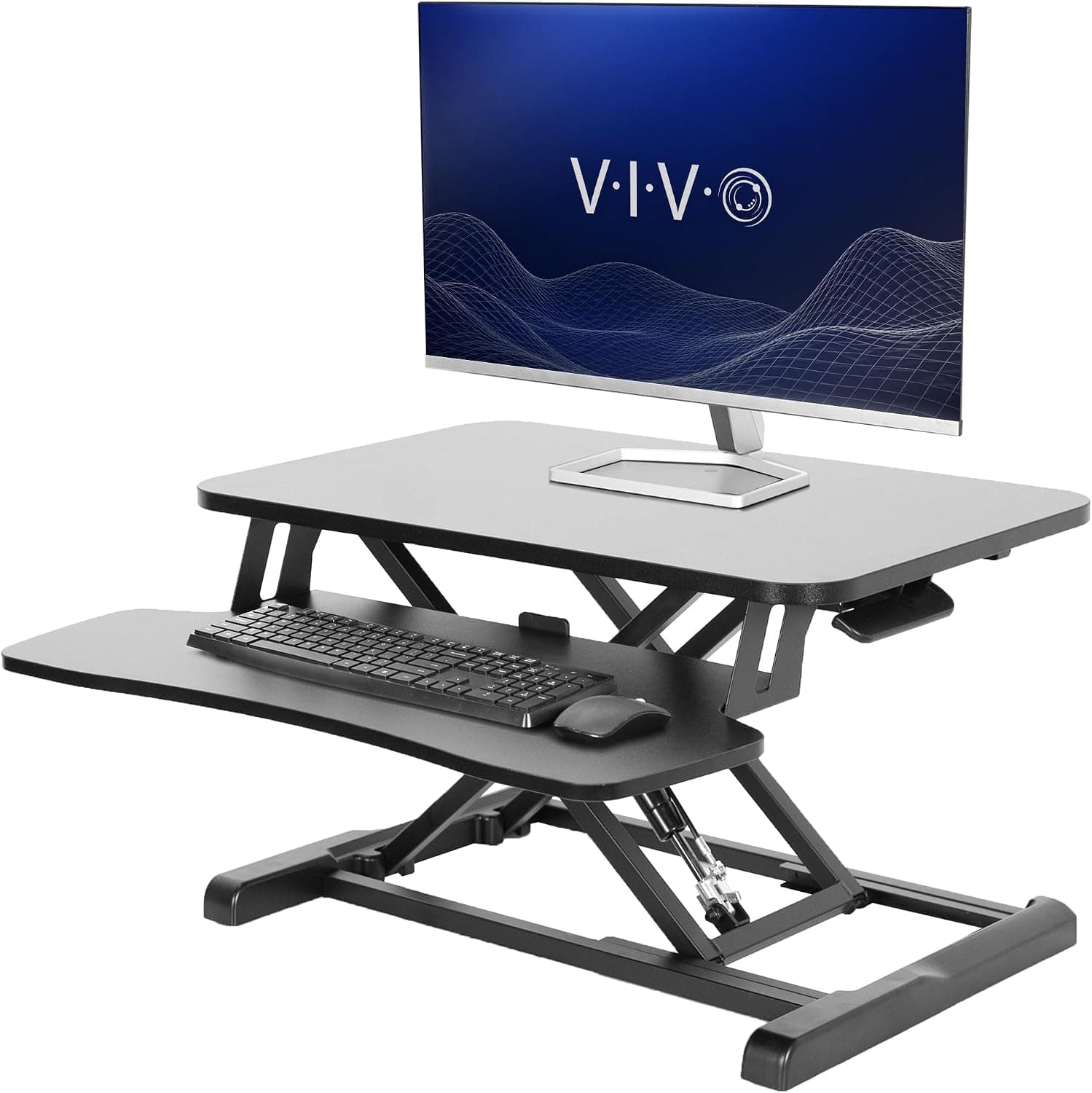
A compact converter for smaller desks — lifts monitor and keyboard without requiring 30 inches of depth on the base desk.
Best for: Apartment desks and L-shaped corners with limited surface.
- +Smaller footprint than full-width converters
- +Affordable entry to sit-stand
- +Straightforward X-lift or gas models available
- −Lower weight capacity — check monitor weight
- −Less stable at max height with heavy dual monitors
 Best budget
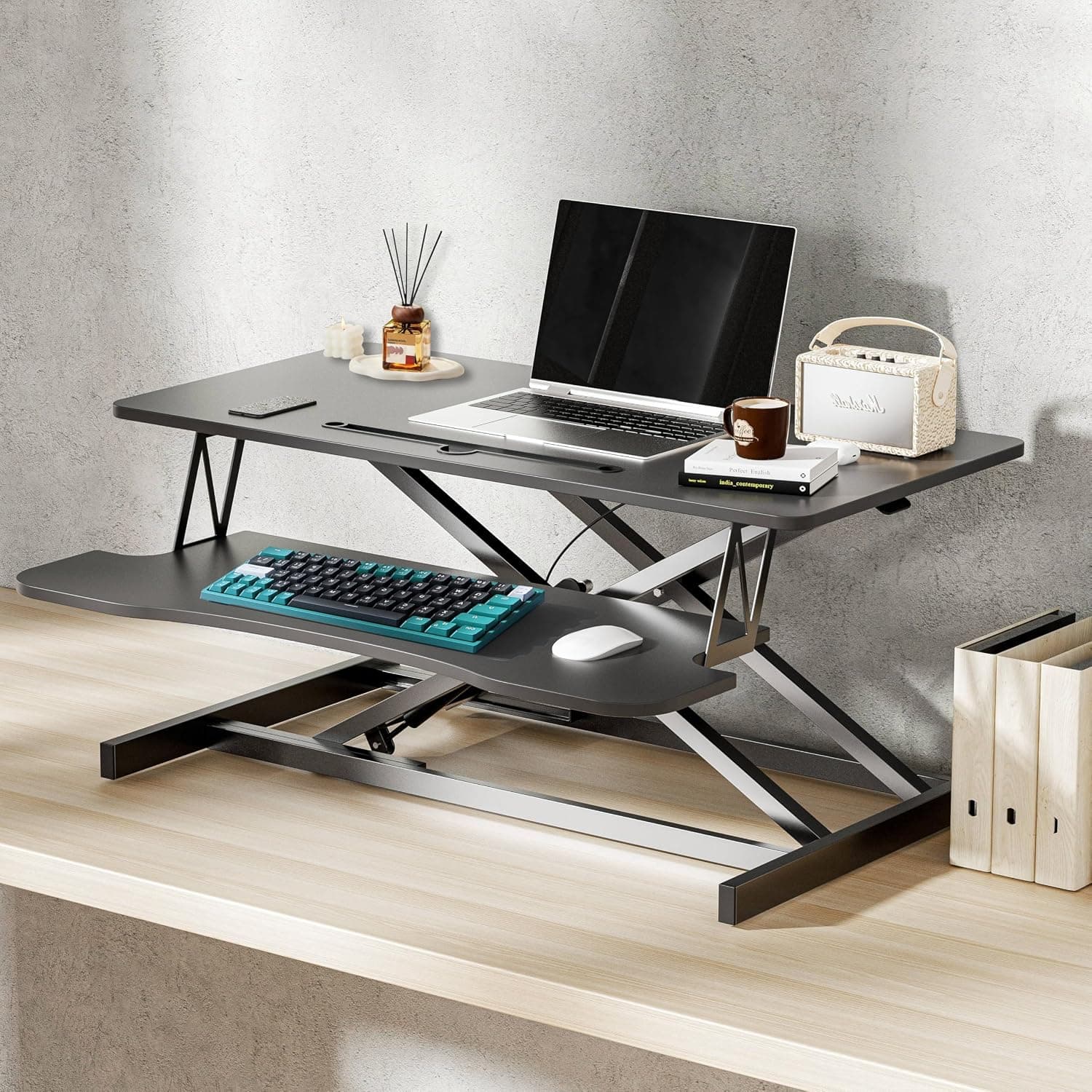
A budget manual standing desk converter with keyboard tray — the entry pick when you want sit-stand height without electric motor pricing.
Best for: People testing standing habits before spending on electric converters or full desks.
- +Lower price than electric converters
- +Keyboard tier for standing typing
- +Keeps existing desk surface
- −Manual lift — harder with heavy dual monitors
- −More wobble at max height than premium converters
The verdict
Test standing cheaply with FlexiSpot converter on a sturdy desk — add VIVO if space is tight. Upgrade to full electric sit-stand desk when standing sticks and seated ergonomics bother you — converters are a bridge, not the final form.
Advertisement
Ad placement activates after cookie consent.
FAQ
Standing converter or new desk?+
Converter to test habit and save money. Full electric desk if you stand daily and want proper seated ergonomics too.
Will converter damage desk?+
Weight concentrates on center — solid wood and steel frames fine. Thin particleboard may bow over years — distribute weight or use board under converter.
Dual monitors on converter?+
Possible within weight limit — often one monitor plus laptop safer. Dual 27-inch panels usually need full desk.
Converter with monitor arm?+
Generally avoid — combined wobble. Mount arm to desk behind converter if desk thickness allows, not to converter surface.
Related guides
Keep reading


Published 2026-07-05 · Updated 2026-07-26